Library not showing after install

Hi

I have just installed the Plex media server and do not see any library’s at all. I have scanned my files with Plex and nothing is showing?
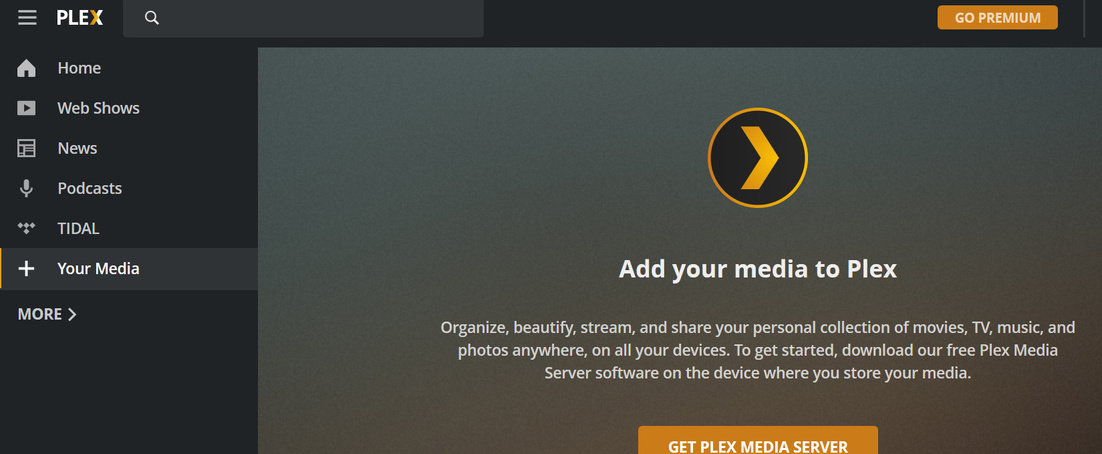
Maybe i am missing something easy but this is driving me crazy. I have attached an image of the categories so that you can see there is no library category.
I am wanting to watch movie files from my laptop to the living room tv.

Thanks

Server Version#:4.12.3
Player Version#:

Are they not there when you click more?

Which URL are you using? Seems like server is not running. Is it creating any log files?

Nope. Shows nothing

http://127.0.0.1:32400/web/index.html#

This is the url

So you installed went through wizard added libraries and when it got to this point and nothing was there?

Can you see if it is creating any log files https://support.plex.tv/articles/200250417-plex-media-server-log-files/#toc-1

I was not given the option to add library’s on install.

There are log files yes.

You mentioned this in your first comment so when did this happen? Is this a new server install on this computer or an update?

When you click on “Your Media” What happens?

I just hit update files sorry not scanned, it never scanned. This is a new server install. When i click on new media it says ‘add your media to plex’.

Could you exit the server from the task tray then start it back up then when you go to that URL and it still happens can you attach the most recent Plex Media Server.log file here. (you might have to compress it to a .zip file.)

{Plex Media Server.1.log|attachment removed}

seems like there was a previous server install on that machine that someone else was signed into. the logs show it signing into account username lueck. so when you are signed into your account in web app nothing shows.

Please try this which is exiting server, deleting some options in the file then starting server again. when you go to web app again in browser it should ask you to claim it. https://support.plex.tv/articles/204281528-why-am-i-locked-out-of-server-settings-and-how-do-i-get-in/

1 Like

This fixed it! Thank you so much :wink:

1 Like

This topic was automatically closed 90 days after the last reply. New replies are no longer allowed.
