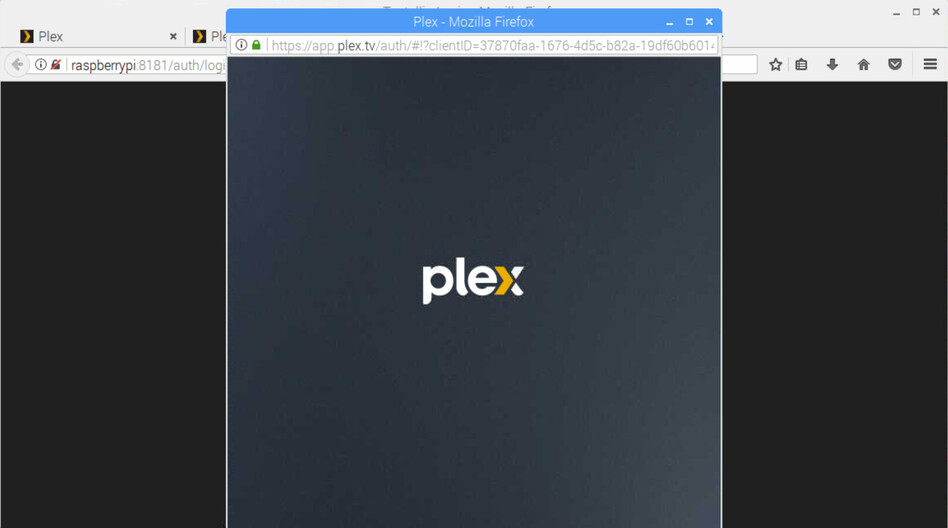
At the server, when I launch Plex web interface, on Firefox or Chromium, it will just show the Plex logo and the page never loads. Does anyone encounter the same issue ?
Nevertheless, I am able to use the clients and to load the web interface remotely.
Yep, started today I think, also for me (Linux/Fedora).
It seems to be related to browser settings somehow, because I have two Firefox profiles (my main one and a throwaway one), and the issue is only happening on my main. One thing I found out so far that apparently it’s not related to blocking connections to third-party servers. And also that “never loads” is not actually true, but it takes a solid 1-2 minutes before it proceeds. There is something it waits on.
The behavior is also the same without being logged in any user account. It will just show this splash screen (or without the plex logo, depending on sessionstorage value):
In this screenshot I have uBlock Origin enabled, but I also already tried it without (as in completely removing it from that browser profile, my main one). And in my other throwaway Firefox profile, I tried installing uBlock Origin to test if it makes it break, but it still worked fine and fast, so it seems entirely unrelated.
In any case I have nevertheless tried to look at the server logs (you put debug all in upper case and I’m not sure why, so if this is the wrong log please excuse my ignorance). I started to load the page on my main at approx 17:27:30, it actually loaded approx 2 minutes later at 17:29:22
Here: https://paste.centos.org/view/e5132f25
I don’t see anything related really but at least I was able to count the exact time this way. Maybe @marius2du you are able to test if you are experiencing the same issue.
Also if you have any idea which setting I could toggle in Firefox… I already tried some stuff but couldn’t find any setting that influences the behavior (always checking in both my “broken” main profile and the “healthy” throwaway to see if there is any change).
I tried a few times now. When I let this page sit there without any reloading, just letting it sit, for pretty much give or take 120 seconds, then it will load successfully. Did you give that a try? Here it really seems like Plex Web is just waiting 120 seconds, as in that time there is nothing happening also in browser console, browser network connection overview etc.
Also @ChuckPa instead of app.plex.tv I tried using my server’s web interface. Behavior is the same, but the logs show a little bit more stuff. This time I loaded the page at exactly 17:45:30 and it finally loaded at 17:47:35
Remote indeed. I could try out running a local server if you think that’s related and could help with troubleshooting. Personally without knowing too much about Plex I would think the issue is solely with the web interface code, but I might be mistaken of course.
Well it works completely fine in one of my Firefox profiles. From the same machine, with the exact same version of Firefox, just in a different profile. I think it’s actually a combination of my browser settings + some web interface code. That would explain why nobody else is screaming.
Also the connection to my Plex server works fine after the web interface finishes the initial “load” (nothing happening on the network during that time, but anyway). Movies cache fast and play fine.
I looked into running Plex in Docker to quickly test it but the image is only for amd64 and while I have several machines here at home that I could use for testing, they are all aarch64. It seems like there are some binaries available for my architecture of choice, but then I need to set it up manually, takes a little bit more time. I’ll look into it later. Thank you a lot for your help so far.
Once I click “Sign In” button, a popup window will open and it will re-direct for Plex credentials and will stay like this for about 2 mins and then it will close:
Ok so I figured out that there is an arm64 Dockerfile in the Git repo. With that, I started a Plex media server on the same machine where I have the issue with browser and…
Everything is exactly the same. In my main Firefox profile, I’m getting stuck on the splash screen for 2 minutes. On my other Firefox profile, everything loads instantly.
EDIT: SOLVED! (at least my issue, not sure if @marius2du has the same issue) It has something to do with Widevine Plugin. For some reason, Plex loads fine, but only when I disable Widevine plugin.
When I have Widevine enabled, then I get the long loading screen. But after that, I can view my movies just fine (well, they’re just mkv files without any DRM anyway).
But when I disable Widevine, then the web app loads instantly. Great! And everything still works, at least watching my own stuff. I don’t use Plex’s library.
So I just put media.eme.enabled to false in my Firefox config and happy camper now
@enko I believe my issue is different.
I am not loading any plugins in the browsers, I am using the server solely for Plex media purposes.
I checked media.eme.enabled in Firefox , for me is already set to false.
Yep, though Widevine is very common, probably on 99% of Firefoxes out there. Definitely pre-installed on my distribution, and necessary for using DRMed services like Spotify, Netflix etc. Personally I have a firm stance against any DRM media so I’m not affected by disabling HTML EME and with that Widevine.
But also, the Plex Web app worked fine for me for years on the exact same machine and browser until yesterday, so… wonder why it only became an issue now.
Anyway sorry @marius2du for basically derailing your thread then. The issue and our environments seemed so similar, I was pretty sure it might have the same root cause. Did you ever do any more debugging? You don’t need the web interface to read server logs, they’re also stored on disk. And you could also look at your browser’s console etc. just to gather more info about the behavior you’re seeing. Also you could try accessing the web interface from other devices in your network. Hope you can find the issue.