When I disable channels on my HDHomerun runner they stay in the Live TV guilde … How do I update this?
In the web client, navigate to Settings -> Live TV & DVR. Click the “X enabled” link (“43 enabled” in this screenshot):
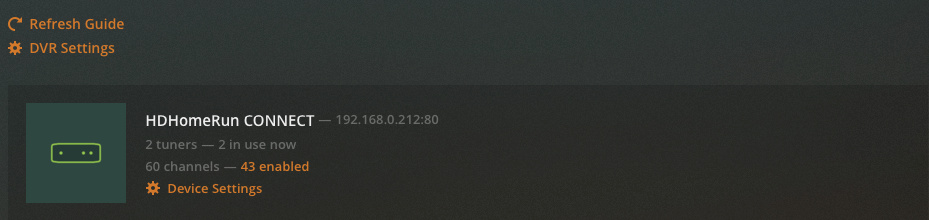
In the dialog box which opens, clear the check box next to any channels you don’t want to appear in your guide, and save:

This fixes the web client’s Guide.
How do I fix my TV client’s Guide?
This should disable those channels on all your clients. It’s telling the server to not even download guide data for those channels. You may need to perform a full guide refresh on the server. If they’re still showing on your TV client’s guide after that, you may need to restart the app/TV; I don’t know how much it caches or how long it will take these changes to propagate, but they will.
This topic was automatically closed 90 days after the last reply. New replies are no longer allowed.
