LiveTV: Failed to initialize VAAPI connection: -1 (unknown libva error)

Server Version#: 1.29.1.6316
Player Version#: All clients
Tuner Make/Model: HDHomeRun FLEX 4K
Guide/Lineup name: All channels OTA (Austin, TX)
Using XMLTV?: No idea
Channel number/Name: All channels

Tried to post last night but post never showed up. Reposting…

Luckily I have HDD backup images of my Ubuntu 20.04.5 system drive so was able to keep reverting backwards to confirm it was the Plex media server and not another system update that causes this issue.

Hardware: Using HDHomeRun FLEX 4K. I actually replaced the hardware thinking it might be hardware related. This is a brand new tuner and works before a media server upgrade. I have ruled out hardware issues.

Steps:
Load Plex on client device. Select a Live TV channel from the guide to tune it in.

Here is a snip from the Plex media server log when it is working on 1.28.2.6151: This results in a channel being streamed to my TV.

Oct 23, 2022 21:27:16.367 [0x7f95e062fb00] WARN - [Req#49] QueryParser: Invalid field 'contentDirectoryID' found, ignoring.
Oct 23, 2022 21:27:16.367 [0x7f95e062fb00] WARN - [Req#49] QueryParser: Invalid field 'pinnedContentDirectoryID' found, ignoring.
Oct 23, 2022 21:27:16.379 [0x7f95def90b00] WARN - [Req#59] QueryParser: Invalid field 'contentDirectoryID' found, ignoring.
Oct 23, 2022 21:27:16.379 [0x7f95def90b00] WARN - [Req#59] QueryParser: Invalid field 'pinnedContentDirectoryID' found, ignoring.
Oct 23, 2022 21:27:19.681 [0x7f95df3ceb00] ERROR - [Req#72] Unknown metadata type: folder
Oct 23, 2022 21:27:19.772 [0x7f95de87db00] ERROR - [Req#73] Unknown metadata type: folder
Oct 23, 2022 21:27:29.282 [0x7f95e17e1b00] ERROR - [Req#96/Grabber/5fc76c77297361002dfabc3d-5fc705f1a05ef8002e615d78-fc966443f02ada8b0db52edf5637e0b5] Unable to find title for item of type 5
Oct 23, 2022 21:27:29.680 [0x7f95e062fb00] ERROR - [Req#a5/Transcode/305200e7-230c-43a9-8274-88a971f99a56/53490b01-7a64-4eee-a98c-cf23430f180c] [mpeg2video @ 0x7f82b4cca600] Invalid frame dimensions 0x0.
Oct 23, 2022 21:27:29.718 [0x7f95df3ceb00] ERROR - [Req#a6/Transcode/305200e7-230c-43a9-8274-88a971f99a56/53490b01-7a64-4eee-a98c-cf23430f180c] [mpeg2video @ 0x7f82b4cca600] Invalid frame dimensions 0x0.
Oct 23, 2022 21:27:29.719 [0x7f95de87db00] ERROR - [Req#a7/Transcode/305200e7-230c-43a9-8274-88a971f99a56/53490b01-7a64-4eee-a98c-cf23430f180c] [mpeg2video @ 0x7f82b4cca600] Invalid frame dimensions 0x0.
Oct 23, 2022 21:27:29.758 [0x7f95def90b00] ERROR - [Req#a8/Transcode/305200e7-230c-43a9-8274-88a971f99a56/53490b01-7a64-4eee-a98c-cf23430f180c] [mpeg2video @ 0x7f82b4cca600] Invalid frame dimensions 0x0.
Oct 23, 2022 21:27:29.798 [0x7f95e0229b00] ERROR - [Req#a9/Transcode/305200e7-230c-43a9-8274-88a971f99a56/53490b01-7a64-4eee-a98c-cf23430f180c] [mpeg2video @ 0x7f82b4cca600] Invalid frame dimensions 0x0.
Oct 23, 2022 21:27:29.799 [0x7f95e062fb00] ERROR - [Req#aa/Transcode/305200e7-230c-43a9-8274-88a971f99a56/53490b01-7a64-4eee-a98c-cf23430f180c] [mpeg2video @ 0x7f82b4cca600] Invalid frame dimensions 0x0.
Oct 23, 2022 21:27:29.838 [0x7f95df3ceb00] ERROR - [Req#ab/Transcode/305200e7-230c-43a9-8274-88a971f99a56/53490b01-7a64-4eee-a98c-cf23430f180c] [mpeg2video @ 0x7f82b4cca600] Invalid frame dimensions 0x0.
Oct 23, 2022 21:27:29.858 [0x7f95de87db00] ERROR - [Req#ac/Transcode/305200e7-230c-43a9-8274-88a971f99a56/53490b01-7a64-4eee-a98c-cf23430f180c] [mpeg2video @ 0x7f82b4cca600] Invalid frame dimensions 0x0.
Oct 23, 2022 21:27:29.878 [0x7f95def90b00] ERROR - [Req#ad/Transcode/305200e7-230c-43a9-8274-88a971f99a56/53490b01-7a64-4eee-a98c-cf23430f180c] [mpeg2video @ 0x7f82b4cca600] Invalid frame dimensions 0x0.
Oct 23, 2022 21:27:29.918 [0x7f95e0229b00] ERROR - [Req#ae/Transcode/305200e7-230c-43a9-8274-88a971f99a56/53490b01-7a64-4eee-a98c-cf23430f180c] [mpeg2video @ 0x7f82b4cca600] Invalid frame dimensions 0x0.
Oct 23, 2022 21:27:29.937 [0x7f95e062fb00] ERROR - [Req#af/Transcode/305200e7-230c-43a9-8274-88a971f99a56/53490b01-7a64-4eee-a98c-cf23430f180c] [mpeg2video @ 0x7f82b4cca600] Invalid frame dimensions 0x0.
Oct 23, 2022 21:27:29.957 [0x7f95def90b00] ERROR - [Req#b0/Transcode/305200e7-230c-43a9-8274-88a971f99a56/53490b01-7a64-4eee-a98c-cf23430f180c] [mpeg2video @ 0x7f82b4cca600] Invalid frame dimensions 0x0.
Oct 23, 2022 21:27:30.116 [0x7f95de87db00] ERROR - [Req#b1/Transcode/305200e7-230c-43a9-8274-88a971f99a56/53490b01-7a64-4eee-a98c-cf23430f180c] [mpeg2video @ 0x7f82b4cca600] Invalid frame dimensions 0x0.
Oct 23, 2022 21:27:30.358 [0x7f95e17e1b00] ERROR - [Req#96/Grabber/5fc76c77297361002dfabc3d-5fc705f1a05ef8002e615d78-fc966443f02ada8b0db52edf5637e0b5] Unknown metadata type: 
Oct 23, 2022 21:27:30.711 [0x7f95e062fb00] ERROR - [Req#ca/Transcode] [FFMPEG] - libva: /usr/lib/plexmediaserver/lib/dri/iHD_drv_video.so init failed
Oct 23, 2022 21:27:30.720 [0x7f95e062fb00] WARN - [Req#ca/Transcode] [FFMPEG] - No quality level set; using default (20).
Oct 23, 2022 21:27:30.721 [0x7f95e062fb00] ERROR - [Req#ca/Transcode] [FFMPEG] - libva: /usr/lib/plexmediaserver/lib/dri/iHD_drv_video.so init failed
Oct 23, 2022 21:27:30.723 [0x7f95e062fb00] ERROR - [Req#ca/Transcode] [FFMPEG] - libva: /usr/lib/plexmediaserver/lib/dri/iHD_drv_video.so init failed
Oct 23, 2022 21:27:30.911 [0x7f95e062fb00] ERROR - [Req#d7/Transcode/65509193-8b52-4570-acd6-bf2b827a0e5f-1] [FFMPEG] - libva: /usr/lib/plexmediaserver/lib/dri/iHD_drv_video.so init failed
Oct 23, 2022 21:27:30.922 [0x7f95df3ceb00] ERROR - [Req#d9/Transcode/65509193-8b52-4570-acd6-bf2b827a0e5f-1/49da6fe5-8385-4bd9-9ffb-6d835630011b] [AVHWDeviceContext @ 0x7f3186f26800] libva: /usr/lib/plexmediaserver/lib/dri/iHD_drv_video.so init failed
Oct 23, 2022 21:27:32.034 [0x7f95e17e1b00] INFO - It's been 900 seconds, so we're starting scheduled library update for section 1 (Movies)
Oct 23, 2022 21:27:41.150 [0x7f95e462db00] WARN - JobManager: Could not find job for handle 2264

Then I upgrade to:
upgrade from 1.28.2.6151-914ddd2b3 to 1.29.1.6316-f4cdfea9c
This is the only package being upgraded. All other OS packages were updated prior to pms upgrade.

Now when I try to tune a LiveTV channel I get this in the Plex media server log:

Oct 23, 2022 21:42:26.083 [0x7f2eb1d63b38] WARN - [Req#ee] QueryParser: Invalid field 'contentDirectoryID' found, ignoring.
Oct 23, 2022 21:42:26.084 [0x7f2eb1d63b38] WARN - [Req#ee] QueryParser: Invalid field 'pinnedContentDirectoryID' found, ignoring.
Oct 23, 2022 21:42:26.093 [0x7f2eb0847b38] WARN - [Req#f2] QueryParser: Invalid field 'contentDirectoryID' found, ignoring.
Oct 23, 2022 21:42:26.093 [0x7f2eb0847b38] WARN - [Req#f2] QueryParser: Invalid field 'pinnedContentDirectoryID' found, ignoring.
Oct 23, 2022 21:42:29.700 [0x7f2eb0a4ab38] ERROR - [Req#111] Unknown metadata type: folder
Oct 23, 2022 21:42:29.781 [0x7f2eb1d63b38] ERROR - [Req#112] Unknown metadata type: folder
Oct 23, 2022 21:42:40.816 [0x7f2eb3a76b38] ERROR - [Req#151/Grabber/5fc76c77297361002dfabc3d-5fc705f1a05ef8002e615d78-fc966443f02ada8b0db52edf5637e0b5] Unable to find title for item of type 5
Oct 23, 2022 21:42:41.385 [0x7f2eb0a4ab38] ERROR - [Req#160/Transcode/3fc16361-1ea7-4e1b-8c1e-98b221da232c/ca3c2e2b-71de-48ae-97bc-00a0c729e704] [mpeg2video @ 0x7fb4852ea600] Invalid frame dimensions 0x0.
Oct 23, 2022 21:42:41.445 [0x7f2eb1d63b38] ERROR - [Req#161/Transcode/3fc16361-1ea7-4e1b-8c1e-98b221da232c/ca3c2e2b-71de-48ae-97bc-00a0c729e704] [mpeg2video @ 0x7fb4852ea600] Invalid frame dimensions 0x0.
Oct 23, 2022 21:42:41.465 [0x7f2eaf60cb38] ERROR - [Req#162/Transcode/3fc16361-1ea7-4e1b-8c1e-98b221da232c/ca3c2e2b-71de-48ae-97bc-00a0c729e704] [mpeg2video @ 0x7fb4852ea600] Invalid frame dimensions 0x0.
Oct 23, 2022 21:42:41.504 [0x7f2eb0847b38] ERROR - [Req#163/Transcode/3fc16361-1ea7-4e1b-8c1e-98b221da232c/ca3c2e2b-71de-48ae-97bc-00a0c729e704] [mpeg2video @ 0x7fb4852ea600] Invalid frame dimensions 0x0.
Oct 23, 2022 21:42:41.525 [0x7f2eb0a4ab38] ERROR - [Req#164/Transcode/3fc16361-1ea7-4e1b-8c1e-98b221da232c/ca3c2e2b-71de-48ae-97bc-00a0c729e704] [mpeg2video @ 0x7fb4852ea600] Invalid frame dimensions 0x0.
Oct 23, 2022 21:42:41.563 [0x7f2eb1d63b38] ERROR - [Req#165/Transcode/3fc16361-1ea7-4e1b-8c1e-98b221da232c/ca3c2e2b-71de-48ae-97bc-00a0c729e704] [mpeg2video @ 0x7fb4852ea600] Invalid frame dimensions 0x0.
Oct 23, 2022 21:42:41.624 [0x7f2eb0a4ab38] ERROR - [Req#166/Transcode/3fc16361-1ea7-4e1b-8c1e-98b221da232c/ca3c2e2b-71de-48ae-97bc-00a0c729e704] [mpeg2video @ 0x7fb4852ea600] Invalid frame dimensions 0x0.
Oct 23, 2022 21:42:42.083 [0x7f2eb3a76b38] ERROR - [Req#151/Grabber/5fc76c77297361002dfabc3d-5fc705f1a05ef8002e615d78-fc966443f02ada8b0db52edf5637e0b5] Unknown metadata type: 
Oct 23, 2022 21:42:42.246 [0x7f2eb0847b38] ERROR - [Req#17f/Transcode] [FFMPEG] - libva: /usr/lib/plexmediaserver/lib/dri/iHD_drv_video.so init failed
Oct 23, 2022 21:42:42.247 [0x7f2eb0847b38] WARN - [Req#17f/Transcode] [FFMPEG] - No quality level set; using default (20).
Oct 23, 2022 21:42:42.251 [0x7f2eb0847b38] ERROR - [Req#17f/Transcode] [FFMPEG] - libva: /usr/lib/plexmediaserver/lib/dri/iHD_drv_video.so init failed
Oct 23, 2022 21:42:42.409 [0x7f2eb0a4ab38] ERROR - [Req#18b/Transcode/65509193-8b52-4570-acd6-bf2b827a0e5f-101] [FFMPEG] - libva: /usr/lib/plexmediaserver/lib/dri/iHD_drv_video.so init failed
Oct 23, 2022 21:42:42.419 [0x7f2eb0847b38] ERROR - [Req#18d/Transcode/65509193-8b52-4570-acd6-bf2b827a0e5f-101/c0764082-a6f3-457e-ba20-ccbfc1ecde30] [AVHWDeviceContext @ 0x7fd9634a5a00] Failed to initialise VAAPI connection: -1 (unknown libva error).
Oct 23, 2022 21:42:42.419 [0x7f2eaf60cb38] ERROR - [Req#18e/Transcode/65509193-8b52-4570-acd6-bf2b827a0e5f-101/c0764082-a6f3-457e-ba20-ccbfc1ecde30] Device creation failed: -5.
Oct 23, 2022 21:42:42.420 [0x7f2eaeca0b38] ERROR - [Req#18f/Transcode/65509193-8b52-4570-acd6-bf2b827a0e5f-101/c0764082-a6f3-457e-ba20-ccbfc1ecde30] Failed to set value 'vaapi=vaapi:/dev/dri/renderD129' for option 'init_hw_device': I/O error
Oct 23, 2022 21:42:42.420 [0x7f2eb1d63b38] ERROR - [Req#190/Transcode/65509193-8b52-4570-acd6-bf2b827a0e5f-101/c0764082-a6f3-457e-ba20-ccbfc1ecde30] Error parsing global options: I/O error
Oct 23, 2022 21:43:07.411 [0x7f2eb0a4ab38] ERROR - [Req#18b/Transcode/65509193-8b52-4570-acd6-bf2b827a0e5f-101] Failed to start session.

The unique log lines seem to be:

Oct 23, 2022 21:42:42.419 [0x7f2eb0847b38] ERROR - [Req#18d/Transcode/65509193-8b52-4570-acd6-bf2b827a0e5f-101/c0764082-a6f3-457e-ba20-ccbfc1ecde30] [AVHWDeviceContext @ 0x7fd9634a5a00] Failed to initialise VAAPI connection: -1 (unknown libva error).
Oct 23, 2022 21:42:42.419 [0x7f2eaf60cb38] ERROR - [Req#18e/Transcode/65509193-8b52-4570-acd6-bf2b827a0e5f-101/c0764082-a6f3-457e-ba20-ccbfc1ecde30] Device creation failed: -5.
Oct 23, 2022 21:42:42.420 [0x7f2eaeca0b38] ERROR - [Req#18f/Transcode/65509193-8b52-4570-acd6-bf2b827a0e5f-101/c0764082-a6f3-457e-ba20-ccbfc1ecde30] Failed to set value 'vaapi=vaapi:/dev/dri/renderD129' for option 'init_hw_device': I/O error
Oct 23, 2022 21:42:42.420 [0x7f2eb1d63b38] ERROR - [Req#190/Transcode/65509193-8b52-4570-acd6-bf2b827a0e5f-101/c0764082-a6f3-457e-ba20-ccbfc1ecde30] Error parsing global options: I/O error
Oct 23, 2022 21:43:07.411 [0x7f2eb0a4ab38] ERROR - [Req#18b/Transcode/65509193-8b52-4570-acd6-bf2b827a0e5f-101] Failed to start session.

MODERATOR EDIT: Legibility
Does anyone have an suggestion or workarounds to get LiveTV working again on PMS Linux? It seems like HVEC encoding is broken and I guess my HDHomeRun FLEX 4K requires that to do LiveTV. Like I mentioned, this works on older builds.

Seems like some newer build change broke it. The HDHomeRun works fine natively and on older PMS builds. At this point I just can’t upgrade PMS or I lose LiveTV on linux. Seems like other reports of broken LiveTV on NAS’s running linux are out there (Plex on Synology NAS with HDHomeRun FLEX 4k - Source is unavailable - #6 by seanwo1) and transcoding issues with HVEC transcoding on newer builds ([BUG] Transcoding broken on Plex 1.29.1 (Unraid / docker)- I had to roll back to 1.29.0.6244 - #4 by ChuckPa)

@seanwo1

It’s not possible to diagnose from snippets.
Further, it looks like you turned off DEBUG logging or are filtering.

To properly diagnose

  1. Enable DEBUG logging
  2. Recreate the error
  3. Download the logs ZIP file
  4. Attach that ZIP file here.

From what little bit I can gather –

  1. You don’t have an Intel QSV-capable CPU which can handle 4K (presumably HEVC)

  2. Attempt to specify a non-existent hardware device:

 'vaapi=vaapi:/dev/dri/renderD129' for option 'init_hw_device': I/O error

@ChuckPa I will get further logs in the coming days after I get back from travel. However, my motherboard does have a built-in intel graphics chipset but I am hw offloading to the Nvidia card on this system. Did something change in a recent PMS version where I have to specifically tell hardware encoding to use my Nvidia card (NVidia Quadro P400) instead of the Intel onboard graphics for hw offload? Where can I find that configuration? Thanks for the lead.

@ChuckPa

I have collected the requested logs to hopefully isolate the problem.

My steps:

  1. Updated all packages on Ubuntu sans PMS (using apt-mark hold plexmediaserver) to keep it from updating to the broken builds.
  2. Take a new clonezilla drive image so that I can revert back.
  3. Turned DEBUG logging on in PMS.
  4. Rebooted system.
  5. Captured some system information. (sysinfo1.txt)
  6. Used a client to tune PBS on LiveTV for 1 minute.
  7. Downloaded PMS logs. (Plex Media Server Logs_2022-10-30_11-18-51.zip)
  8. Shutdown plex client.
  9. apt-mark unhold plexmediaserver; apt update; apt upgrade
  10. Once PMS is updated, I rebooted the system again to make sure all processes restart
  11. Captured system information again. (sysinfo2.txt)
  12. Used a client to TRY to tune PBS on LiveTV.
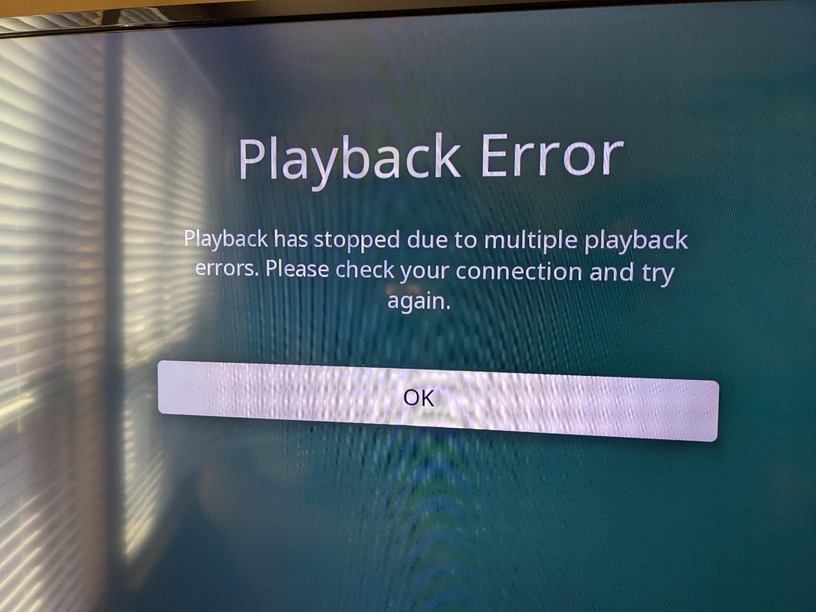
  13. Client times out with “Playback Error” (livetv.broken.jpg)
  14. Downloaded PMS logs. (Plex Media Server Logs_2022-10-30_11-27-43.zip)
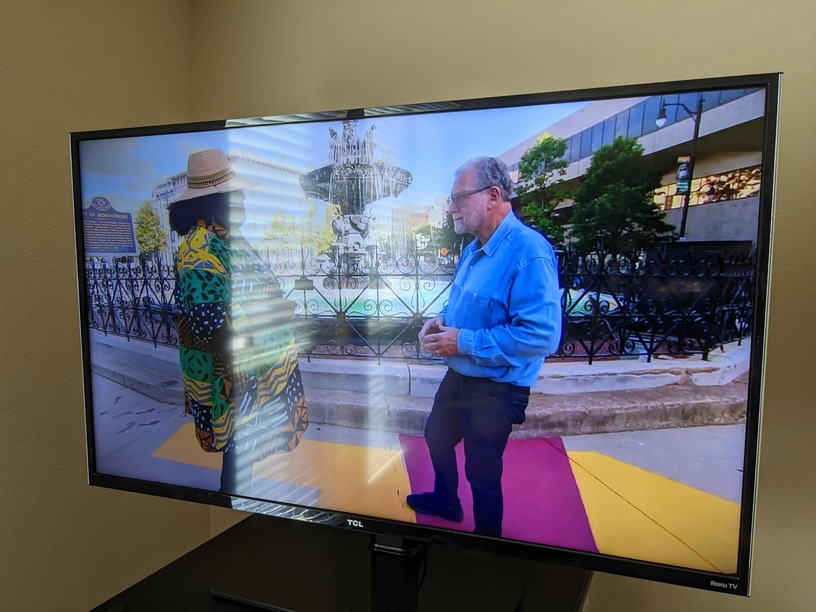
  15. Restored original clonezilla image; LiveTV works again on older PMS build. (livetv.working.jpg)

Clearly form the steps something changed from the build I am using v. the latest build that is causing this. The fact that it initially works must mean that I have the right hardware and configuration for the scenario. My guess is that there is a bug or some sort of device ordering problem where it is not trying to use my Nvidia Quadro P400 for hardware decoding in the latest builds.

Thanks in advance for any help in identifying the issue or a work around that I could potentially use in this case.

Plex Media Server Logs_2022-10-30_11-27-43.zip (3.8 MB)
Plex Media Server Logs_2022-10-30_11-18-51.zip (3.9 MB)
sysinfo1.txt (5.3 KB)
sysinfo2.txt (5.2 KB)


Let’s take the iHD completely out of the picture.

  1. Stop Plex
  2. Edit Preferences.xml
  3. Add VaapiDriver="i965" before the closing /> on line 2 (that crazy long line)
  4. Start PMS
  5. Confirm DEBUG logging still enabled.
  6. Play , forcing a transcode, any of your existing videos, for 10-15 seconds.
    – This will confirm the Nvidia is working for playback transcoding
  7. Next, Attempt to tune the LiveTV.
  8. Let it play 15-20 seconds if that works.
  9. Stop Playback
  10. Download Logs ZIP file
  11. Attach the ZIP please.

@ChuckPa

Thanks for the quick response. Here are the steps you asked for and results:

From a working system image before the PMS upgrade:

  1. Turned DEBUG logging on in PMS.
  2. apt-mark unhold plexmediaserver; apt update; apt upgrade - to upgrade PMS to latest version.
  3. Rebooted system.
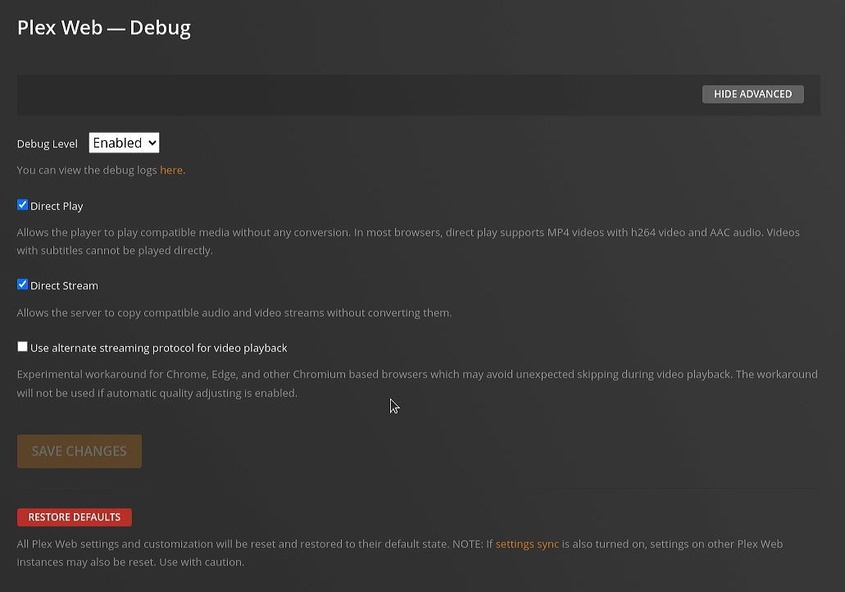
  4. Updated Preferences.xml with VaapiDriver=“i965” (preference.jpg)
  5. Rebooted system.
  6. Tried to stream content as 480p from 1080p source to phone over mobile network (failed).
  7. Tried to use Plex client for LiveTV (failed)
  8. Downloaded PMS logs. (Plex Media Server Logs_2022-10-30_13-56-22.zip)
  9. Restored working system image.
  10. Tried to restart the mobile transcode on older version and it did fine (transcode.jpg)

Does that mean this version is not even trying to use my nvidia card for some reason?

Plex Media Server Logs_2022-10-30_13-56-22.zip (3.7 MB)
preference

These logs do not have DEBUG enabled.

  1. Settings - Server - General - Show Advanced
  2. ENABLE DEBUG logging (check the box)
  3. CLICK SAVE at the bottom.
  4. Test using the working version
  5. Capture logs (download)
  6. Install new version
  7. Test again
  8. Capture logs (download)

Attach both ZIP files here

This is the extent of your log…

Oct 30, 2022 13:51:39.039 [0x7fa084dccb38] WARN - [Req#190/Transcode] [FFMPEG] - No quality level set; using default (20).
Oct 30, 2022 13:51:39.344 [0x7fa084af5b38] ERROR - [Req#1a2/Transcode/05b812af00907bd0-com-plexapp-android/447a2b79-fe00-4a68-81f4-45a924291cf2] [AVHWDeviceContext @ 0x7fd306ca3780] libva: /usr/lib/plexmediaserver/lib/dri/i965_drv_video.so init failed
Oct 30, 2022 13:51:39.344 [0x7fa084af5b38] ERROR - [Req#1a3/Transcode/05b812af00907bd0-com-plexapp-android/447a2b79-fe00-4a68-81f4-45a924291cf2] [AVHWDeviceContext @ 0x7fd306ca3780] Failed to initialise VAAPI connection: -1 (unknown libva error).
Oct 30, 2022 13:51:39.345 [0x7fa084af5b38] ERROR - [Req#1a4/Transcode/05b812af00907bd0-com-plexapp-android/447a2b79-fe00-4a68-81f4-45a924291cf2] Device creation failed: -5.
Oct 30, 2022 13:51:39.345 [0x7fa084af5b38] ERROR - [Req#1a5/Transcode/05b812af00907bd0-com-plexapp-android/447a2b79-fe00-4a68-81f4-45a924291cf2] Failed to set value 'vaapi=vaapi:/dev/dri/renderD129,driver=i965' for option 'init_hw_device': I/O error
Oct 30, 2022 13:51:39.346 [0x7fa084af5b38] ERROR - [Req#1a6/Transcode/05b812af00907bd0-com-plexapp-android/447a2b79-fe00-4a68-81f4-45a924291cf2] Error parsing global options: I/O error
Oct 30, 2022 13:51:49.345 [0x7fa084af5b38] ERROR - [Req#1c8/Transcode/05b812af00907bd0-com-plexapp-android/447a2b79-fe00-4a68-81f4-45a924291cf2] [AVHWDeviceContext @ 0x7f939dd59800] libva: /usr/lib/plexmediaserver/lib/dri/i965_drv_video.so init failed
Oct 30, 2022 13:51:49.345 [0x7fa084dccb38] ERROR - [Req#1c9/Transcode/05b812af00907bd0-com-plexapp-android/447a2b79-fe00-4a68-81f4-45a924291cf2] [AVHWDeviceContext @ 0x7f939dd59800] Failed to initialise VAAPI connection: -1 (unknown libva error).
Oct 30, 2022 13:51:49.345 [0x7fa084af5b38] ERROR - [Req#1ca/Transcode/05b812af00907bd0-com-plexapp-android/447a2b79-fe00-4a68-81f4-45a924291cf2] Device creation failed: -5.
Oct 30, 2022 13:51:49.345 [0x7fa084dccb38] ERROR - [Req#1cb/Transcode/05b812af00907bd0-com-plexapp-android/447a2b79-fe00-4a68-81f4-45a924291cf2] Failed to set value 'vaapi=vaapi:/dev/dri/renderD129,driver=i965' for option 'init_hw_device': I/O error
Oct 30, 2022 13:51:49.346 [0x7fa084af5b38] ERROR - [Req#1cc/Transcode/05b812af00907bd0-com-plexapp-android/447a2b79-fe00-4a68-81f4-45a924291cf2] Error parsing global options: I/O error
Oct 30, 2022 13:51:52.739 [0x7fa084dccb38] WARN - [Req#1e4/Transcode] Got a request to stop a transcode session without a valid session GUID.
Oct 30, 2022 13:51:57.238 [0x7fa084af5b38] WARN - [Req#1e5/Transcode] Got a request to stop a transcode session without a valid session GUID.
Oct 30, 2022 13:52:01.282 [0x7fa083de8b38] ERROR - [Req#20a/Transcode/05b812af00907bd0-com-plexapp-android/bd851727-7e6c-4627-8520-fdc26e5e5f62] [AVHWDeviceContext @ 0x7fe0f93ec780] libva: /usr/lib/plexmediaserver/lib/dri/i965_drv_video.so init failed
Oct 30, 2022 13:52:01.282 [0x7fa083de8b38] ERROR - [Req#20b/Transcode/05b812af00907bd0-com-plexapp-android/bd851727-7e6c-4627-8520-fdc26e5e5f62] [AVHWDeviceContext @ 0x7fe0f93ec780] Failed to initialise VAAPI connection: -1 (unknown libva error).
Oct 30, 2022 13:52:01.282 [0x7fa083de8b38] ERROR - [Req#20c/Transcode/05b812af00907bd0-com-plexapp-android/bd851727-7e6c-4627-8520-fdc26e5e5f62] Device creation failed: -5.
Oct 30, 2022 13:52:01.283 [0x7fa083de8b38] ERROR - [Req#20d/Transcode/05b812af00907bd0-com-plexapp-android/bd851727-7e6c-4627-8520-fdc26e5e5f62] Failed to set value 'vaapi=vaapi:/dev/dri/renderD129,driver=i965' for option 'init_hw_device': I/O error
Oct 30, 2022 13:52:01.283 [0x7fa083de8b38] ERROR - [Req#20e/Transcode/05b812af00907bd0-com-plexapp-android/bd851727-7e6c-4627-8520-fdc26e5e5f62] Error parsing global options: I/O error
Oct 30, 2022 13:52:11.299 [0x7fa084af5b38] ERROR - [Req#235/Transcode/05b812af00907bd0-com-plexapp-android/bd851727-7e6c-4627-8520-fdc26e5e5f62] [AVHWDeviceContext @ 0x7f9ac1d3e800] libva: /usr/lib/plexmediaserver/lib/dri/i965_drv_video.so init failed
Oct 30, 2022 13:52:11.299 [0x7fa083de8b38] ERROR - [Req#236/Transcode/05b812af00907bd0-com-plexapp-android/bd851727-7e6c-4627-8520-fdc26e5e5f62] [AVHWDeviceContext @ 0x7f9ac1d3e800] Failed to initialise VAAPI connection: -1 (unknown libva error).
Oct 30, 2022 13:52:11.299 [0x7fa084dccb38] ERROR - [Req#237/Transcode/05b812af00907bd0-com-plexapp-android/bd851727-7e6c-4627-8520-fdc26e5e5f62] Device creation failed: -5.
Oct 30, 2022 13:52:11.300 [0x7fa084af5b38] ERROR - [Req#238/Transcode/05b812af00907bd0-com-plexapp-android/bd851727-7e6c-4627-8520-fdc26e5e5f62] Failed to set value 'vaapi=vaapi:/dev/dri/renderD129,driver=i965' for option 'init_hw_device': I/O error
Oct 30, 2022 13:52:11.300 [0x7fa083de8b38] ERROR - [Req#239/Transcode/05b812af00907bd0-com-plexapp-android/bd851727-7e6c-4627-8520-fdc26e5e5f62] Error parsing global options: I/O error
Oct 30, 2022 13:52:14.732 [0x7fa083de8b38] WARN - [Req#24b/Transcode] Got a request to stop a transcode session without a valid session GUID.
Oct 30, 2022 13:52:16.326 [0x7fa084dccb38] WARN - [Req#24c/Transcode] Got a request to stop a transcode session without a valid session GUID.
Oct 30, 2022 13:52:34.996 [0x7fa083de8b38] ERROR - [Req#234] Unknown metadata type: folder
Oct 30, 2022 13:52:35.068 [0x7fa083de8b38] ERROR - [Req#260] Unknown metadata type: folder
Oct 30, 2022 13:52:46.303 [0x7fa08137db38] ERROR - [Req#29b/Grabber/5fc76c77297361002dfabc3d-5fc705ec7c6557002ee1e95e-fc966443f02ada8b0db52edf5637e0b5] Unable to find title for item of type 5
Oct 30, 2022 13:52:46.995 [0x7fa084f7fb38] ERROR - [Req#2ed/Transcode/fcee57e9-0380-44ce-af37-733f725738db/708c1aa0-8c50-4247-9aa5-b29f83c6f149] [mpeg2video @ 0x7ffa62513600] Invalid frame dimensions 0x0.
Oct 30, 2022 13:52:47.053 [0x7fa084f7fb38] ERROR - [Req#2ee/Transcode/fcee57e9-0380-44ce-af37-733f725738db/708c1aa0-8c50-4247-9aa5-b29f83c6f149] [mpeg2video @ 0x7ffa62513600] Invalid frame dimensions 0x0.
Oct 30, 2022 13:52:47.054 [0x7fa084f7fb38] ERROR - [Req#2f7/Transcode/fcee57e9-0380-44ce-af37-733f725738db/708c1aa0-8c50-4247-9aa5-b29f83c6f149] [mpeg2video @ 0x7ffa62513600] Invalid frame dimensions 0x0.
Oct 30, 2022 13:52:47.074 [0x7fa084f7fb38] ERROR - [Req#2f8/Transcode/fcee57e9-0380-44ce-af37-733f725738db/708c1aa0-8c50-4247-9aa5-b29f83c6f149] [mpeg2video @ 0x7ffa62513600] Invalid frame dimensions 0x0.
Oct 30, 2022 13:52:47.133 [0x7fa081783b38] ERROR - [Req#2fa/Transcode/fcee57e9-0380-44ce-af37-733f725738db/708c1aa0-8c50-4247-9aa5-b29f83c6f149] [mpeg2video @ 0x7ffa62513600] Invalid frame dimensions 0x0.
Oct 30, 2022 13:52:47.153 [0x7fa081783b38] ERROR - [Req#2fb/Transcode/fcee57e9-0380-44ce-af37-733f725738db/708c1aa0-8c50-4247-9aa5-b29f83c6f149] [mpeg2video @ 0x7ffa62513600] Invalid frame dimensions 0x0.
Oct 30, 2022 13:52:47.173 [0x7fa081783b38] ERROR - [Req#2fc/Transcode/fcee57e9-0380-44ce-af37-733f725738db/708c1aa0-8c50-4247-9aa5-b29f83c6f149] [mpeg2video @ 0x7ffa62513600] Invalid frame dimensions 0x0.
Oct 30, 2022 13:52:47.253 [0x7fa081783b38] ERROR - [Req#301/Transcode/fcee57e9-0380-44ce-af37-733f725738db/708c1aa0-8c50-4247-9aa5-b29f83c6f149] [mpeg2video @ 0x7ffa62513600] Invalid frame dimensions 0x0.
Oct 30, 2022 13:52:47.273 [0x7fa084f7fb38] ERROR - [Req#30b/Transcode/fcee57e9-0380-44ce-af37-733f725738db/708c1aa0-8c50-4247-9aa5-b29f83c6f149] [mpeg2video @ 0x7ffa62513600] Invalid frame dimensions 0x0.
Oct 30, 2022 13:52:47.292 [0x7fa084f7fb38] ERROR - [Req#30c/Transcode/fcee57e9-0380-44ce-af37-733f725738db/708c1aa0-8c50-4247-9aa5-b29f83c6f149] [mpeg2video @ 0x7ffa62513600] Invalid frame dimensions 0x0.
Oct 30, 2022 13:52:47.451 [0x7fa081783b38] ERROR - [Req#30d/Transcode/fcee57e9-0380-44ce-af37-733f725738db/708c1aa0-8c50-4247-9aa5-b29f83c6f149] [mpeg2video @ 0x7ffa62513600] Invalid frame dimensions 0x0.
Oct 30, 2022 13:52:47.733 [0x7fa08137db38] ERROR - [Req#29b/Grabber/5fc76c77297361002dfabc3d-5fc705ec7c6557002ee1e95e-fc966443f02ada8b0db52edf5637e0b5] Unknown metadata type: 
Oct 30, 2022 13:52:48.109 [0x7fa081783b38] ERROR - [Req#34a/Transcode/97249803-49a8-440c-aa84-3f2937e354a4-1/ffe6b9df-8de1-4c15-bffb-97242816664a] [AVHWDeviceContext @ 0x7f636d55fa00] libva: /usr/lib/plexmediaserver/lib/dri/i965_drv_video.so init failed
Oct 30, 2022 13:52:48.109 [0x7fa084f7fb38] ERROR - [Req#34b/Transcode/97249803-49a8-440c-aa84-3f2937e354a4-1/ffe6b9df-8de1-4c15-bffb-97242816664a] [AVHWDeviceContext @ 0x7f636d55fa00] Failed to initialise VAAPI connection: -1 (unknown libva error).
Oct 30, 2022 13:52:48.110 [0x7fa081783b38] ERROR - [Req#34c/Transcode/97249803-49a8-440c-aa84-3f2937e354a4-1/ffe6b9df-8de1-4c15-bffb-97242816664a] Device creation failed: -5.
Oct 30, 2022 13:52:48.110 [0x7fa084f7fb38] ERROR - [Req#34d/Transcode/97249803-49a8-440c-aa84-3f2937e354a4-1/ffe6b9df-8de1-4c15-bffb-97242816664a] Failed to set value 'vaapi=vaapi:/dev/dri/renderD129,driver=i965' for option 'init_hw_device': I/O error
Oct 30, 2022 13:52:48.111 [0x7fa081783b38] ERROR - [Req#34e/Transcode/97249803-49a8-440c-aa84-3f2937e354a4-1/ffe6b9df-8de1-4c15-bffb-97242816664a] Error parsing global options: I/O error
Oct 30, 2022 13:53:13.101 [0x7fa083de8b38] ERROR - [Req#348/Transcode/97249803-49a8-440c-aa84-3f2937e354a4-1] Failed to start session.
Oct 30, 2022 13:55:52.612 [0x7fa07ed9bb38] WARN - [Req#a43] QueryParser: Invalid field 'contentDirectoryID' found, ignoring.
Oct 30, 2022 13:55:52.901 [0x7fa07e58fb38] WARN - [Req#a66] QueryParser: Invalid field 'contentDirectoryID' found, ignoring.

@ChuckPa

Not sure what went wrong with last attempt on my end so here is the 2nd attempt…

From working disk image before upgrade:

  1. Turned DEBUG logging on in PMS. (debug.on.jpg)
  2. Updated Preferences.xml with VaapiDriver=“i965” (preference.jpg)
  3. Rebooted system.
  4. Streamed transcoded normal file.
  5. Streamed LiveTV.
  6. Downloaded PMS logs. (Plex Media Server Logs_2022-10-30_15-38-12.log)
  7. apt-mark unhold plexmediaserver; apt update; apt upgrade to upgrade PMS to latest version.
  8. Rebooted system.
  9. Tried to stream transcoded normal file. (failed)
  10. Tried to stream LiveTV. (failed)
  11. Downloaded PMS logs. (Plex Media Server Logs_2022-10-30_15-45-58.log)
  12. Restored working system image.

Plex Media Server Logs_2022-10-30_15-38-12.zip (3.9 MB)
Plex Media Server Logs_2022-10-30_15-45-58.zip (3.6 MB)

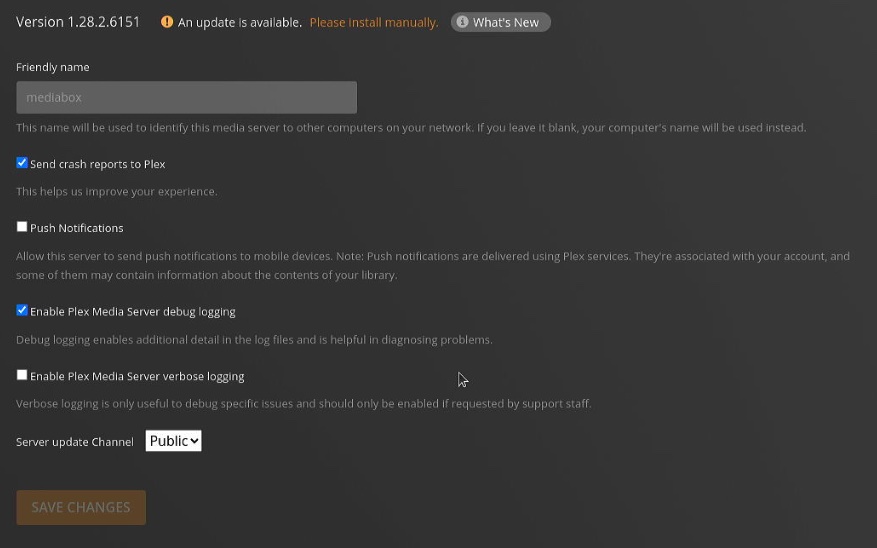
Those are the WEB settings :smiley:

(It’s even telling you it’s the Web player settings)

You want SETTINGS - SERVER (your server) - GENERAL (General is in the left panel underneath your server name.

:slight_smile:

You want this one

@ChuckPa

Third times a charm (sorry about the debug log mixup, this is first time I have to go through all this to get my PlexPass features working again, pms has usually been rock solid over the years; I set it up years ago and let it run updating it monthly):

  1. Turned DEBUG logging on in PMS. (debug.server.on.jpg)
  2. Updated Preferences.xml with VaapiDriver=“i965”
  3. Rebooted system.
  4. Streamed transcoded normal file.
  5. Streamed LiveTV.
  6. Downloaded PMS logs. (Plex Media Server Logs_2022-10-30_17-56-31)
  7. apt-mark unhold plexmediaserver; apt update; apt upgrade to upgrade PMS to latest version. (install.txt)
  8. Rebooted system.
  9. Tried to stream transcoded normal file. (failed)
  10. Tried to stream LiveTV. (failed)
  11. PMS came unresponsive and process had to be killed and restarted before logs could be gathered.
  12. Downloaded PMS logs. (Plex Media Server Logs_2022-10-30_18-09-11)
  13. Restored working system image.

install.txt (2.4 KB)
Plex Media Server Logs_2022-10-30_17-56-31.zip (4.0 MB)
Plex Media Server Logs_2022-10-30_18-09-11.zip (3.8 MB)


I see VAAPI, the i965 driver, using /dev/dri/renderD129 being called out right here:

[WEBRip] [5.1] [YIFY]/Top.Gun.Maverick.2022.IMAX.REPACK.1080p.WEBRip.x264.AAC5.1-[YTS.MX].mp4
Oct 30, 2022 18:01:05.195 [0x7f673d33eb38] DEBUG - [Req#152/Transcode/05b812af00907bd0-com-plexapp-android] Codecs: hardware transcoding: testing API vaapi
Oct 30, 2022 18:01:05.196 [0x7f673d33eb38] DEBUG - [Req#152/Transcode/05b812af00907bd0-com-plexapp-android] [FFMPEG] - Format 0x32315659 -> yuv420p.
Oct 30, 2022 18:01:05.196 [0x7f673d33eb38] DEBUG - [Req#152/Transcode/05b812af00907bd0-com-plexapp-android] [FFMPEG] - Format 0x30323449 -> yuv420p.
Oct 30, 2022 18:01:05.196 [0x7f673d33eb38] DEBUG - [Req#152/Transcode/05b812af00907bd0-com-plexapp-android] [FFMPEG] - Format 0x3231564e -> nv12.
Oct 30, 2022 18:01:05.196 [0x7f673d33eb38] DEBUG - [Req#152/Transcode/05b812af00907bd0-com-plexapp-android] [FFMPEG] - Format 0x32595559 -> yuyv422.
Oct 30, 2022 18:01:05.196 [0x7f673d33eb38] DEBUG - [Req#152/Transcode/05b812af00907bd0-com-plexapp-android] [FFMPEG] - Format 0x59565955 -> uyvy422.
Oct 30, 2022 18:01:05.196 [0x7f673d33eb38] DEBUG - [Req#152/Transcode/05b812af00907bd0-com-plexapp-android] [FFMPEG] - Format 0x48323234 -> yuv422p.
Oct 30, 2022 18:01:05.196 [0x7f673d33eb38] DEBUG - [Req#152/Transcode/05b812af00907bd0-com-plexapp-android] [FFMPEG] - Format 0x58424752 -> rgb0.
Oct 30, 2022 18:01:05.196 [0x7f673d33eb38] DEBUG - [Req#152/Transcode/05b812af00907bd0-com-plexapp-android] [FFMPEG] - Format 0x58524742 -> bgr0.
Oct 30, 2022 18:01:05.196 [0x7f673d33eb38] DEBUG - [Req#152/Transcode/05b812af00907bd0-com-plexapp-android] [FFMPEG] - Format 0x30313050 -> p010le.
Oct 30, 2022 18:01:05.196 [0x7f673d33eb38] DEBUG - [Req#152/Transcode/05b812af00907bd0-com-plexapp-android] [FFMPEG] - Created surface 0x4000000.
Oct 30, 2022 18:01:05.196 [0x7f673d33eb38] DEBUG - [Req#152/Transcode/05b812af00907bd0-com-plexapp-android] [FFMPEG] - Direct mapping possible.
Oct 30, 2022 18:01:05.196 [0x7f673d33eb38] DEBUG - [Req#152/Transcode/05b812af00907bd0-com-plexapp-android] TPU: hardware transcoding: final decoder: vaapi, final encoder: vaapi
Oct 30, 2022 18:01:05.197 [0x7f673d33eb38] DEBUG - [Req#152/Transcode/05b812af00907bd0-com-plexapp-android/JobRunner] Job running: FFMPEG_EXTERNAL_LIBS='/var/lib/plexmediaserver/Library/Application\ Support/Plex\ Media\ Server/Codecs/c4efa15-4387-linux-x86_64/' X_PLEX_TOKEN=xxxxxxxxxxxxxxxxxxxx4dac-99fe-b5252ac75b18 "/usr/lib/plexmediaserver/Plex Transcoder" "-codec:#0x01" h264 "-hwaccel:#0x01" vaapi "-hwaccel_fallback_threshold:#0x01" 10 "-hwaccel_output_format:#0x01" vaapi "-hwaccel_device:#0x01" vaapi "-codec:#0x02" aac -analyzeduration 20000000 -probesize 20000000 -i "/mnt/media/Movies/Top Gun Maverick (2022) [IMAX] [REPACK] [1080p] [WEBRip] [5.1] [YIFY]/Top.Gun.Maverick.2022.IMAX.REPACK.1080p.WEBRip.x264.AAC5.1-[YTS.MX].mp4" -filter_complex "[0:#0x01]hwupload[0];[0]scale_vaapi=w=480:h=258:format=nv12[1];[1]hwupload[2]" -map "[2]" -codec:0 h264_vaapi -b:0 413k -maxrate:0 551k -bufsize:0 1102k -r:0 23.975999999999999 -force_key_frames:0 "expr:gte(t,n_forced*8)" -filter_complex "[0:#0x02] aresample=async=1:ocl='stereo':rematrix_maxval=0.000000dB:osr=48000[3]" -map "[3]" -codec:1 libopus -b:1 128k -segment_format matroska -f ssegment -individual_header_trailer 0 -flags +global_header -segment_header_filename header -segment_time 8 -segment_start_number 0 -segment_copyts 1 -segment_time_delta 0.0625 -segment_list "http://127.0.0.1:32400/video/:/transcode/session/05b812af00907bd0-com-plexapp-android/0b1aa462-85c5-4e97-849d-33eb5fbe1c3d/manifest?X-Plex-Http-Pipeline=infinite" -segment_list_type csv -segment_list_size 5 -segment_list_separate_stream_times 1 -segment_list_unfinished 1 -segment_format_options output_ts_offset=10 -max_delay 5000000 -avoid_negative_ts disabled -map_metadata -1 -map_chapters -1 "media-%05d.ts" -start_at_zero -copyts -vsync cfr -init_hw_device vaapi=vaapi:/dev/dri/renderD129,driver=i965 -filter_hw_device vaapi -y -nostats -loglevel quiet -loglevel_plex error -progressurl http://127.0.0.1:32400/video/:/transcode/session/05b812af00907bd0-com-plexapp-android/0b1aa462-85c5-4e97-849d-33eb5fbe1c3d/progress
Oct 30, 2022 18:01:05.197 [0x7f673d33eb38] DEBUG - [Req#152/Transcode/05b812af00907bd0-com-plexapp-android/JobRunner] Jobs: Starting child process with pid 3287
Oct 30, 2022 18:01:05.210 [0x7f673d13bb38] DEBUG - Request: [127.0.0.1:58518 (Loopback)] PUT /video/:/transcode/session/05b812af00907bd0-com-plexapp-android/0b1aa462-85c5-4e97-849d-33eb5fbe1c3d/progress?status=startup (14 live) #ff Signed-in Token (seanwo) (range: bytes=0-) 
Oct 30, 2022 18:01:05.211 [0x7f673ff3cb38] DEBUG - Completed: [127.0.0.1:58518] 204 PUT /video/:/transcode/session/05b812af00907bd0-com-plexapp-android/0b1aa462-85c5-4e97-849d-33eb5fbe1c3d/progress?status=startup (14 live) 0ms 203 bytes (pipelined: 1) (range: bytes=0-) 
-init_hw_device vaapi=vaapi:/dev/dri/renderD129,driver=i965 -filter_hw_device vaapi

we can now see it trying to use /dev/dri/renderD129.

Under normal operation, if this is a Nvidia GPU card, you’ll seee nvdec and nvenc instead of vaapi.

The GPU isn’t initalizing with 1.29.1. 1.29.x includes a major transcoder update.
That explains why 1.28.2 works.

Which Nvidia drivers do you have installed ?

@ChuckPa in one of the sysinfo1.txt files above I put some details on the nvidia drivers. I am using 470.141.03. Thanks!

uname -a

Linux mediabox 5.4.0-131-generic #147-Ubuntu SMP Fri Oct 14 17:07:22 UTC 2022 x86_64 x86_64 x86_64 GNU/Linux

ls -la /dev/dri

total 0
drwxr-xr-x   3 root root       140 Oct 30 11:14 .
drwxr-xr-x  18 root root      4960 Oct 30 11:14 ..
drwxr-xr-x   2 root root       120 Oct 30 11:14 by-path
crw-rw----+  1 root video 226,   0 Oct 30 11:14 card0
crw-rw----+  1 root video 226,   1 Oct 30 11:14 card1
crw-rw----+  1 root video 226, 128 Oct 30 11:14 renderD128
crw-rw----+  1 root video 226, 129 Oct 30 11:14 renderD129

ls -la /sys/module/nvidia/drivers

total 0
drwxr-xr-x 2 root root 0 Oct 30 11:15 .
drwxr-xr-x 6 root root 0 Oct 30 11:14 ..
lrwxrwxrwx 1 root root 0 Oct 30 11:15 pci:nvidia -> ../../../bus/pci/drivers/nvidia
lrwxrwxrwx 1 root root 0 Oct 30 11:15 pci:nvidia-nvswitch -> ../../../bus/pci/drivers/nvidia-nvswitch

apt list --installed | grep nvidia

libnvidia-cfg1-470/focal-updates,focal-security,now 470.141.03-0ubuntu0.20.04.1 amd64 [installed,automatic]
libnvidia-common-470/focal-updates,focal-updates,focal-security,focal-security,now 470.141.03-0ubuntu0.20.04.1 all [installed,automatic]
libnvidia-compute-470/focal-updates,focal-security,now 470.141.03-0ubuntu0.20.04.1 amd64 [installed,automatic]
libnvidia-decode-470/focal-updates,focal-security,now 470.141.03-0ubuntu0.20.04.1 amd64 [installed,automatic]
libnvidia-encode-470/focal-updates,focal-security,now 470.141.03-0ubuntu0.20.04.1 amd64 [installed,automatic]
libnvidia-extra-470/focal-updates,focal-security,now 470.141.03-0ubuntu0.20.04.1 amd64 [installed,automatic]
libnvidia-fbc1-470/focal-updates,focal-security,now 470.141.03-0ubuntu0.20.04.1 amd64 [installed,automatic]
libnvidia-gl-470/focal-updates,focal-security,now 470.141.03-0ubuntu0.20.04.1 amd64 [installed,automatic]
libnvidia-ifr1-470/focal-updates,focal-security,now 470.141.03-0ubuntu0.20.04.1 amd64 [installed,automatic]
nvidia-compute-utils-470/focal-updates,focal-security,now 470.141.03-0ubuntu0.20.04.1 amd64 [installed,automatic]
nvidia-dkms-470/focal-updates,focal-security,now 470.141.03-0ubuntu0.20.04.1 amd64 [installed,automatic]
nvidia-driver-470/focal-updates,focal-security,now 470.141.03-0ubuntu0.20.04.1 amd64 [installed]
nvidia-kernel-common-470/focal-updates,focal-security,now 470.141.03-0ubuntu0.20.04.1 amd64 [installed,automatic]
nvidia-kernel-source-470/focal-updates,focal-security,now 470.141.03-0ubuntu0.20.04.1 amd64 [installed,automatic]
nvidia-prime/focal-updates,focal-updates,now 0.8.16~0.20.04.2 all [installed,automatic]
nvidia-settings/focal-updates,now 470.57.01-0ubuntu0.20.04.3 amd64 [installed,automatic]
nvidia-utils-470/focal-updates,focal-security,now 470.141.03-0ubuntu0.20.04.1 amd64 [installed,automatic]
xserver-xorg-video-nvidia-470/focal-updates,focal-security,now 470.141.03-0ubuntu0.20.04.1 amd64 [installed,automatic]

nvidia-smi

Sun Oct 30 11:15:46 2022       
+-----------------------------------------------------------------------------+
| NVIDIA-SMI 470.141.03   Driver Version: 470.141.03   CUDA Version: 11.4     |
|-------------------------------+----------------------+----------------------+
| GPU  Name        Persistence-M| Bus-Id        Disp.A | Volatile Uncorr. ECC |
| Fan  Temp  Perf  Pwr:Usage/Cap|         Memory-Usage | GPU-Util  Compute M. |
|                               |                      |               MIG M. |
|===============================+======================+======================|
|   0  Quadro P400         Off  | 00000000:01:00.0 Off |                  N/A |
| 34%   39C    P0    N/A /  N/A |    198MiB /  2000MiB |      9%      Default |
|                               |                      |                  N/A |
+-------------------------------+----------------------+----------------------+
                                                                               
+-----------------------------------------------------------------------------+
| Processes:                                                                  |
|  GPU   GI   CI        PID   Type   Process name                  GPU Memory |
|        ID   ID                                                   Usage      |
|=============================================================================|
|    0   N/A  N/A      1160      G   /usr/lib/xorg/Xorg                 97MiB |
|    0   N/A  N/A      1452      G   /usr/bin/gnome-shell               97MiB |
|    0   N/A  N/A      1664      G   ...mviewer/tv_bin/TeamViewer        0MiB |
+-----------------------------------------------------------------------------+

whenever there is an update I perform the following to rebuild the drivers:

sudo apt install linux-headers-$(uname -r)
sudo update-initramfs -u
sudo sync
sudo reboot

Thank you. 470 is going to be enough.

There were issues with 1.29.1. Here is 1.29.2 which has those problems fixed.

At some point, this: 5.4.0-131-generic #147-Ubuntu SMP (non-HWE) is going to become a problem.

I am also using 20.04.5 LTS, which is a fresh install (not upgraded from something older).

[chuck@lizum ~.2001]$ uname -a
Linux lizum 5.15.0-52-generic #58~20.04.1-Ubuntu SMP Thu Oct 13 13:09:46 UTC 2022 x86_64 x86_64 x86_64 GNU/Linux
[chuck@lizum ~.2002]$

Try 1.29.2 I’ve shared above.
AND

[chuck@glockner ~.2003]$ dpkg -l | grep nvidia | grep -v 470
ii  libnvidia-cfg1-510-server:amd64       510.85.02-0ubuntu0.20.04.1        amd64        NVIDIA binary OpenGL/GLX configuration library
ii  libnvidia-common-510-server           510.85.02-0ubuntu0.20.04.1        all          Shared files used by the NVIDIA libraries
ii  libnvidia-compute-510-server:amd64    510.85.02-0ubuntu0.20.04.1        amd64        NVIDIA libcompute package
ii  libnvidia-decode-510-server:amd64     510.85.02-0ubuntu0.20.04.1        amd64        NVIDIA Video Decoding runtime libraries
ii  libnvidia-encode-510-server:amd64     510.85.02-0ubuntu0.20.04.1        amd64        NVENC Video Encoding runtime library
ii  libnvidia-extra-510-server:amd64      510.85.02-0ubuntu0.20.04.1        amd64        Extra libraries for the NVIDIA Server Driver
ii  libnvidia-fbc1-510-server:amd64       510.85.02-0ubuntu0.20.04.1        amd64        NVIDIA OpenGL-based Framebuffer Capture runtime library
ii  libnvidia-gl-510-server:amd64         510.85.02-0ubuntu0.20.04.1        amd64        NVIDIA OpenGL/GLX/EGL/GLES GLVND libraries and Vulkan ICD
ii  libnvidia-ml-dev                      10.1.243-3                        amd64        NVIDIA Management Library (NVML) development files
ii  nvidia-compute-utils-510-server       510.85.02-0ubuntu0.20.04.1        amd64        NVIDIA compute utilities
ii  nvidia-cuda-dev                       10.1.243-3                        amd64        NVIDIA CUDA development files
ii  nvidia-cuda-doc                       10.1.243-3                        all          NVIDIA CUDA and OpenCL documentation
ii  nvidia-cuda-gdb                       10.1.243-3                        amd64        NVIDIA CUDA Debugger (GDB)
ii  nvidia-cuda-toolkit                   10.1.243-3                        amd64        NVIDIA CUDA development toolkit
ii  nvidia-dkms-510-server                510.85.02-0ubuntu0.20.04.1        amd64        NVIDIA DKMS package
ii  nvidia-driver-510-server              510.85.02-0ubuntu0.20.04.1        amd64        NVIDIA Server Driver metapackage
ii  nvidia-kernel-common-510-server       510.85.02-0ubuntu0.20.04.1        amd64        Shared files used with the kernel module
ii  nvidia-kernel-source-510-server       510.85.02-0ubuntu0.20.04.1        amd64        NVIDIA kernel source package
ii  nvidia-opencl-dev:amd64               10.1.243-3                        amd64        NVIDIA OpenCL development files
ii  nvidia-profiler                       10.1.243-3                        amd64        NVIDIA Profiler for CUDA and OpenCL
ii  nvidia-utils-510-server               510.85.02-0ubuntu0.20.04.1        amd64        NVIDIA Server Driver support binaries
ii  nvidia-visual-profiler                10.1.243-3                        amd64        NVIDIA Visual Profiler for CUDA and OpenCL
ii  xserver-xorg-video-nvidia-510-server  510.85.02-0ubuntu0.20.04.1        amd64        NVIDIA binary Xorg driver
[chuck@glockner ~.2003]$ 

I installed the 510 nvidia drivers.

Confirm you have the libnvidia-encode and libnvidia-decode .
(PMS 1.29.1 and above use these)

Thanks for the analysis. I have run out of time tonight but was able to grab a dpkg -l on the nvidia drivers. I will try 1.29.2 this coming weekend when I get back from travel (if the beta build has not already gone to production by that point) and see how it goes. Seems like we are closing in on this fast. Sorry for the delay but I need to catch a flight right now. Thanks!

mediauser@mediabox:~$ dpkg -l | grep nvidia
ii  libnvidia-cfg1-470:amd64                   470.141.03-0ubuntu0.20.04.1                          amd64        NVIDIA binary OpenGL/GLX configuration library
ii  libnvidia-common-470                       470.141.03-0ubuntu0.20.04.1                          all          Shared files used by the NVIDIA libraries
ii  libnvidia-compute-470:amd64                470.141.03-0ubuntu0.20.04.1                          amd64        NVIDIA libcompute package
ii  libnvidia-decode-470:amd64                 470.141.03-0ubuntu0.20.04.1                          amd64        NVIDIA Video Decoding runtime libraries
ii  libnvidia-encode-470:amd64                 470.141.03-0ubuntu0.20.04.1                          amd64        NVENC Video Encoding runtime library
ii  libnvidia-extra-470:amd64                  470.141.03-0ubuntu0.20.04.1                          amd64        Extra libraries for the NVIDIA driver
ii  libnvidia-fbc1-470:amd64                   470.141.03-0ubuntu0.20.04.1                          amd64        NVIDIA OpenGL-based Framebuffer Capture runtime library
ii  libnvidia-gl-470:amd64                     470.141.03-0ubuntu0.20.04.1                          amd64        NVIDIA OpenGL/GLX/EGL/GLES GLVND libraries and Vulkan ICD
ii  libnvidia-ifr1-470:amd64                   470.141.03-0ubuntu0.20.04.1                          amd64        NVIDIA OpenGL-based Inband Frame Readback runtime library
ii  nvidia-compute-utils-470                   470.141.03-0ubuntu0.20.04.1                          amd64        NVIDIA compute utilities
ii  nvidia-dkms-470                            470.141.03-0ubuntu0.20.04.1                          amd64        NVIDIA DKMS package
ii  nvidia-driver-470                          470.141.03-0ubuntu0.20.04.1                          amd64        NVIDIA driver metapackage
ii  nvidia-kernel-common-470                   470.141.03-0ubuntu0.20.04.1                          amd64        Shared files used with the kernel module
ii  nvidia-kernel-source-470                   470.141.03-0ubuntu0.20.04.1                          amd64        NVIDIA kernel source package
ii  nvidia-prime                               0.8.16~0.20.04.2                                     all          Tools to enable NVIDIA's Prime
ii  nvidia-settings                            470.57.01-0ubuntu0.20.04.3                           amd64        Tool for configuring the NVIDIA graphics driver
ii  nvidia-utils-470                           470.141.03-0ubuntu0.20.04.1                          amd64        NVIDIA driver support binaries
ii  screen-resolution-extra                    0.18build1                                           all          Extension for the nvidia-settings control panel
ii  xserver-xorg-video-nvidia-470              470.141.03-0ubuntu0.20.04.1                          amd64        NVIDIA binary Xorg driver

Looks like I have libnvidia-encode and libnvidia-decode.

@ChuckPa now that I am back home I ran some tests and gathered logs for 1.29.2 but I am a still having problems. I even tried new nvidia drivers in test 4 below.

I grabbed 1.29.2.6364-6d72b0cf6 Plex Pass Download from https://www.plex.tv/media-server-downloads/ since that is newer than above.

I enabled debug server logs.

Plex Media Server Logs_2022-11-05_08-58-00.zip (3.7 MB)
Plex Media Server Logs_2022-11-05_09-10-56.zip (3.8 MB)
Plex Media Server Logs_2022-11-05_09-18-59.zip (3.8 MB)
Plex Media Server Logs_2022-11-05_09-39-58.zip (3.8 MB)

Test 1:

Test 2:

  • Plex Server build 1.29.2.6364-6d72b0cf6
  • Playback of transcoded file on mobile device.
  • Stream LiveTV
  • Result: Broken
  • Debug Logs: Plex Media Server Logs_2022-11-05_09-10-56.zip

Test 3:

  • Added VaapiDriver=“i965” to Preferences.xml
  • Plex Server build 1.29.2.6364-6d72b0cf6
  • Playback of transcoded file on mobile device.
  • Stream LiveTV
  • Result: Broken
  • Debug Logs: Plex Media Server Logs_2022-11-05_09-18-59.zip

Test 4:

  • Upgraded nvidia drivers to 515
  • Plex Server build 1.29.2.6364-6d72b0cf6
  • Playback of transcoded file on mobile device.
  • Stream LiveTV
  • Result: Broken
  • Debug Logs: Plex Media Server Logs_2022-11-05_09-39-58.zip

Finally, I restored to a working Clonezilla image.

For Test 4, you can see I have encode/decode libraries:

mediauser@mediabox:~$ dpkg -l | grep nvidia
ii  libnvidia-cfg1-515:amd64                   515.76+really.515.65.01-0ubuntu0.20.04.1             amd64        NVIDIA binary OpenGL/GLX configuration library
ii  libnvidia-common-515                       515.76+really.515.65.01-0ubuntu0.20.04.1             all          Shared files used by the NVIDIA libraries
rc  libnvidia-compute-470:amd64                470.141.03-0ubuntu0.20.04.1                          amd64        NVIDIA libcompute package
ii  libnvidia-compute-515:amd64                515.76+really.515.65.01-0ubuntu0.20.04.1             amd64        NVIDIA libcompute package
ii  libnvidia-compute-515:i386                 515.76+really.515.65.01-0ubuntu0.20.04.1             i386         NVIDIA libcompute package
ii  libnvidia-decode-515:amd64                 515.76+really.515.65.01-0ubuntu0.20.04.1             amd64        NVIDIA Video Decoding runtime libraries
ii  libnvidia-decode-515:i386                  515.76+really.515.65.01-0ubuntu0.20.04.1             i386         NVIDIA Video Decoding runtime libraries
ii  libnvidia-encode-515:amd64                 515.76+really.515.65.01-0ubuntu0.20.04.1             amd64        NVENC Video Encoding runtime library
ii  libnvidia-encode-515:i386                  515.76+really.515.65.01-0ubuntu0.20.04.1             i386         NVENC Video Encoding runtime library
ii  libnvidia-extra-515:amd64                  515.76+really.515.65.01-0ubuntu0.20.04.1             amd64        Extra libraries for the NVIDIA driver
ii  libnvidia-fbc1-515:amd64                   515.76+really.515.65.01-0ubuntu0.20.04.1             amd64        NVIDIA OpenGL-based Framebuffer Capture runtime library
ii  libnvidia-fbc1-515:i386                    515.76+really.515.65.01-0ubuntu0.20.04.1             i386         NVIDIA OpenGL-based Framebuffer Capture runtime library
ii  libnvidia-gl-515:amd64                     515.76+really.515.65.01-0ubuntu0.20.04.1             amd64        NVIDIA OpenGL/GLX/EGL/GLES GLVND libraries and Vulkan ICD
ii  libnvidia-gl-515:i386                      515.76+really.515.65.01-0ubuntu0.20.04.1             i386         NVIDIA OpenGL/GLX/EGL/GLES GLVND libraries and Vulkan ICD
rc  nvidia-compute-utils-470                   470.141.03-0ubuntu0.20.04.1                          amd64        NVIDIA compute utilities
ii  nvidia-compute-utils-515                   515.76+really.515.65.01-0ubuntu0.20.04.1             amd64        NVIDIA compute utilities
rc  nvidia-dkms-470                            470.141.03-0ubuntu0.20.04.1                          amd64        NVIDIA DKMS package
ii  nvidia-dkms-515                            515.76+really.515.65.01-0ubuntu0.20.04.1             amd64        NVIDIA DKMS package
ii  nvidia-driver-515                          515.76+really.515.65.01-0ubuntu0.20.04.1             amd64        NVIDIA driver metapackage
rc  nvidia-kernel-common-470                   470.141.03-0ubuntu0.20.04.1                          amd64        Shared files used with the kernel module
ii  nvidia-kernel-common-515                   515.76+really.515.65.01-0ubuntu0.20.04.1             amd64        Shared files used with the kernel module
ii  nvidia-kernel-source-515                   515.76+really.515.65.01-0ubuntu0.20.04.1             amd64        NVIDIA kernel source package
ii  nvidia-prime                               0.8.16~0.20.04.2                                     all          Tools to enable NVIDIA's Prime
ii  nvidia-settings                            470.57.01-0ubuntu0.20.04.3                           amd64        Tool for configuring the NVIDIA graphics driver
ii  nvidia-utils-515                           515.76+really.515.65.01-0ubuntu0.20.04.1             amd64        NVIDIA driver support binaries
ii  screen-resolution-extra                    0.18build1                                           all          Extension for the nvidia-settings control panel
ii  xserver-xorg-video-nvidia-515              515.76+really.515.65.01-0ubuntu0.20.04.1             amd64        NVIDIA binary Xorg driver

For Test 4, you can see I am using 515.65.01:

mediauser@mediabox:~$ nvidia-smi
Sat Nov  5 09:30:28 2022       
+-----------------------------------------------------------------------------+
| NVIDIA-SMI 515.65.01    Driver Version: 515.65.01    CUDA Version: 11.7     |
|-------------------------------+----------------------+----------------------+
| GPU  Name        Persistence-M| Bus-Id        Disp.A | Volatile Uncorr. ECC |
| Fan  Temp  Perf  Pwr:Usage/Cap|         Memory-Usage | GPU-Util  Compute M. |
|                               |                      |               MIG M. |
|===============================+======================+======================|
|   0  Quadro P400         Off  | 00000000:01:00.0 Off |                  N/A |
| 34%   31C    P8    N/A /  N/A |      6MiB /  2048MiB |      0%      Default |
|                               |                      |                  N/A |
+-------------------------------+----------------------+----------------------+
                                                                               
+-----------------------------------------------------------------------------+
| Processes:                                                                  |
|  GPU   GI   CI        PID   Type   Process name                  GPU Memory |
|        ID   ID                                                   Usage      |
|=============================================================================|
|    0   N/A  N/A      1158      G   /usr/lib/xorg/Xorg                  4MiB |
+-----------------------------------------------------------------------------+

More hwinfo on my system if this helps get PMS fixed:

mediauser@mediabox:~$ hwinfo --gfxcard 
13: PCI 100.0: 0300 VGA compatible controller (VGA)             
  [Created at pci.386]
  Unique ID: VCu0.g+ylvXnVp14
  Parent ID: vSkL.nem7KcOoml1
  SysFS ID: /devices/pci0000:00/0000:00:01.0/0000:01:00.0
  SysFS BusID: 0000:01:00.0
  Hardware Class: graphics card
  Model: "nVidia GP107GL [Quadro P400]"
  Vendor: pci 0x10de "nVidia Corporation"
  Device: pci 0x1cb3 "GP107GL [Quadro P400]"
  SubVendor: pci 0x10de "nVidia Corporation"
  SubDevice: pci 0x11be 
  Revision: 0xa1
  Driver: "nvidia"
  Driver Modules: "nvidia"
  Memory Range: 0xf6000000-0xf6ffffff (rw,non-prefetchable)
  Memory Range: 0xe0000000-0xefffffff (ro,non-prefetchable)
  Memory Range: 0xf0000000-0xf1ffffff (ro,non-prefetchable)
  I/O Ports: 0xe000-0xe07f (rw)
  Memory Range: 0xf7000000-0xf707ffff (ro,non-prefetchable,disabled)
  IRQ: 31 (113909 events)
  Module Alias: "pci:v000010DEd00001CB3sv000010DEsd000011BEbc03sc00i00"
  Driver Info #0:
    Driver Status: nvidiafb is not active
    Driver Activation Cmd: "modprobe nvidiafb"
  Driver Info #1:
    Driver Status: nouveau is not active
    Driver Activation Cmd: "modprobe nouveau"
  Driver Info #2:
    Driver Status: nvidia_drm is active
    Driver Activation Cmd: "modprobe nvidia_drm"
  Driver Info #3:
    Driver Status: nvidia is active
    Driver Activation Cmd: "modprobe nvidia"
  Config Status: cfg=new, avail=yes, need=no, active=unknown
  Attached to: #10 (PCI bridge)

21: PCI 02.0: 0300 VGA compatible controller (VGA)
  [Created at pci.386]
  Unique ID: _Znp.ROOHvI22bn5
  SysFS ID: /devices/pci0000:00/0000:00:02.0
  SysFS BusID: 0000:00:02.0
  Hardware Class: graphics card
  Device Name: "CPU"
  Model: "Intel Xeon E3-1200 v2/3rd Gen Core processor Graphics Controller"
  Vendor: pci 0x8086 "Intel Corporation"
  Device: pci 0x0162 "Xeon E3-1200 v2/3rd Gen Core processor Graphics Controller"
  SubVendor: pci 0x8086 "Intel Corporation"
  SubDevice: pci 0x2034 
  Revision: 0x09
  Driver: "i915"
  Driver Modules: "i915"
  Memory Range: 0xf7400000-0xf77fffff (rw,non-prefetchable)
  Memory Range: 0xd0000000-0xdfffffff (ro,non-prefetchable)
  I/O Ports: 0xf000-0xf03f (rw)
  Memory Range: 0x000c0000-0x000dffff (rw,non-prefetchable,disabled)
  IRQ: 29 (254478 events)
  Module Alias: "pci:v00008086d00000162sv00008086sd00002034bc03sc00i00"
  Driver Info #0:
    Driver Status: i915 is active
    Driver Activation Cmd: "modprobe i915"
  Config Status: cfg=new, avail=yes, need=no, active=unknown

Primary display adapter: #13

@seanwo1

  1. Did you spot this in your logs?
Nov 05, 2022 09:39:25.692 [0x7f3e260730d0] INFO - Running migrations. (EPG 0)
Nov 05, 2022 09:39:25.692 [0x7f3e260730d0] DEBUG - Captured session 0.
Nov 05, 2022 09:39:25.692 [0x7f3e260730d0] DEBUG - Captured session 1.
Nov 05, 2022 09:39:25.750 [0x7f3e20237b38] DEBUG - [GPU] Got device: GP107GL [Quadro P400], nvidia@unknown, default true, best true, ID /dev/dri/renderD129, DevID [10de:1cb3:10de:11be], flags 0xe
Nov 05, 2022 09:39:25.750 [0x7f3e20237b38] DEBUG - [GPU] Got device: Xeon E3-1200 v2/3rd Gen Core processor Graphics Controller, intel@builtin, default false, best false, ID /dev/dri/renderD128, DevID [8086:0162:8086:2034], flags 0x22
Nov 05, 2022 09:39:25.782 [0x7f3e20237b38] DEBUG - Grabber: Cleaning up orphaned grabs.
Nov 05, 2022 09:39:25.782 [0x7f3e1fd3eb38] DEBUG - MyPlex: mapping state set to 'Unknown'.
Nov 05, 2022 09:39:25.782 [0x7f3e260730d0] DEBUG - Media Provider: Registering provider com.plexapp.plugins.library
Nov 05, 2022 09:39:25.782 [0x7f3e260730d0] DEBUG - Auth: Refreshing tokens inside the token-based authentication filter.
  1. If you want to use the Nvidia as the GPU, which is
    – HardwareDevicePath=“/dev/dri/renderD129”
  • Don’t tell PMS to use to use the Intel one
    – VaapiDriver=“i965”

Recommend cleaning these up,

  • Remove VaapiDriver=“i965”
  • Set HardwareDevicePath=“/dev/dri/renderD129”
  • Verify user plex is a member of the group which owns the Nvidia card
    ( Restart PMS as needed after adding ‘plex’ to that group )

@ChuckPa That was it!. Thank you for your help.

The solution was simply adding this to Preferences.xml:

HardwareDevicePath="/dev/dri/renderD129"

How would I have known this was needed upgrading form 12.8 to 12.9.
Preferences.xml seems to be UI settings primarily.
Has selecting your GPU been added to the UI and I missed that?

Testing Steps:

Starting with good HDD image restored I added this to Preferences.xml:

HardwareDevicePath="/dev/dri/renderD129"

I made sure the plex user is part of video group which is group on /dev/dri/renderD129:

mediauser@mediabox:/dev/dri$ ls -la
total 0
drwxr-xr-x   3 root root       140 Nov  5 09:51 .
drwxr-xr-x  18 root root      4960 Nov  5 09:51 ..
drwxr-xr-x   2 root root       120 Nov  5 09:51 by-path
crw-rw----+  1 root video 226,   0 Nov  5 13:43 card0
crw-rw----+  1 root video 226,   1 Nov  5 13:43 card1
crw-rw----+  1 root video 226, 128 Nov  5 13:43 renderD128
crw-rw----+  1 root video 226, 129 Nov  5 13:43 renderD129
mediauser@mediabox:/dev/dri$ groups plex
plex : plex video media
mediauser@mediabox:/dev/dri$

Upgraded server to both (two separate tests) :

1.29.1.6316-f4cdfea9c (latest repository)
1.29.2.6364-6d72b0cf6 (latest plex pass download from website)

Everything works now!

Nvidia GPU doing its thing:

Every 5.0s: nvidia-smi                       mediabox: Sat Nov  5 14:23:12 2022

Sat Nov  5 14:23:12 2022
+-----------------------------------------------------------------------------+
| NVIDIA-SMI 470.141.03   Driver Version: 470.141.03   CUDA Version: 11.4     |
|-------------------------------+----------------------+----------------------+
| GPU  Name        Persistence-M| Bus-Id        Disp.A | Volatile Uncorr. ECC |
| Fan  Temp  Perf  Pwr:Usage/Cap|         Memory-Usage | GPU-Util  Compute M. |
|                               |                      |               MIG M. |
|===============================+======================+======================|
|   0  Quadro P400         Off  | 00000000:01:00.0 Off |                  N/A |
| 34%   45C    P0    N/A /  N/A |    556MiB /  2000MiB |     34%      Default |
|                               |                      |                  N/A |
+-------------------------------+----------------------+----------------------+

+-----------------------------------------------------------------------------+
| Processes:                                                                  |
|  GPU   GI   CI        PID   Type   Process name                  GPU Memory |
|        ID   ID                                                   Usage      |
|=============================================================================|
|    0   N/A  N/A      1152      G   /usr/lib/xorg/Xorg                145MiB |
|    0   N/A  N/A      1447      G   /usr/bin/gnome-shell               90MiB |
|    0   N/A  N/A      1671      G   ...mviewer/tv_bin/TeamViewer        8MiB |
|    0   N/A  N/A      2286      G   ...875114531298278278,131072      144MiB |
|    0   N/A  N/A      3316      C   ...diaserver/Plex Transcoder      160MiB |
+-----------------------------------------------------------------------------+

I notice you’re using 470 GPU drivers.

BE ADVISED -

There will be another update to the transcoder.

Mininum version will be something in the 470’s.

I recommend updating to 510 or better just so you have some breathing space.