Managed User not able to access shared libraries on separate servers

I’m having trouble sharing media libraries to Managed Users on multiple Plex Media Servers . I am a lifetime Plex Pass member and have been using Plex for about 7 years.

Here’s my setup.
Server 1: Ubuntu LTS 20.04 running PMS version 1.26.2.5797 (primary media server)
Server 2: Synology DSM 7.0 running PMS version 1.26.2.5797 (backup media server)
Note: Server 2 contains a back up of all my media and as such the libraries are identical.
My plex account has multiple Managed Users for each of my family members in my “Plex Home”.

My problem is that I can only share my media libraries from one of my servers at a time. I cannot share media from both servers at the same time.

I will show you a series of screenshots to best explain my issue. I am logged into each server with my Admin account to alleviate any permission issues. I am logged in with my Chrome browser using my internal LAN IP. (i.e. 192.168.22.22:32400/web/index.html#!/) - of note, I edited the names to protect the innocent :slight_smile: )

Here you can see Server 1 with all my available libraries.
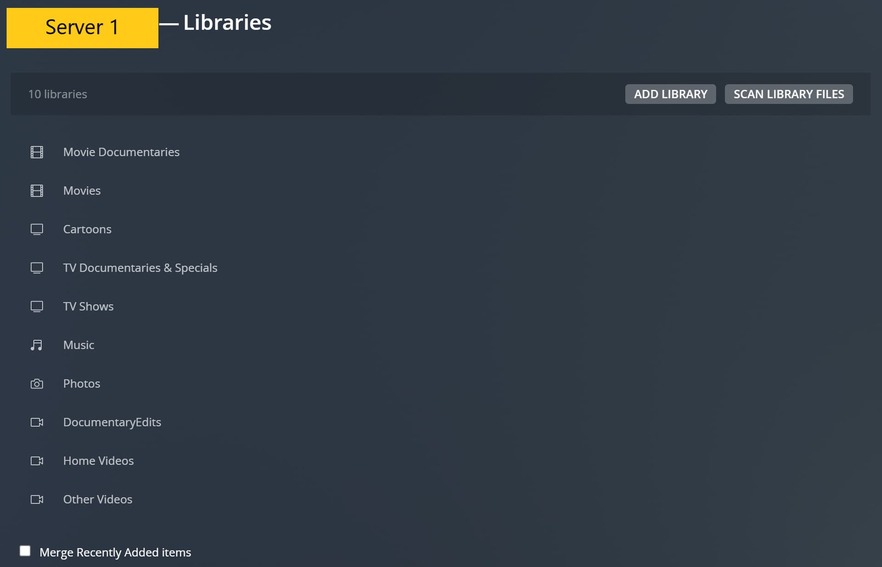
Here you can see Server 2 with all my available libraries. (these are all backups from my main server)

Here are my Managed Users.

This is an example one of my Managed Users’ available libraries (I chose the “Parents” user). This is where you can see the problem.

On Server 1 it lists all my shared libraries on that server. Interestingly enough, it doesn’t show Server 2.

On Server 2, it shows both Servers. It shows the same shared libraries as Server 1 (as it should); however, it shows “No shared libraries” for Server 2.
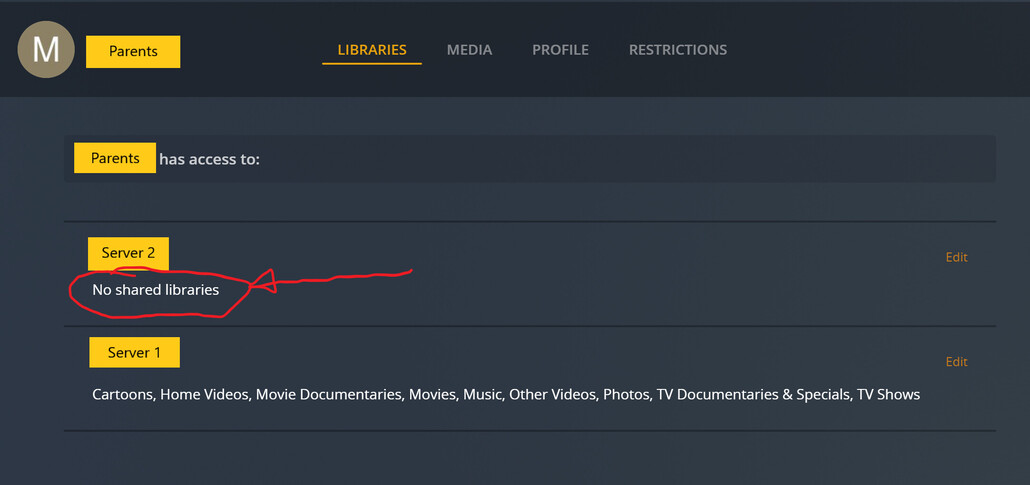
This is why I am confused. I don’t know why it says “No Shared Libraries”, because all the libraries in Server 2 are shared and available (as shown in the screenshot above), especially to the Admin User.

This screenshot is the same as the one above, but I clicked on “Edit” to show you what options are available. It says “No libraries” which makes no sense because I have several shared libraries available.

So, my question is, why does my Server 2 show “No Shared Libraries” when I have several libraries on Server available.

Thanks in advance for your time and assistance.
EZDude

What happens if you use https://app.plex.tv/desktop/#!/ instead of the local versions of Plex Web?

I’m not quite sure what you are asking. If you use Plex Web, that accesses your account from the internet. I am accessing my servers within my home LAN. I access it from Roku devices, Android App and web browsers.

Also, I do not have my Server 2 setup for remote access.

Remote access is not part of this.

The hosted version of Plex Web, app.plex.tv, is the most current version.

The version of Plex Web bundled with Plex Media Server is always a few releases behind.

When you use the hosted version, it downloads the web app from plex.tv, then runs it locally in your browser. Everything stays local.

Go to https://app.plex.tv/desktop/#!/ and login to your Plex account.
Choose Settings (wrench icon, upper right corner).
Then Plex Home, etc, to see your managed users and control their access.

Thanks for the tip. I used the app.plex.tv Plex Web and found the same problem; however, my second server (Server 2) doesn’t show up.

Could this be a problem with Server 2? I can see the Server locally (i.e. using my LAN IP) but I can’t see it with app.plex.tv.

Here’s what app.plex.tv looks like. It’s similar to what my Server 2 local access looks like.

Your Syno server has been removed from your account. Probably by deleting its access token here: https://app.plex.tv/desktop/#!/settings/devices/pms

You’ll have to re-attach it to your account: Synology FAQ - Questions, Answers, and a few How-To's - #31 by ChuckPa

Just a quick follow up to my previous.

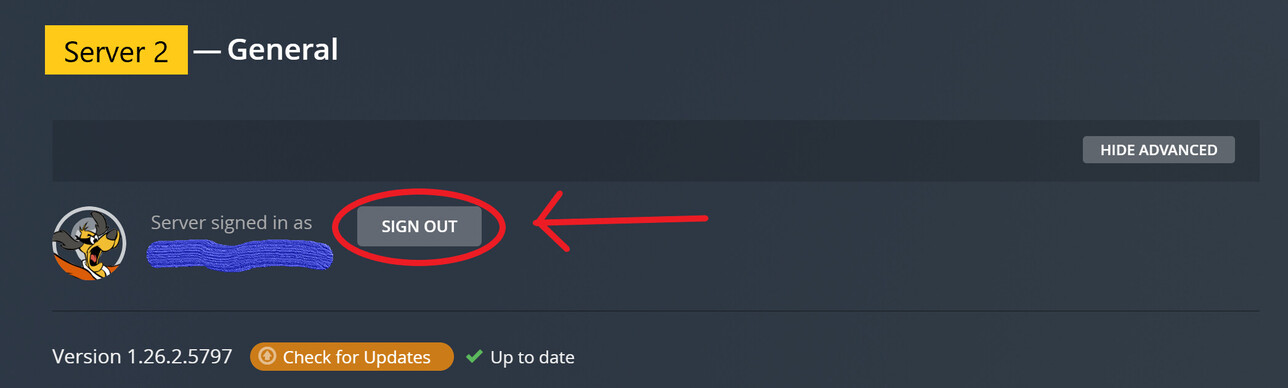
I logged into my Server 2 (Synology) and went to the General tab and signed out the server. Then reclaimed it again. Now the Synology server shows up in the app.plex.tv and the Server 1 is missing.

Are you only allowed to have one server now? I used to have multiple servers in the past.

Otto - I successfully followed the reclaim procedure.

Now, only Server 2 (Syno Server) shows up in the Web App. My Server 1 (Ubuntu) is missing. It seems like I can only have one server on my account.

FOLLOW UP: I logged into Server 1 (Ubuntu) and signed out and “claimed” the server again. After I did this Server 2 went away again and now only Server 1 shows up.

How do I get both servers to show up in my Plex account?

Thanks for everyone’s help so far.

Is it possible that you copied the Preferences.xml file from one machine to the other at some point in the past?

You’ve reclaimed both servers, so both should show up in Plex Web.

Look in Authorized Devices. You should see both servers listed.

You can’t claim a server if it cannot communicate to plex.tv, so a poor Internet connection is seemingly ruled out.

Do you have any entries in Settings → Network → LAN Networks or List of IP addresses and networks that are allowed without auth on either server?

Any custom access URLs or other settings on the Network page that might get in the way?

You might try restarting the Plex Media Server app on both servers. Stop both. Restart one. Let it fully start, and check if it is available via app.plex.tv. Then repeat with the second.

FIXED!

I took actions based on both of your comments @FordGuy61 and @OttoKerner .

@OttoKerner - I backed up my preferences.xml file on Server 2 (Synoserver), then deleted it. Restarted the server (thus PMS) which I assume rebuilt a new preferences.xml file.

@FordGuy61 - I did have some LAN IP customizations and also a “Preferred Network Interface” setting. I have two internal networks (using two separate routers) running in my house. I reset each of these settings (deleted the inputs).

I then reclaimed and restarted both servers. Using app.plex.tv I verified both servers were in my account. Voila! I had to sign out of and sign back into Plex on my Roku to reset the users. And Voila! everything seems to be working for now.

Thanks to both of you for your help.

I do have additional questions about running my servers on two networks (dual NICs) - one network runs behind a VPN router. Should I open a new thread or can I ask you guys?

Please create a new thread.
In general, Plex doesn’t support multi-homing. It is best to have only one WAN connection for the Plex server. Preferably NOT via VPN.
Apart from the above recommendations, I have unfortunately no deeper expertise on this matter.

This topic was automatically closed 90 days after the last reply. New replies are no longer allowed.