Server Version#:
Player Version#:
I put all of one season in a single merge but now only the first one will play. Is there a way to have it roll to the next? I used movie as the library type because TV shows did not find all of my files.
When you merge items, you are telling Plex that they are one item.
That might sound a bit funny, but it’s pretty normal to have multiple encodings of a single movie. Having 720p, 1080p, and (maybe) 4k encodings, for instance. You would merge those files.
You don’t want to merge TV episodes. You almost certainly want to un-merge your items.
Bear with me - can you share a screenshot of your file naming? Maybe we can get these working as TV episodes. TV episodes, with seasons, work better overall in TV Libraries.
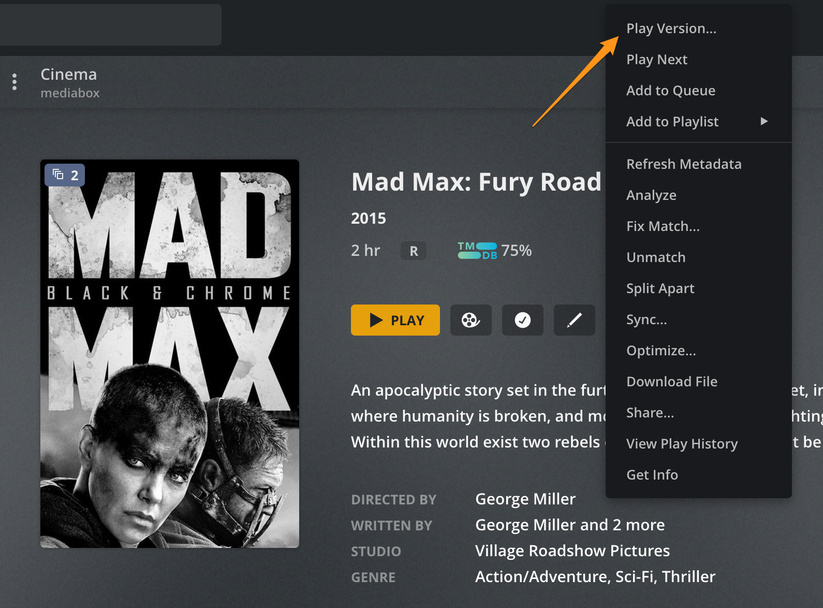
If you are putting them in movie library and merging them you need to select “play version” to play a different file if Plex thinks they are the same movie.
name the files the way the scanner expects them. https://support.plex.tv/articles/#cat-your-media

You could probably get way with. The Big Bang Theory_S1_E1 but that D1 means nothing to Plex and probably causing issues.
The Big Bang Theory S01E01 is what the scanner is expecting.
suggest using filebot or other bulk file renamer
Yeah, like @BigWheel says. Name those according to the naming rules, and use a TV Library.
If you try Play Version ... you’ll see why that’s not a good alternative. Or maybe it is, if you want to play “Big Bang Roulette”!
There are a bunch of tools that can help with file naming. FileBot is excellent. TinyMediaManager is too, and priced right. 
Thank you both. I’ll rename and see if I can pull them in as TV Shows
A good and free Bulk Rename Utility that I use is “Bulk Rename Utility” It’s available here. https://www.bulkrenameutility.co.uk/
