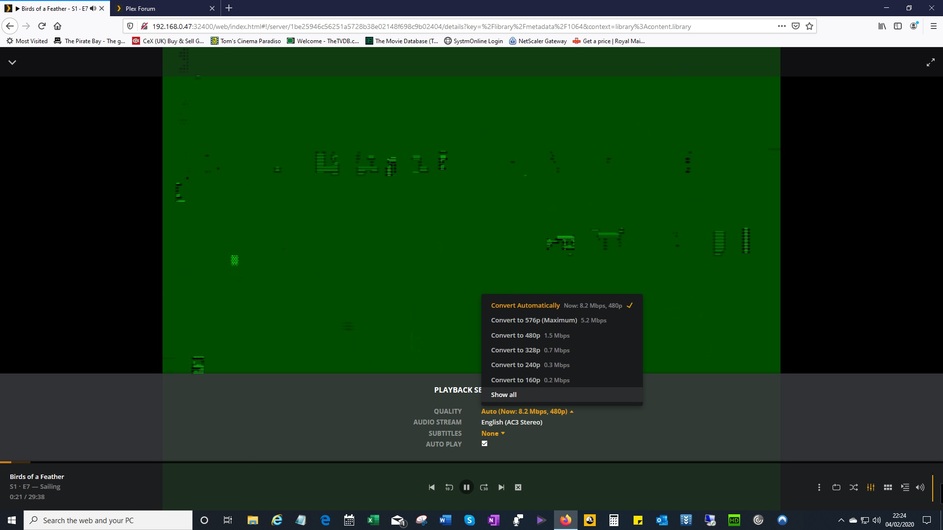
MKV plays green flashing screen in Plex with sound ‘normal’
Files produced from DVD rip in MakeMKV.
Playback in VLC is the same (green flashing), however I’ve found that if I Disable “hardware-accelorated decoding” in VLC it plays perfectly - I don’t have this choice in Plex 
Anyone have any ideas?
changing quality here doesn’t help
Anyone else ever experienced this?
Handbrake does the same by the way
Thanks
PMS version?
Platform (Win10/Linux/etc)?
It is a Plex Server setting. Plex Web → Settings → Transcoder → uncheck “Use hardware acceleration when available” box.
Plex Web cannot direct play MPEG2 video (browser limitations), so you are already transcoding the video. Transcoding to a different quality won’t make any difference.
You might try re-ripping the DVD. If nothing plays it clean, then maybe the rip is bad.
Also, consider using Plex for Windows instead of Plex Web. Plex for Windows direct plays MPEG2 video.
Thanks for your help much appreciated. Good to know where that setting is in Plex, I’ll probably leave it on as I expect I’ll end up with performance issues when viewing. I’ll just mess with playback setting when playing these particular MKVs. I’ve noticed ticking “allow MPEG2” sorts it, and ‘direct play’ / original.
Thanks again