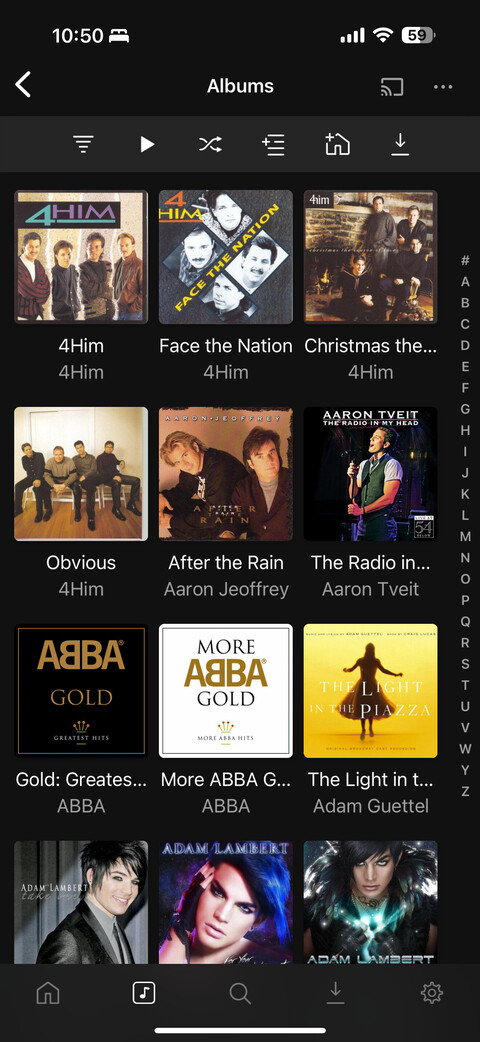
In Plex Web, iOS app, and Plexamp, when viewing a music folder, select to display by album. You will notice that the albums are being sorted in some strange sequence. See screenshot. Need to be able to sort strictly by album title.
What are you sorting the library by? The ‘Albums’ in the top left of your screenshot is just saying that you’re in album view. You should be able to adjust the sorting option to ‘Title’:
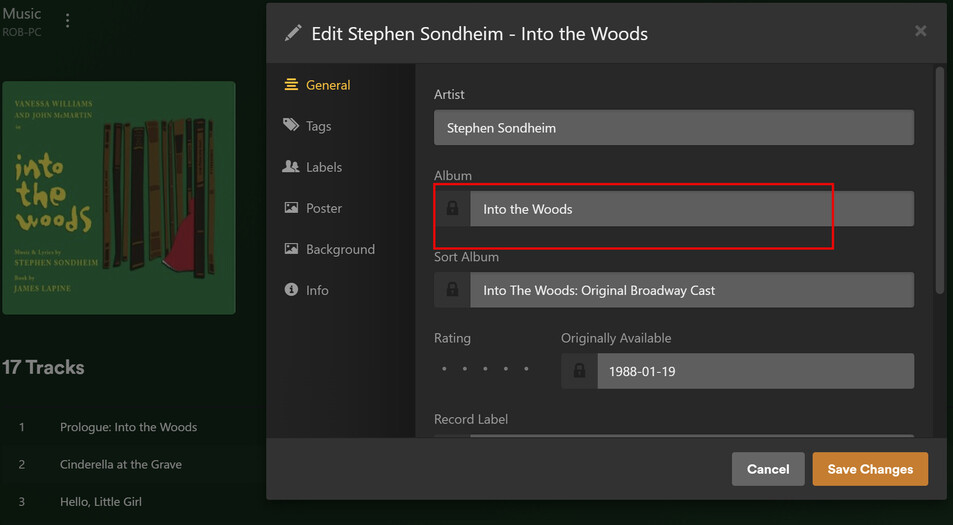
In the web app, when editing an album that’s out of order, is the ‘Sort Album’ what you expect it to be? Anecdotally, sorting by ‘Title’ as it is in your updated screenshot works for me in the web app, Android mobile, and Plexamp.
That’s why I asked about the sort title. Even if the album name is “Chuck Wagner”, it might have a sort title of “01 Chuck Wagner”, which will mess up the ordering:
Thanks. I’ll look into it today. Strange that it is not a problem in Windows Media or Apple Music. I’ve found many posts in Reddit on this same topic going back to 2020. I’ll let you know what I find.
This is absolutely not normal.
The sort title field is by default populated by Plex with a copy of the title, minus articles and special characters.
However, if your files do contain the AlbumTitleSort meta tag, Plex uses its content if you have “ Prefer local meta tags” set.
I wouldn’t be surprised if your files have these tags, but they only contain either nothing at all, or various numbers of space characters.
You need a dedicated meta tag editor app, the default file properties inspector of e.g. Windows doesn’t show them. I recommend mp3tag
What is not normal? I’ve looked in other places where there is a sort album metadata value and the sort is still inicorrect. See screenshots below. I pick albums starting with “W” and Zen Garden shows first, yet the album sort metadata field shows Zen Garden. I am baffled.
Repair your database. This will trigger a rebuild of the index tables upon the first server start afterwards. Those indices are used for sorting and searching.
Most convenient with this .bat file: PlexDBRepair/Windows at master · ChuckPa/PlexDBRepair · GitHub
OK. Thanks, Otto. I’ve also downloaded MusicBrainz Picard which seems more thorough than MP3Tag. It is showing me a lot of missing metadata that it can repair. I’ll let you know how it goes and if it solves the issue. Appreciate the support.
Not really, but it does different things.
Careful with Picard. It does set the ArtistSort and AlbumSort tags by default. And probably not like you’d expect.
You might want to look at [HowTo] Music Organizing with MusicBrainz Picard before touching any of your files with Picard.
@OttoKerner I solved the problem by going into the metadata using the Plex Music editor and copying the album name into the sort album metadata field and that worked. It appears that other apps like Apple Music and Windows Media Player just look at the Album metadata for sorting and ignore the blank Sort Album field. Thanks.
@OttoKerner I’m confused that Plex does not seem to be processing my local tags. I have checked that my file tags are set properly, but it does not appear as if Plex is processing the local values. Some of my albums are showing empty for ALBUMSORT when I know there are values set in them. In the screenshots, you can see that the Album and Albumsort are set the same, but Plex is overriding my ALBUM tag. Why is that happening? How do I fix it? Thanks.
Is the checkbox “Prefer local meta tags” currently set or cleared?
Meta tags which have an influence on the structure of the database are sometimes only read when adding the Album Artist or the Album for the first time.
Which means it can sometimes require to perform the Plex dance if you want to change some of the tags retroactively.
Thanks! I deleted the library and recreated it setting all the options to prefer local and that worked. BTW, TagScanner is another great tool. I’ve been using Picard, MP3Tag, and TagScanner in tandem for what they each do best.