Server Version#: Version 1.30.0.6359
Player Version#: 4.87.2
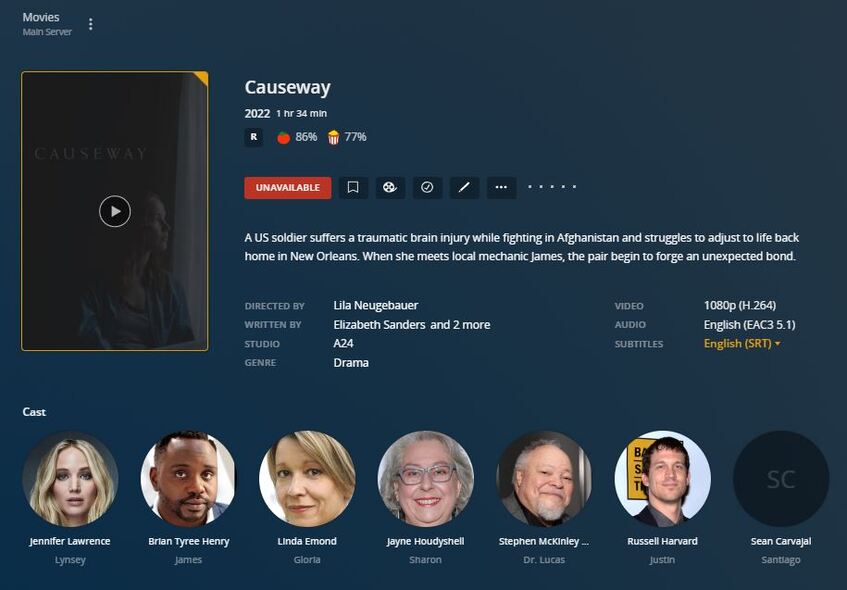
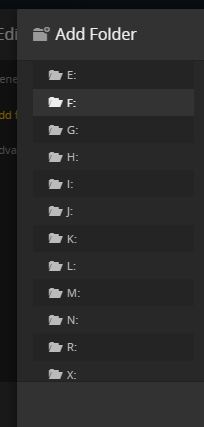
Here is my issue which I noticed starting to happen the last 6months. I have my Plex Server on a win11 main computer build. I also on my LAN have a secondary computer I use like a NAS to map more hard drives with media to the main. Inexplicably the mapping on the Plex Server will lose connection to the NAS and say “Unavailable”. Yet I can connect from the main PC to the NAS drives with windows explorer and even play the media files. When I go to a category to check the mapping, I will notice that in my case W and Y drives are not available in PLEX hence the media mapped shows as “Unavailable”. The only way I can have things back to normal is by rebooting my main PC. There is no point to reboot the second computer (NAS) since I can access from the main and play files so I know the connection to my main is ok. Any suggestions?
Does your NAS require you to input user name and password to access its file shares?
Windows might actually have only asked upon the first access attempt, after which it would have stored the username and the password.
However, this storage of the access credentials has shown to be unreliable for some reason.
The only way to get authenticated access to file shares immediately and reliably, is to either
- make the file share accessible without authentication
- create a user/password combination on the NAS which is identical to the username and password which you use to log on to your Windows user account
Another tip is to disable power saving on the network adapter in the Plex Server Windows machine.
If your NAS device also supports power saving on the network adapter, disable it there as well.
Do also disallow the network adapter to downgrade the link speed when idle.
And of course: all connections between router, Plex server, and NAS device should be wired and not wireless.
Appreciate the quick response. I will review your suggestions and provide an update.
So I believe I have found the problem but don’t know the solution to resolve. There are times that the plex windows server app crashes like gets frozen where you can’t see the server statistics, memory etc. So I then shut down the app and go to reload. It reloads ok and all the local server drives map, but the NAS ones don’t. That’s the problem and the only solution it seems is to reboot. Any thoughts?