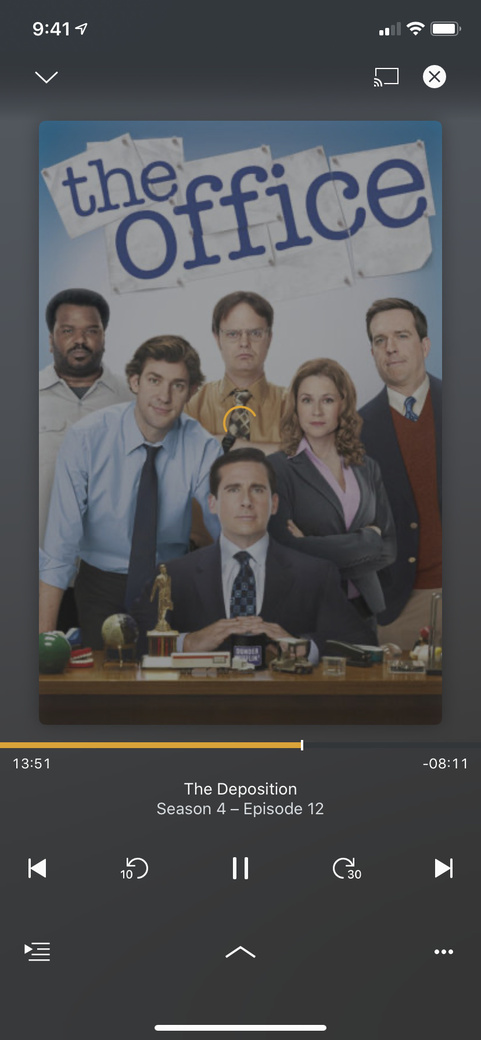
Is it normal for a mobile device to still have the option to transcode to lower quality? Not sure if this is intended or not. I only have access to iphone so cant tell if it is on android also. The option to lower quality is completely removed on other streaming devices.
I will say I have been waiting so long for this feature and it removed any thought of me switching to Emby haha!
Disabling transcoding on one server should not have any influence over the availability of the setting in a clients device’s preferences.
Simply because this client device could have access to several servers, of which some could have the transcoder disabled and some not.
Or are you talking about the quality selection during playback?
Yes I am referring to the playback quality option when a client is playing a video from the server that has the “disable video stream transcoding” turned on.
In the Windows app and browser I no longer have an option to lower quality during playback. I do not have another device in front of me atm to test more.
how is this intended to work? My understanding reading it is clients wont be able to transcode video from that server. They would only be able to transcode audio as well as remux video?
I guess that is expected, then. The client knows that the server has transcoding disabled. Thus it doesn’t allow you to reduce the quality.
Reducing quality == Transcoding
The only confusion came from that I still do have the option to transcode to lower quality on the iphone and I see a user on my server with android that is transcoding video.
I just asked someone to lower quality on a roku also on my server and they must have had the option because they are trascoding from 720p down to 480p now.
The beta release of PMS now has disabled video transcoding - so thats interesting
Unsure of how it works as when i enable it the video just never starts instead of forcing the client to accept non transcoded media
Edit: So its really odd - when you enable it the status on the server says its transcoding but nothing ever starts on my device - Hardware transcoding seems to become disabled and instead the cpu gets hit with a transcode that doesn’t get sent to the device
So why is the server transcoding anyways but not streaming it
How would this feature work with remote users - would it tell them to change their streaming to original? - it just spins forever and doesn’t give a user feedback
not complaining, actually interested in the functionality
I am seeing the same issue. Server running on Ubuntu 18.04 LTS. Plex Web player seems to work correctly and disables lowering quality but the other clients I have easy access to, Roku Player and iOS player still seem to be able to over ride this new setting and cause server to transcode. This setting will be amazing for me as I run my server on a low power VPS. Loads of bandwidth but limited CPU capacity.