Just upgraded to 1.18.3.2156-349e9837e and there was no plexmediaserver put in /etc/init.d. So I don’t think it is in this version yet. Maybe the next version.
I have a version number for you and all:
The new installer will be included in:
PMS 1.18.5
I am preparing the release notes and forum announcement now.
PMS 1.18.3.2156 and PMS 1.18.4 were both built before final approval.
PMS 1.18.5 will be built and sent to QA shortly
2 Likes
Hey - it is possible to get 1.18.5.x download so I can install manually.
Today I’ve been facing an issue - “playback has stopped because the connection to the plex media server has been lost” - on both an Nvidia Shield and an android phone, both of which got recent client updates!
The only way I could get the shield to playback was by uninstalling updates on the device, and on the phone by using mobile data rather than wifi !!!
I’m still on server - plexmediaserver_1.17.0.1812-5ee2fc50a_amd64 - so I’m assuming it’s a version issue of some sort!
When released, everyone will be able to download it.
I announced the version the new scripting will be installed in so everyone can be prepared.
You can go install current public or PlexPass if you wish. They work as they always have for systemd based systems
Only reason I’m here is cos I’m on init not systemd
Not a problem.
I expect 1.18.5 will be released right after the holiday when everyone is back in the office.
Thank you of course for this - but i would like to fix the issue i’m facing before that.
Since the last update for android clients i’m getting errors only for specific files.
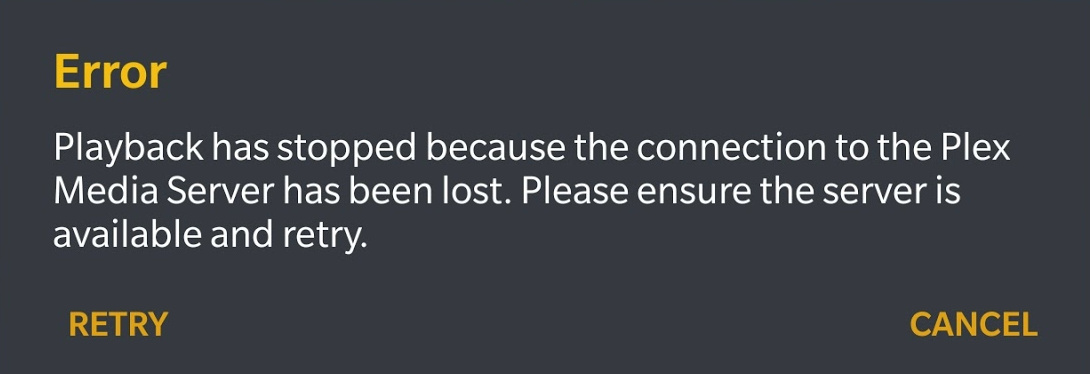
The same files will always give this error - others will not. Only started after client update, so i assume that’s were the issue lies, but thought having the latest server was a good place to start.
A post was merged into an existing topic: Community provided SYSV installation package discussion
A post was split to a new topic: Community provided SYSV installation package discussion
A post was merged into an existing topic: Community provided SYSV installation package discussion
Thank you for this! I just installed Devuan Ascii on a new machine and was tearing my hair out over why I couldn’t get the latest and greatest Plex to run, despite it installing without objections. I can wait a few days for it to become available on my platform of choice.
If you download 1.18.3.2175, (the forum preview), it’s included.
It does not yet support Linux Containers (LXC) but will shortly.
Thanks again! It’s running now! Exciting!
I have a followup question.
Is the new installation summary too verbose?
It tends to go against Linux tradition of being terse.
For me, I like the new installations verbosity especially on a new installation. There are enough variables with Plex, the verbosity will help neophytes and even experts will want to see what is going on.
Is this in 1.18.4.2171?
Do i need to uninstall and reinstall?
Using ubuntu 19.10
No. production build 2171 vs hotfix build 2175 (for apollolake NAS platforms)
Is that “no it’s not part of 2171” ? or “no you don’t need to unsintall/reinstall” ?
- In ApolloLake build 2175 = YES
- In production build 2171 = NO
Sorry for confusion.
I’m going to close this out now in favor of any upcoming issue threads.
1 Like
