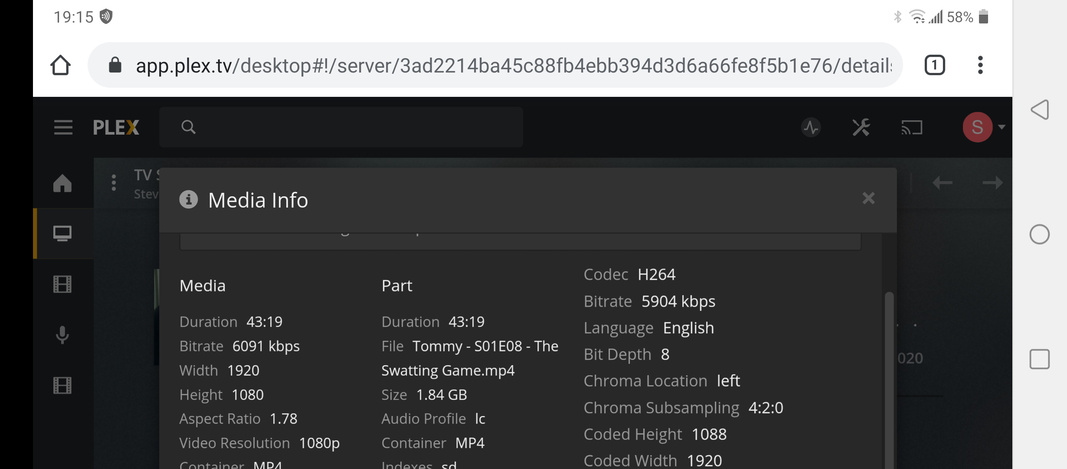
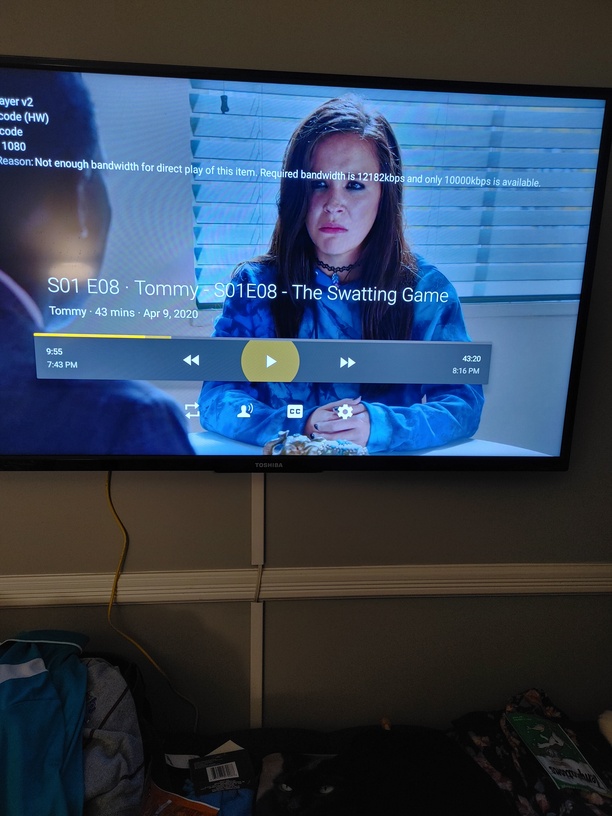
I am using the built in Fire TV functionality of my Toshiba TV. It is wired ethernet connected to my home network. The ethernet interface is only 100 meg, which should be enough to stream a typical one hour TV show. When I streamed the show it would not direct play,. saying the network connection needed was 121 meg and it only had 100 meg. The file type being played was a MP4 file with AAC audio.
I have never seen it stop direct play bc it needed greater than 100 meg? I am going to disconnect the ethernet connection and let it connect via WiFi, and then see if this goes away. If it does then its really weird.
By rule of thumb that should give it a max bitrate round about 10 Mbit/s…
Where exactly do you get this message?
Does it pop up right before you start or at some point during playback?
That’s actually more in line
It says, the required bandwidth is 12,182 kbps or 12.2 Mbps (duck and cover in case some IT guy reads this ). The tricky bit is that it sees the available bandwidth to be limited to 10,000 kbps or 10 Mbps.
Are you sure your TV has a 100 Mbit/s Ethernet adapter?
Could there be some other bottleneck in your home network that’s limiting the communication to 10 Mbit/s?
Check the bandwidth settings in the Plex app on the TV. Maybe something was inadvertently changed.
Video Quality section:
Adjust Automatically = Off
Home Streaming = Maximum.
I an tracing out the network connection but it should be gig capable. Its going thru a dedicated coax splitter that supports full gig up/down, into a dedicated gig switch.
I looked at the dedicated switch and cleaned up the QoS on the ports, so that the streaming device would get better priority. This seems to allow the direct play of the affected video.
So a related question. I now know how to see how much bandwidth is needed via the Get Info screen but is there a way to proactively look at how much bandwidth Plex thinks it has via the wired connection?
I don’t think you can get this through Plex at the moment.
Admittedly it’s the first time I saw that kind of warning (which is either due to my network being in a better shape hope or it being a recent addition). I suppose it might be an interesting addition to the device page (like min/max/average bandwidth per local/remote streaming?!)
It would be helpful from a troubleshooting perspective!
I have also ordered more robust network switches, that have larger buffers. When I bought the original Netgear switches I was using one or two connections. Now I have an 8 port switch filled and really need to look to enhance this side.
What say everyone…are you using the new player or continuing to use the old player. I am using the old player bc I can see if I am direct playing or transcoding. I see no functionality in the new player, so until this decides to show up in a new rev I will stay with the old player for now.