Feature missing- there no setting to change the size of the subtitles on new plex experience app.
It actually is: Settings → Subtitles → Subtitle Size
Version: 2025.10.2
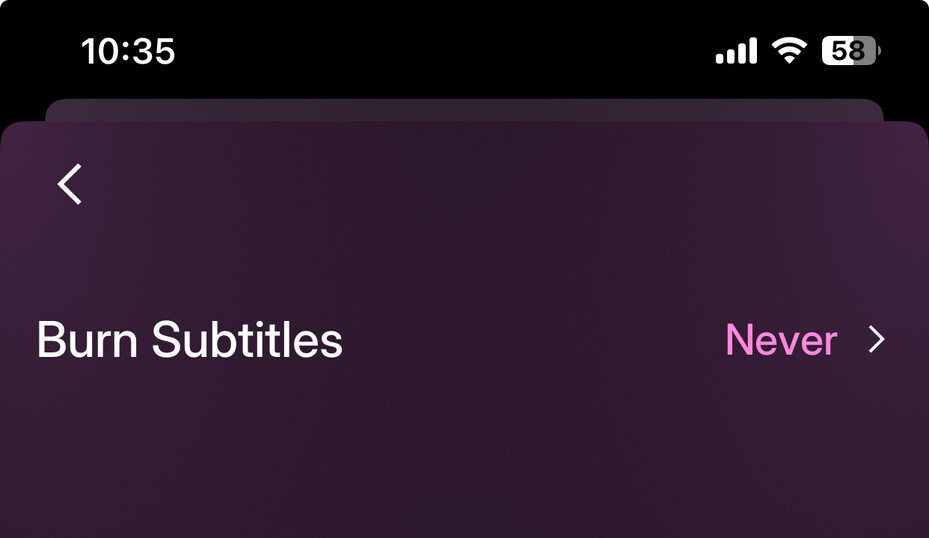

Yeah, just checked on my phone as well and nothing there either.

Yeah not sure what’s going on there…I have same thing as the OP. Although looks like you’re on Android so assume that’s where the difference is.
And of course, that doesn’t explain things very well as the apps are now supposed to be the same across platforms with the new development platform they’re using lol.
My brother in law report same issue on Samsung tablet, and because of this I add android tag also. The tablet is not closer to me, so currently I can’t check version and provide screenshots.
I am getting really frustrated with the new update for iOS plex tv app for iPhone, the old version was so easy to find things on your plex server and see you films and hear your music on.
The new app is fare from easy to find you things, it’s messy and not easy to navigate in ALSO it can’t see my music library, it’s looking like it’s having even been tested and is really slow when you call up functions, has it even been tested before you deploy it ?, if so please do something about all the bugs and test it on a iPhone before you deploy the product and also look into ITEL, so this doesn’t happen again, have some testing and feedback before you deploy again please 

And yes it’s still working fine in the browser on my computer and my Apple TV, so please don’t update that part
I can’t stand to new update. On an iPad, ALL the media controls are too small. It’s very annoying when trying to grab the play position on the progress and move it to where it’s supposed to be playing, but the whole media control section moves around rather than the play position. Also, spacebar will no longer pause/play video media. Video playback constantly crashes. Video playback no longer pauses when the device is locked. When playing a TV show in the background (essentially audio only), episodes will auto-play next rather than stop after the current episode completes. Previous version worked exactly how I liked. Did Plex just pull a Sonos?
Plex folks - first, thanks for all you do. With the imminent rate changes I was preparing to finally buy my Plex Pass…and then I downloaded the new version of the iOS app. There’s nothing I’d like more than having a Plex Pass, but there’s no way I’m making that commitment unless the new app gets sorted.
I think it would be fair to say the rollout was premature. There are myriad issues, and some organizational changes that I will simply have to accept. But two issues in particular stood out.
The first is around the ability to choose which version of an item to play. Thought listed as improvements made since the preview, this simply doesn’t work. The selected version only plays back on the phone. There is no way to select a version and have playback on the TV. You can go to the item and hit play, but it is effectively dealer’s choice. This cannot be how this feature was intended to function.
The second is the folder view in each library, which is all but unreadable. The lefthand side menu of the previous version wasn’t necessarily pretty but it was legible, and I think we can all agree legibility should be a priority.
So, fixes in these areas would be greatly appreciated. And hopefully, with some other improvements, I’ll have my Plex Pass soon. Thanks.
(iPhone 12 mini, iOS 18.4)
Disc.: I have lifetime license.
The new version of app is almost unusable. It can’t be release version at this state.
Problems that weren’t in previous version:
-no download show by season (only episode by episode)
-no setting for free rotation of screen while watching (it’s either in landscape or portrait locked)
-almost impossible to navigate video with thin navigation line with no understandable touch points (you have to tap screen multiple times to find where it actually recognizes your finger). Other times, instead of putting your video on desired timeline it just resets it to start of video with no further option to fast forward it).
-in previous version of app, if you had downloaded episode or movie and tapped from main screen to watch it - it preferred downloaded content. Now it ignores whether you downloaded it or not. It starts to stream it from server. So you have to specifically go to downloads folder and watch it from there (as on desktop app for some reason), but it has a huge flaw:
-watch progress in downloads folder not in sync with server folder. It has some weird logic to choose which progress is correct at the moment (usually chooses wrong) which again didn’t appear in previous version.
-live tv and discover buttons are useless. Give us setting to change them to our will.
Ok, you’re telling us that those functions are coming soon. But why release raw app, when we had all working in previous version?
P.S. let us download and continue to use legacy application. New one is currently not ready.
The new iOS app wants to work with the new server version. My server is on a Synology NAS - the required server version is not available for it. As a result, I cannot access my libraries from the new app. There is no option to roll back to iOS either. When will the new server version for Synology NAS be released?
Agree with all the negatives here on the new app. In every way inferior to the old version. On my Galaxy A51 twice as slow to respond. Too many steps in order to access my libraries - please bring back the left-hand dropdown menu, which was efficient and worked perfectly fine. And external subtitles don’t play. (I want to buy the Plex Pass, but…)
Same same:
- Android app very very slow
- can’t navigate to Season from episodes
- sometimes cant start an episode in case there are different servers
- Specialy on Android tablet is horrable
+iPad an Apple works better
Also on Android, I can navigate to a specific design by going to the show and then season – and back again, and then to the next season (too many taps for a simple switch).
But loading Libraries is terribly s-l-o-w (slow) OMG! I even thought, that maybe the app would cache what it could and be quicker the next time, but it’s still molasses slow…
Samsung Galaxy S25 Ultra
Agree that this version is worse in some aspects, but is cleaner in other aspects.
However, one additional issue I have found besides the clunky interface is I cannot seem to sort by rating anymore. I have spent significant time rating movies in order to sort by my favorites.
Also, hopefully I have just missed it, but we absolutely need the ability to remove the “recommended” tab in each library. It is horrible that it defaults to this tab when it is mostly useless to those that are just attempting to get to their library. Or at least change ‘browse’ and ‘libraries’ to default options.
Also, it seems like the screen does not rotate even when I turn off the “lock to landscape” option. This only forces out to portrait instead of making it flexible.
Also, just found that the option to skip ahead by hitting the arrow keys on Nvidia Shield does not work. Also, fast forward doesn’t seem to work. Both are super frustrating. Please give us the skip 10 second option.
Overall, very unhappy with some of the changes in the new UI. I understand many of the changes, and some of them look very clean, but please add back some of the missing functionality and let users get to want we want (our libraries) quickly and efficiently.
