Server Version#:plexmediaserver_1.19.5.3006-da9510f6b_amd64.deb
Player Version#:
I install the new version of plex server (plexmediaserver_1.19.5.3006-da9510f6b_amd64.deb) and started having issues almost immediately with high cpu usage. I tried restarting both the server and plex, with no lasting results ( it would help for a couple of minutes and then fairly quickly it would use all cpu power.) I played with it for about 3 or four hours. Finally I reverted to (plexmediaserver_1.19.4.2935-79e214ead_amd64.deb). and the issue is gone,
I’d love to see the log files of what’s happening when you install 1.19.5.
If there’s a problem with the beta, it does need to be fixed.
Any help you can give is welcomed.
I wonder if it’s performing Intro Skip analysis at a faster rate. Did you have it enabled?
i do have log files. how would you like them?
also it seems to have something to do with very large libraries (it would not display my main movie library but it would display my much smaller Christmas movie library
what is “Skip analysis at a faster rate” not sure of that
“Intro Skip” analysis. PMS now reads through the files when analyzing and finds where the main segment starts. It lets you “skip the intro” (could save several minutes depending on the feature).
You can upload the ZIP file here. I can delete (or you can) when done.
Hey guys,
I know this might come off a little unrelated, but this was the only thread I could find concerning the latest PMS version. Just curious where the announcement post about this is.
I can totally open a new thread for this @ChuckPa if you mind this being asked here. I just thought a single thread for this not-so-important topic might be to shoot with tanks on pigeons. Just wanted to raise awareness somewhere flies away
Plex Media Server Logs_2020-06-29_12-49-21.zip (6.5 MB)
here are my logs
Thank you for the logs.
What I see, immediately on startup, is a bunch of sync jobs being processed.
I’ve not had time to review the release notes yet but do believe Engineering worked on Syncing.
Given the number of files it’s processing, which appear to be video (not 100% certain) this would explain why the CPU is running so hard.
Can you please inspect your sync list / queue?
If by sync you mean conversion and sync to tablet etc, i don’t believe anything should being synced - at least not that i am aware of. The dashboard does not show any sync going on.
Do you have any jobs which were completed / in a hung state?
What I saw showed a lot of ‘Sync list’ processing.
Do you have any jobs in there which are obsolete / should be removed ?
Dead devices?
probably as I share my server with lots of family members. I would not have any idea about who has unfinished sync jobs. How would i go about removing these?
you can see if the jobs themselves have anything pending.
Go in to the Sync queue and look (open up) each job.
You’ll see its status.
If there are partials / pending, I’d make a note of it and the person then delete the job.
If it’s really wanted, it can be queued again.
first i check the sync status (blue box) nothing, then i went into setting, then sync at that point (red box) i can see sync items for each device for my account. However I can not see sync items for other (shared) accounts. Am I missing something? (infact this has been one of my pet peeves about plex is that i can not see who is syncing what, I have had to resort to other linux tools to see who is using bandwith - to discover who is syncing)
Maybe I don’t know how to do this correctly.

As server owner, I can go there and see what has been sync’d from my server as well as the status of each.

As they were pending or downloading, I also saw that status.
that is awesome, how do you see that? I must be doing something wrong!
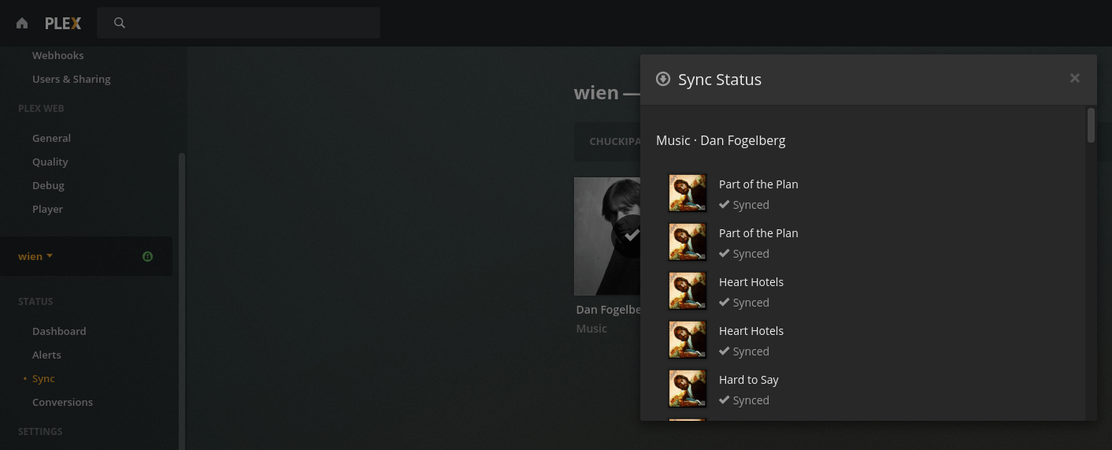
so this is my list of devices (see screen shot), however it only includes device on my account. I know that others are syncing from my server but it does not show their devices.
about the original issue: I believe you are right, because plex acts like it is trans-coding files, so i bet that somehow unprocessed old sync (trans-coding) request are being trans-coded even though I did not see any sign of that happening in the activity area (other than plex cpu graph showed plex using pretty much all the cpu that it could)
also my phone (the moto z 2 force) appear twice with different sync list (the first screen shot is correct, the second screenshot is also from today but it has items from about a moth ago and some are showing that they are not completed
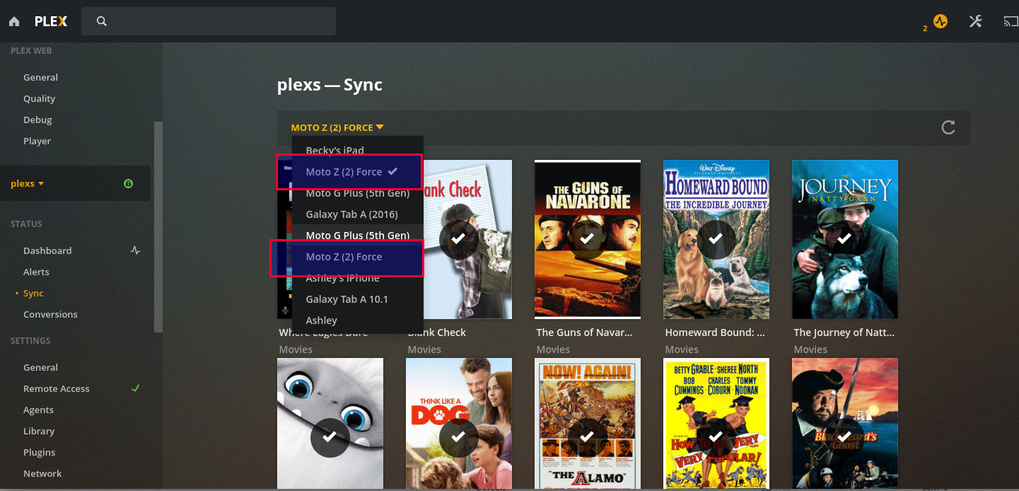
different sync list:
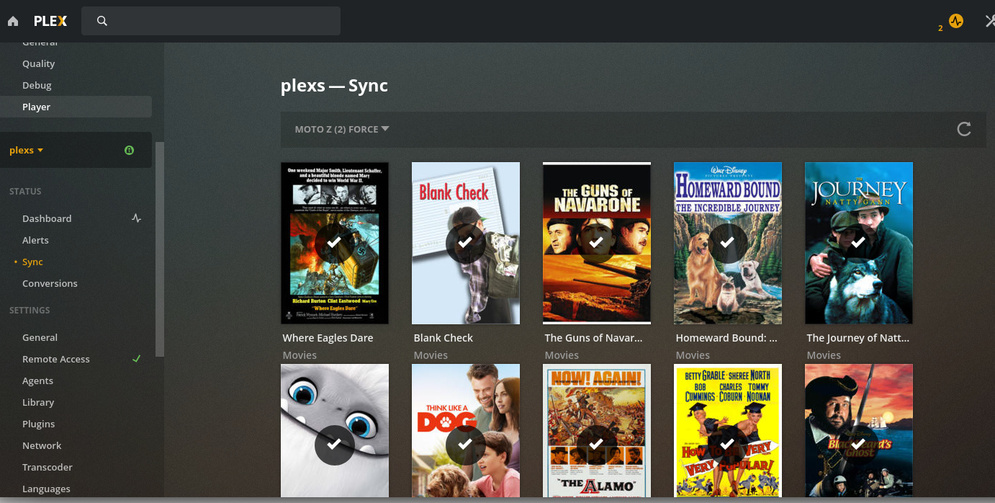

I
Regarding the devices and managing them:
- Settings - Authorized devices (upper left corner)
- Now you can select the filter dropdown and see the clients.
- Those which you know are duplicates (uninstall / reinstall actions) – delete the older & no-longer-active one(s).
- This will help you clean up the list and make it more manageable .
(hour is late for me… i’ll continue tomorrow)
On my Fedora system I’m seeing Plex pop to the top every few seconds but with only 3-6% CPU usage.
I see Plex has pulled 1.19.5.3006 from the downloads and have reverted to the June 11 1.19.4 release. There also isn’t a changelog entry in the announcement forum page. They should at least announce that it’s been pulled and tell people to revert to 1.19.4.
- please do not hijack another’s thread.
- 1.19.5 BETA has been withdrawn. (such is the nature of a BETA)
