Server Version#: 1.29.1.6313
Player Version#: 1.56.1.3327
The Plex app for Mac is unusable. I have tried all of the “fixes” with the adjustments on the Player page, but it is barely a whisper. If I play the same files through VLC they are quite loud.
This is quite frustrating and a show stopper for usage. This needs to be addressed. Anyone come up with a workaround, other than using another player?
While it is a known issue for Plex to have lower than expected volume levels (at times), calling it a whisper is a bit far of a stretch.
It’s quite possible that the source material has a lower volume level from the start and Plex just worsens it further.
As of right now, a feature like volume analysis and loudness, like what’s available for Music libraries hasn’t made its way yet into the Movie libraries, unfortunately.
If this is happening to only one file and not others, you can extract the video’s audio, alter the loudness manually, re-attach the new louder audio to the video and test it.
Using MKVToolNix gives you the ability to add or delete audio tracks as necessary.
I am sorry but it is so quiet that with any noise in the room, you can barely it. I am using a 2020 MacBook Pro m1. If I play the same file through another player it can be turned up louder than is comfortable.
I am a Lifetime Member that has had a membership for years, so this isn’t my first time using it. On the iPad, the same files don’t have the issue.
The problem with MKVtoolnix, is that we shouldn’t have to go do that for all the video files to “fix” this, when other players work perfectly fine without this issue, and why I am bringing it up.
Also, this isn’t on a handful of files, this is all my video files. There had been a volume boost option that was removed and never reimplemented, and it sure seems to me that we need that back. I remember on a plane trying to use this with headphones, and it was so quiet, I couldn’t use Plex to do that, and again had to flip over to VLC.
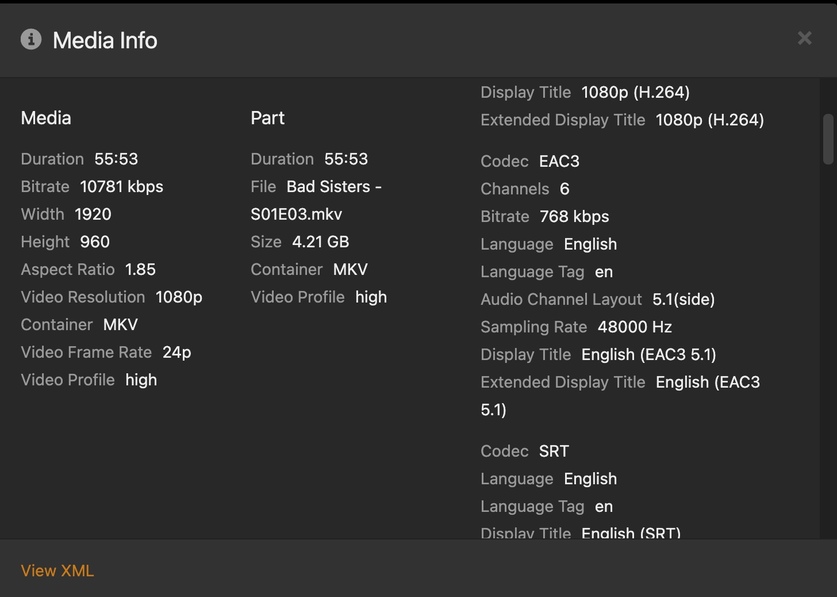
I have tried this on many movies, and TV shows and this issue presents itself on all of them. I just grabbed this from Avatar as it was one of the files I tested to see if this was across multiple files.
There are a few of things to look at when all the sounds are low in Plex for Mac.
When you have an audiophile sound path, the sound track is often sent out encoded, e.g. DTS, to your soundbar or AVR, and that volume can’t be adjusted within Plex for Mac. The sounds is passed through.
When you are connecting to systems that don’t accept the encoded audio stream, Plex outputs PCM or AAC whose volume can be adjusted within Plex for Mac. During playback, using the up or down arrow keys affects the volume slider in the lower right hand corner of your screen. Here are a few pictures at various volumes:
So that’s what I’d look at first. After the Plex volume slider, the Apple Volume Slider can obviously affect your sound, but let’s assume you’ve tested that
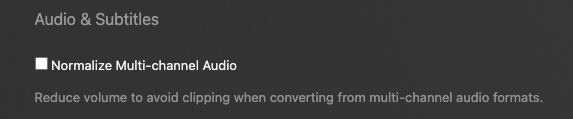
Other than that there’s not a whole lot in Plex for Mac that affects sound levels. I suppose there is normalize multichannel downmixed sound in Settings → Player → Show Advanced but meh I don’t have 2ch to experiment with it and leave it off.
I went and uninstalled and reinstalled the app. It was taking over control of the TouchBar volume controls, and was adjusting the app volume and not the main volume. After Reinstall it went back to controlling Main Volume.
This sounds like an OS issue and not an issue with the app. Uninstalling and reinstalling wouldn’t actually accomplish anything as far as the apps controls go.