Server Version#: 4.47.3
Player Version#:1.25.0.1511-47afccd4
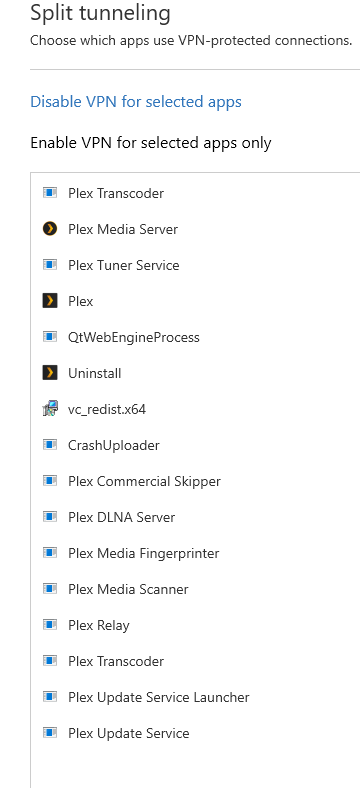
NordVPN recently added the split tunneling feature to their windows application with version 6.33.10.0. A long awaited feature, i added the plex server to the VPN exclusion list so plex would not go through the VPN. everything works, remote access works fine, streams are good. the issue is when the vpn is up, i can’t access the server settings, even if I’m actually on the server. When i take the VPN down, all is well again.
Has anyone played with nords split tunnel and encountered this? Any suggestions would be great
I think there are problems with NordVPN and split tunnelling.
At the moment, it is known that when the split tunneling feature is used some services still appear to be affected by the VPN. This is related to the fact that although your real IP address does get routed through the excluded application, the DNS servers provided by NordVPN are still in effect, which may cause an issue.
To try an work around i exempted everything Plex to try and make it work. I tried your suggestion with a few browsers and exempted them, and plex wouldnt open unless it was going through the vpn. The windows plex app would open even though it was exempted but the server settings wouldnt work again.
Ok, does not sound good. I use PIA with Mac without issue and I know of a windows person using PIA Split tunneling but has issue with Wireguard but Open VPN works fine.
I love Wireguard it very quick and there a great selection of Forwarded port servers, less than 5% speed loss.
I have my NordVPN running on my router, so I just have my PMS listed as a tunneled device on the router. No issues accessing Server Settings or Remote Access from outside or on that PMS computer. I did have to add it to DHCP. But no problems since I started using Nord 3 years ago.
What do you mean? You can see the list of movies but when you click on Settings you get an error? What error? Do you use name or ip to access your Plex Server.
If by name, try using the local IP. Any change?
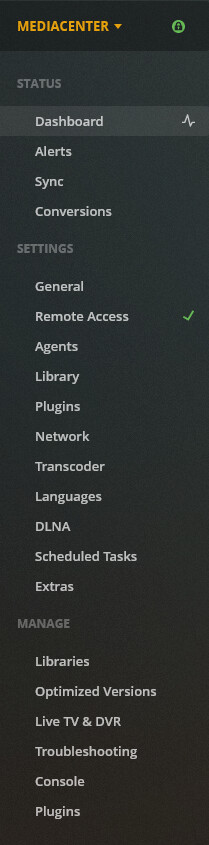
browsing libraries works, remote access works (green check mark), streams works fine without going through plex relays, but accessing the server settings doesn’t work.
This being said, if I enable internet Kill switch
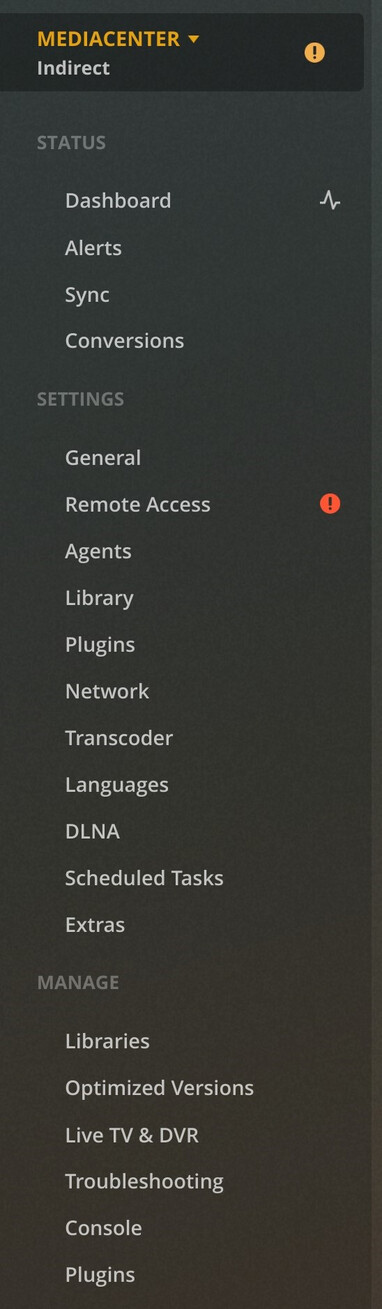
then remote access is down (red mark), indirect connection when remote, and of course all streams go through Plex relays.
Don’t know why Kill switch would affect this though.
Same things happening whether I use app.plex.tv or http://127.0.0.1/.
I need (like someone mentioned here) to route some services through VPN and some others (like Plex) to stay as is.
I need the kill switch on VPN, but I also need Plex remote access without Plex relays.
So what I’m doing in the meantime: having all services which doesn’t need VPN inside my server and all the others that does need the VPN are on a virtual machine on this server with VPN installed with kill switch.
NordVPN recently fixed their bug preventing split tunneling on their app to work properly with some local applications using 127.0.0.1 and custom DNS.
I just tested NordVPN and ProtonVPN (I’m switching VPN for better privacy/transparency so mentioned it too) and both were correctly tunneling out Plex from VPN without breaking the settings pages. I just excluded “Plex Media Server.exe” nothing else.
Finally, I can remove this greedy Virtual Machine !
Erratum: In my previous post I said Split Tunneling + Kill Switch broked Plex Remote Access entirely, after much reading I realised it is a behavior by design, both VPN explicitly say that Split Tunneling cannot be switched on with Kill Switch.
This is the same with PIA. Turn off kill switch, if you have a application that requires a killswitch, you need to find a application that has one built in.
Please note: If you use a DVR with PIA split tunneling, the VPN will need to be active so your DVR will work.
Has anyone else had these problems when using Split Tunnelling in ExpressVPN?, the same issue turns up with no access to settings when the VPN is running. In addition, if i have shared any of my libraries with anyone else they all become inaccessible.
I’m going to try talking with the guys at ExpressVPN see if i can’t find a solution. Was just curious if anyone else was using ExpresssVPN and split tunnelling. I need to have the VPN because i have Qbittorent working on the same PC.
I use ExpressVPN, but they don’t have split tunneling for Linux. Since the only thing you need privacy is your torrent, I could run a docker container with support for openvpn.
I run this container on my server, this way Plex is not affected.
I agree, and think that’s a much better solution in general. Particularly on Windows, none of the VPN solutions seem to be able to reliably include only certain apps, or reliably exclude other apps.