So this one came out of nowhere help would be great before i cancel subscription. I recently upgraded plex pass. I now canct access my libraries, all other settings are there but i get this window now and have tried logging out , rebooting just all gone? should i just re specify my share folders and restart?
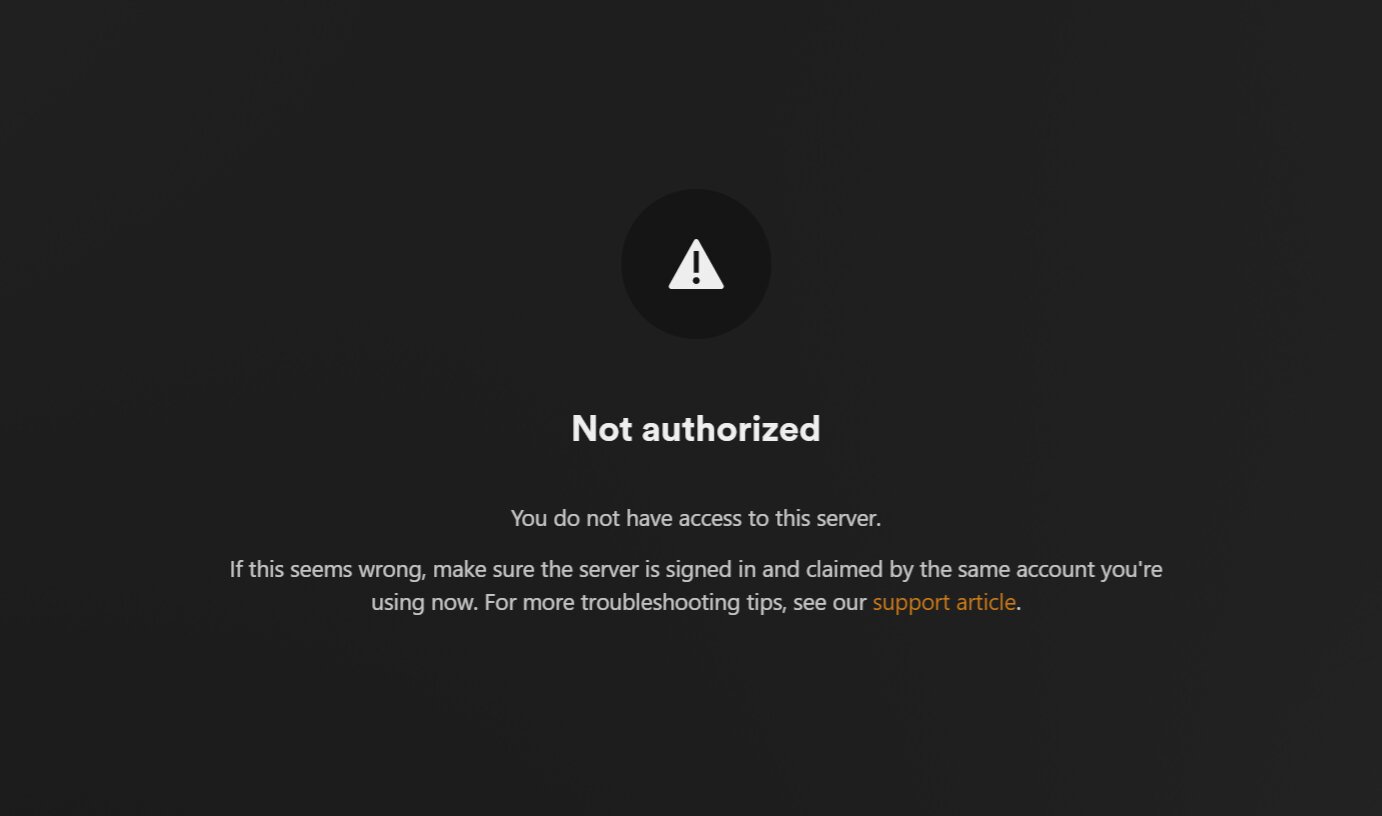
Just wondering again if anyone has a surefire solution that works I see a lot of different threads but I just want to try something that actually works and also why are paying for this if things like this happen I mean it makes no sense how complex take peoples money and not offer any direct support for things like this seems like a lot of people getting locked out of their own servers and absolutely no support from the makers of the software sounds like a good way to lose business to me…. Dear plex if you’re listening I’m not authorized on my account that I pay you guys for and you’ve locked me out of my own server I need help lol
It seems that some time ago, Plex changed how to claim your server, and you cannot simply access the bundled web app and claim the server. You must follow the steps here:
Specifically, it points out you must right-click the plex icon and choose “Open Plex...” and it should prompt for claiming.
If that still does not work, then it’s likely your server is claimed under a different account… somehow. If you are the owner and manager of the server itself, then use the steps to reclaim your Windows server here:
It involves entering your Windows registry to edit or delete some entries. Our local forum ninja @OttoKerner has made an article on how to automate the process by creating a .reg file that will do exactly what needs to be done without the possibility of deleting the wrong registry entry:
Give each of these articles a try in order, and let me/us know if they helped.
I appreciate the helping hand and yes I saw the other article where you have to copy and paste the exact information into the notepad I think that’s the one you’re referring to? I’ll give it a try but how exactly do you claim the server after so I’ll do each step and try it I’m just really upset and confused how this can happen like this and what did I do to cause this to happens what I’m trying to figure out I’m scratching my head
I’m not sure either. It’s best to start with figuring out how to fix your issue, before we get to figuring out what happened.
…Well, figuring out what happens can help us fix it too, but I honestly don’t know what could have caused your server to stop working. Purchasing a Plex Pass should do nothing to your existing server like this.
It’s possible you did something more that you haven’t stated here, but I don’t wish to play 20 questions right now. Let’s try to get this fixed, to find out whether it really is a unclaimed server or something else.
ok thanks so this is the weirdest thing, but you need to be signed in to browser for the app to be signed in, and i have always signed in or been signed in, this time i clicked open and it opened another browser re signed in ,and now my server shows again, really weird as i was always signed in the past and this time opened a different window under different email. and this showed on screen, so i resigned in and now presto it works lol

Try this.
Identify the IP address of your server; for example 192.168.0.101. Then, in your browser, navigate to (as an example; substitute your actual IP address):
http://192.168.0.101:32400/identity
This should be done on a system on the same local network (not a different VLAN).
I will return several bits of information in XML format. Look for the “claimed” attribute. Is it 0 or 1?
If 0, your server is not yet claimed.
Ah, so… you weren’t signed in… somehow? that could result in a “you are not authorized” message, as your client (the browser) is not signed into an account that wasn’t authorized.
So… it’s all good now that you got a sign in prompt and are in?
it was but i deleted my libraries and now i have the same problem i cant re ad libraries it keeps taking me back to download plex app
