Hi
I would like to get out of the Plex.tv beta in the Nvidia Shield.
I have gone to Google play and installed the none beta, (regular version), however, after a couple of days the beta version appears as an update in the Nvidia Shield Google play and I have to go again back to Google play and select again the non beta.
How do I get out of this circle?
I just want to have the regular version.
Do I need to remove the existing version, which will completely remove plex and reinstall the current non beta version. Would I have to start from scratch?
Thank you
Mario
All I’ve ever had to do was leave the beta program on my phone in the Playstore, then either wait a couple minutes or refresh the Playstore on the Shield by force stopping it then relaunching.
You may need to uninstall the Plex app on the Shield then reinstall it if it gets stuck.
All that happens when you do this is your pinned libraries are reset.
This is specifically talking about the Plex client app, not the server app on the Shield.
Thank You for your reply, I will follow your advice
Thank You
Mario
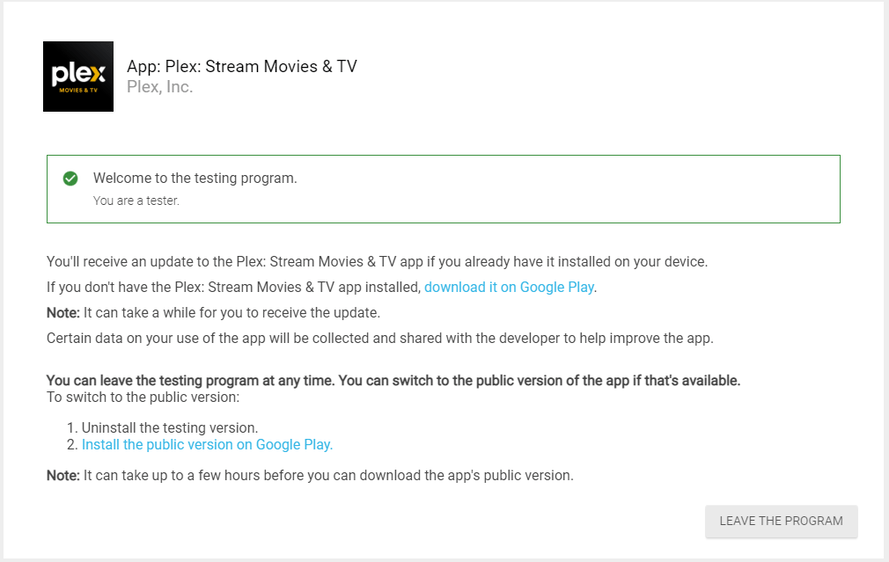
Thank you for your reply and the link.
I had visited this link before, I had already applied the “leave the program”.
I just did it again.
Thank you
Mario
