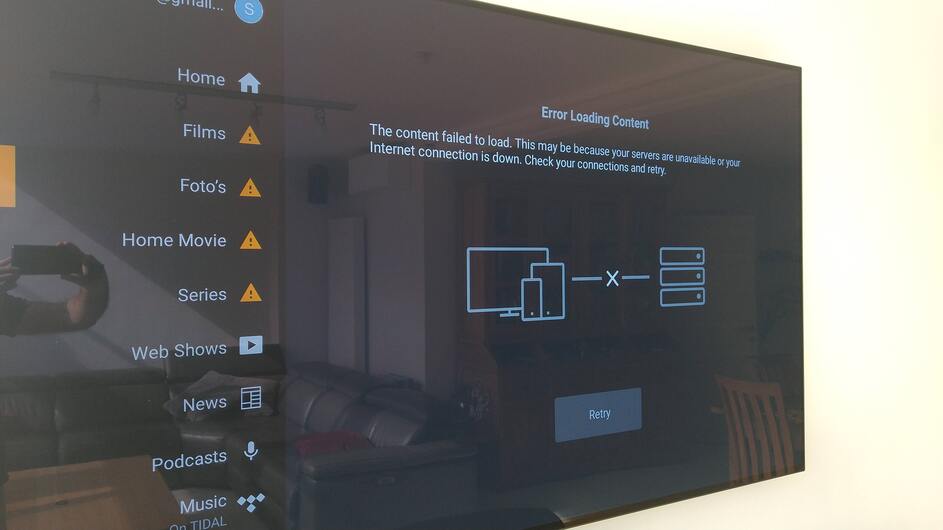
I am currently setting up my new Nvidia Shield Pro as my Plex Server. I have attached a 1T SSD Sandisk drive to my Shield and pointed my Movie and TV Show Library to their respective folders in the Nvidia Shield folder on my SSD.
When I try to access the content in either of these libraries on my TV via Shield I get a message “Error Loading Content. The content failed to load. This may be because your servers are unavailable or your Internet connection is down. Check your connection and retry.” My Shield is hardwired to my router and is online.
Those own libraries also get a yellow triangle with exclamation mark.
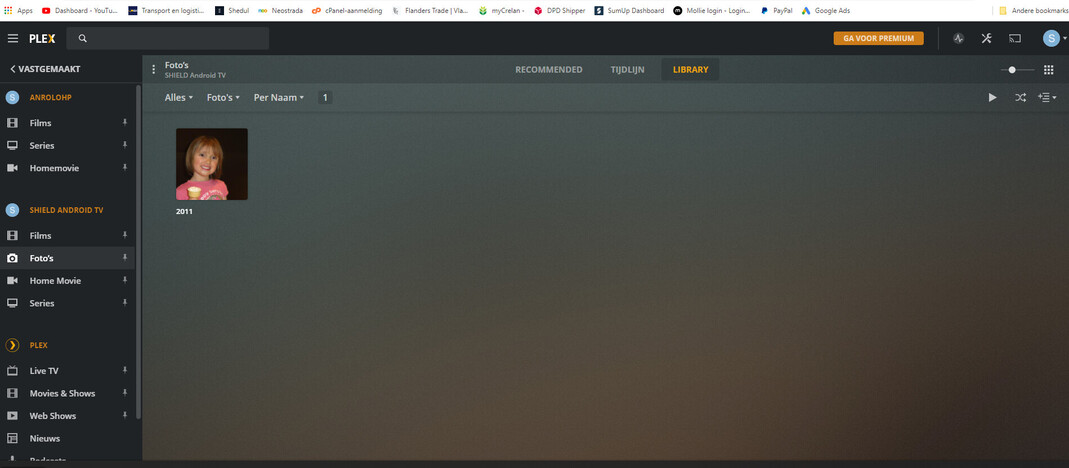
When I access these Plex libraries from my computer I am able to see and watch the content that is in the SSD Nvidia folders. From my computer if I go to the Plex web app and go Manage Library>Edit>Add Folders>Browse Media Folders>Nvidia Shield>Movies it shows the movie in that SSD folder.
I also have a server running on my PC, and those same media files can be seen from there.
The libraries on the computer are nicely set up and work flawelessly. As you can see on the pictures. Both Anrolo Server and Shield Server work perfectly on PC.
The plex client has access rights to the storage. But it seems it doesn’t want to connect.
Already did a Shield reset twice, but this doesn’t work.
So the connection is there but something is up with it being played through the Shield on my TV.
I am have been scouring for some hours and I haven’t been able to find an answer. Any help is greatly appreciated!
I know this isn’t helpful, but I have the exact same issue.
Had it set up initially then after a week I tried to use it and had the same issue as yourself.
I tried resetting the Shield and also reformatted my USB drive (which I think I messed up a bit) and it appeared to be able to access the files but it couldn’t play them properly.
It was either too slow or it was reading them from the PC maybe making it too slow, I’m not sure.
I think it’s a Nvidia issue as like you say the files can be seen from the PC so hopefully it’s just an update needed.
Hopefully someone has an answer.
Shame on Nvidia with their Shield, including Plex server. Yes, but no automated update or any notification you need to go and search for it to update it manually.