Thanks for the log files.
FYI, you can upload the entire ZIP file instead of each individual log file.
For remote access, the Plex Media Server.log has the info we’re after.
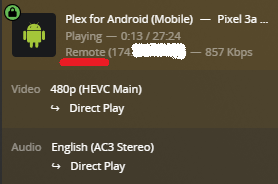
Plex is seeing a double-NAT, or router behind router, situation.
Jul 13, 2022 06:32:57.018 [11927] DEBUG - [EventSourceClient/pubsub/(redacted):443] MyPlex: reachability check - current mapping state: 'Mapped - Not Published'.
Jul 13, 2022 06:32:57.018 [11927] ERROR - [EventSourceClient/pubsub/(redacted):443] MyPlex: mapping failed due to potential double NAT configuration
Jul 13, 2022 06:32:57.018 [11927] DEBUG - [EventSourceClient/pubsub/(redacted):443] MyPlex: mapping state set to 'Mapped - Not Published (Double NAT)'.
Are you running a VPN on the Shield, the Orbi, or something else between the Shield and the Internet? VPNs and Plex generally don’t play well with each other. A VPN on your personal computer, phone, etc won’t matter as they don’t sit between the Shield and the Internet.
To what is the Orbi connected? Is that device also functioning as a router?
If you are in a double-NAT situation, it can be resolved by placing one of the routers in bridge mode. This disables routing and the NAT function on that device.
On some mesh network devices, disabling routing also hinders or disables the mesh capability. If this is the case with Orbi, then the other device would need to be placed in bridge mode.
If neither device can be placed in bridge mode, then you can use a double-port forward. The first device forwards to the Orbi, when then forwards to the Shield. It requires additional work to configure, but others have used it successfully.
Additional Information: