Server Version#: 1.21.1.3830
Player Version#: 4.47.3
I’ve noticed for awhile that when new media is added to Plex, permissions aren’t being set correctly. I’m wondering how I can fix all of the files showing up as nobody:administrator and set them to administrator:administrator? How would I apply the inheritance to the top level of the media drive so that when new files are downloaded and put into the directory, they will have the correct permissions intact? I started noticing this when I wasn’t able to delete files from the Plex app without it giving me an error every time. I did try following the guide from here but didn’t seem to work.
Hi @ChuckPa… Just went through that guide again and reapplied the permissions to my Movies folder. I didn’t get any errors and looks like everything worked. When I just tried downloading a new video file, it looks like it’s doing the same thing again… setting permissions as nobody:administrator and will not let me delete the media from the Plex app. It doesn’t give a specific error besides saying “uh oh”.
You will need to set proper owner AS your downloading task places that new media.
When something is being written as the root (administrator) user, setuid/setgid will be ignored. (notice the bit flags s are there but no action was taken). Also check setuid on the parent directory where these are being placed.
This appears to be what’s happening here.
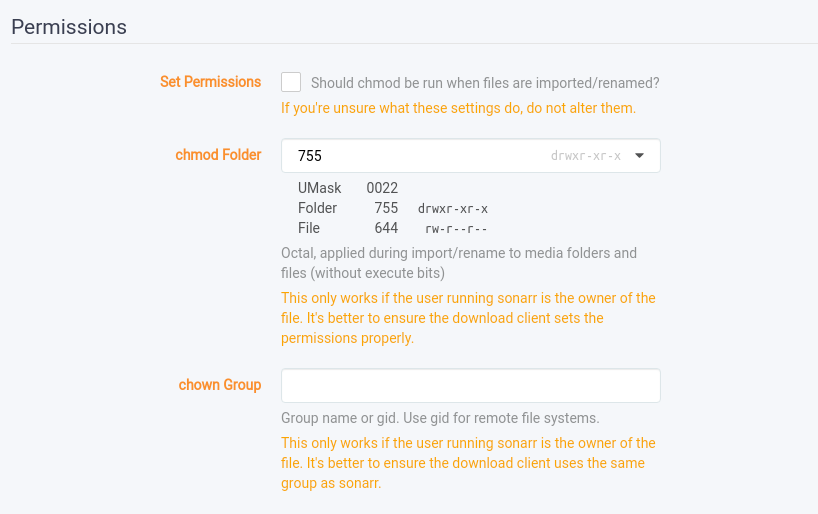
I am using Radarr and SABnzdb as my download client. I’ve seen other users having issues with SABnzdb not correctly applying the permissions but didn’t think their issues ever got resolved. In SABnzdb - Settings - Folders.. there is an option called Permissions for completed downloads which I tried changing to 777 but didn’t seem to change anything. Also checked in Radarr permission settings and tried changing some things there and still having the same issue when new media is downloaded. I’m still new to using Linux so explains why I haven’t figured this out yet.
I use Sonarr. (same thing)
- Container PUID & PGID are preset to target UID & GID
- Only need set the directory perms (and file perms)
Might setting the launch UID/GID make it easier to manage?
Sorry, not sure what you mean or what I should change?