Play/Pause without PIN

Server Version#: 4.102.1
Player Version#: 8.15 (5092) Mac

Is there a quick pause function? When I’m running Plex in the background and listening to music, I have to open Plex and enter my PIN when I get a call. It would be nice to be able to right-click Plex in the dock and Play/Pause from there.

That is the mobile version of app. Which while is works because apple made them work we have not done anything special for it on desktop.

Our dedicated Mac app during playback it should show up in menu bar. I’m not sure if the mobile app on desktop will.

or

If that is the regular Plex for iOS app, you can turn on “automatically sign in” which will avoid the pin unless you change users.

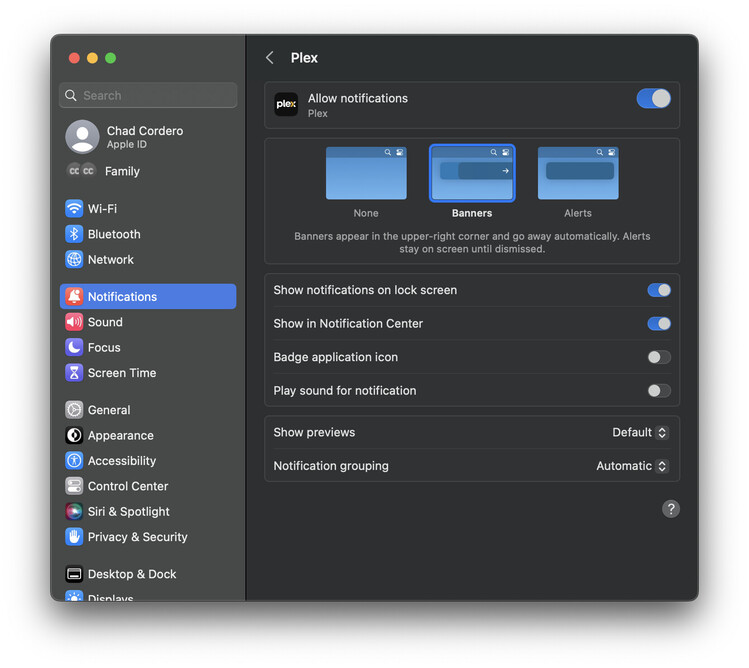
I don’t see that in Notification Center. I’m running Ventura 13.2.1 on my M1 MacBook Pro. I allowed notifications for Plex and have the following settings.

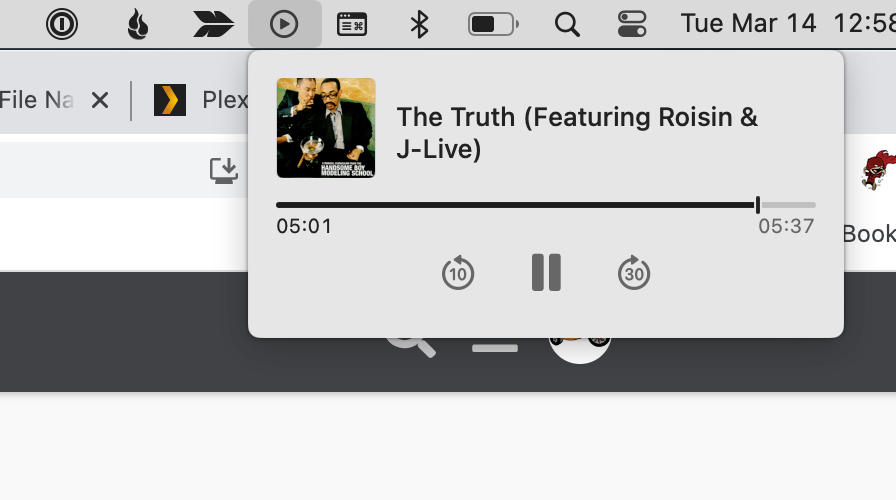
afaik it is the Control Center settings

Control Center is set to Show When Active for Now Playing. It just shows Apple Music.
Screenshot 2023-03-16 at 1.11.47 PM

Again you are running the mobile app on your desktop. We have not and I am not aware of any plans to tweak the mobile app to run on desktop better.

The screenshots I was showing were from me using our Plex for Mac desktop app.

This topic was automatically closed 90 days after the last reply. New replies are no longer allowed.