Unless I’m completely misunderstanding the functionality for displaying photos I believe I may have identified a bug. I have three folders setup in my Photos library. For purposes of this post call them /Photos1, /Photos2, and /Photos3. The /Photos1 folder contains subfolders of photos that become albums in Plex. Folders /Photos2 and /Photos3 too contain subfolders but, more importantly, also contain images in their root. When I attempt to view any of the images stored in either of those root folders I get a “Playback Error. An error occurred loading items to play.” but only when I have the “Albums” view selected:
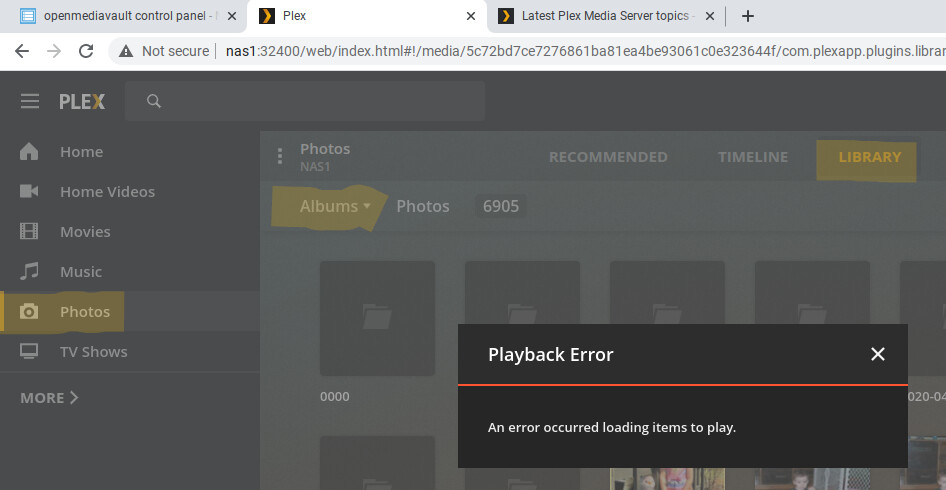
If I change the view to “Photos” I’m able to display the exact same images without issue. For the sake of argument I ran this article to Repair a Corrupt Database but that did not do the trick. As I mentioned above the images do come up. They just don’t seem to when they are in the root of a folder and “Ablums” is set as the view.
Am I wrong here or is this a bug?
Server Version#: Linux 1.21.0.3711
Player Version#: Web player and Samsung App 5.5.1
