Playback not starting on Convert Automatically (cellular/wifi network)

Hi,

For the past few months I have been experiencing playback issues through the android Plex client while on cellular network.. I can see the server content - no problem there, but the playback isn’t working. No issues whatsoever if going through android browser or via other desktop client (windows) or via TV app through WAN. If I turn on WiFi and connect via LAN it works via android client. Anyway please see the screenshots below.

PLEX APP:

Via Brave:
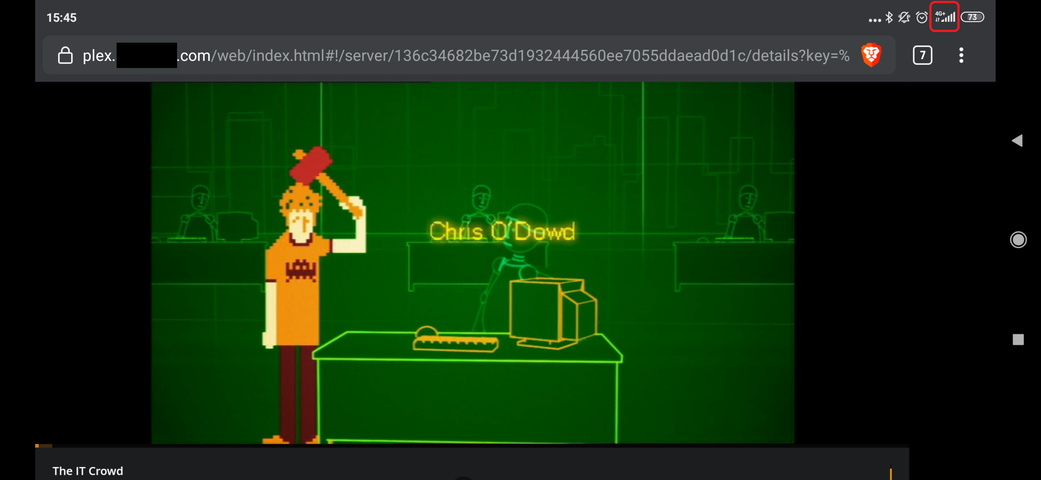
Tried setting up manual server connections in the android client - did not help at all - exact same behavior.

Server:
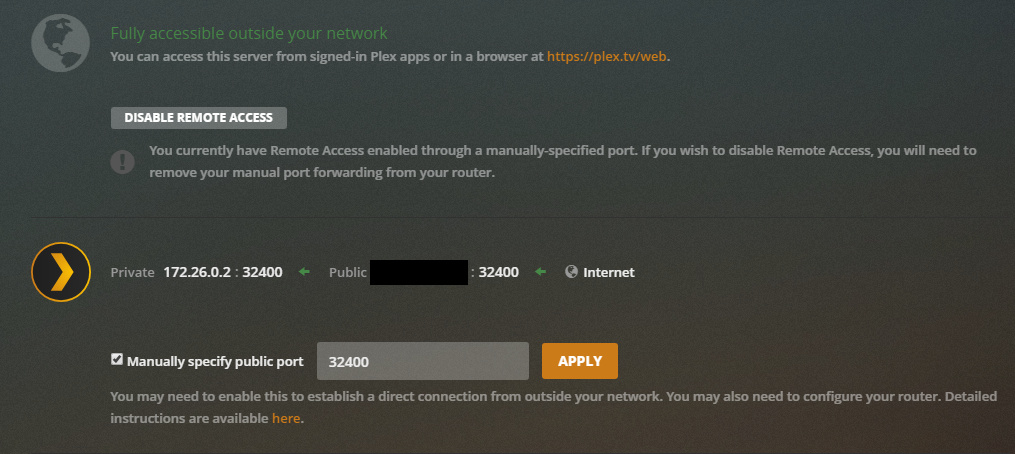
Firewall is doing the port forwarding for 32400 to the Linux machine. PMS is running within Docker container. For the Reverse Proxy I am using Traefik.

docker-compose:

version: "3.7"

services:
  plex:
    container_name: plex.529
    image: plexinc/pms-docker:latest
    restart: always
    ports:
      - 32400:32400/tcp
      - 1900:1900/udp
      - 3005:3005/tcp
      - 5353:5353/udp
      - 8324:8324/tcp
      - 32410:32410/udp
      - 32412:32412/udp
      - 32413:32413/udp
      - 32414:32414/udp
      - 32469:32469/tcp
    expose:
      - 32400
    volumes:
      - $PWD/plex/config:/config
      - /dev/shm:/transcode
      - /lvm/raid/private/media:/plex/media
      - /lvm/raid/private/data:/plex/data
    privileged: true
    environment:
      - TZ=Europe/Prague
      - PLEX_UID=1000
      - PLEX_GUID=994
      - ADVERTISE_IP=http://192.168.255.11:32400/,https://plex.example.com
      - ALLOWED_NETWORKS=192.168.255.0/24,10.8.0.0/24
      - NVIDIA_VISIBLE_DEVICES=GPU-d705d61e-a848-a592-e014-d196cd66eec9
      - NVIDIA_DRIVER_CAPABILITIES=compute,video,utility
    labels:
      - com.ouroboros.enable=true
      - traefik.enable=true
      - traefik.port=32400
      - traefik.frontend.entryPoints=https
      - traefik.frontend.rule=Host:plex.example.com
      - traefik.backend=plex.529
      - traefik.frontend.headers.forceSTSHeader=true
      - traefik.frontend.headers.STSSeconds=315360000
      - traefik.frontend.headers.STSIncludeSubdomains=true
      - traefik.frontend.headers.STSPreload=true

Server Version#: 1.19.4.2902
Player Version#: 8.1.2.18135

I don’t suspect to be anything wrong with this particular setup - I remember I had no issues like year ago.. I started experiencing this since summer 2019 but randomly - I killed the app, tried again and it somehow worked - now it never does via cellular. When I open VPN connection to the Linux box it works as over the LAN..

Any ideas/inputs will be appreciated. Thanks, Michal.
Holy crap you don’t need all the ports, just 32400.
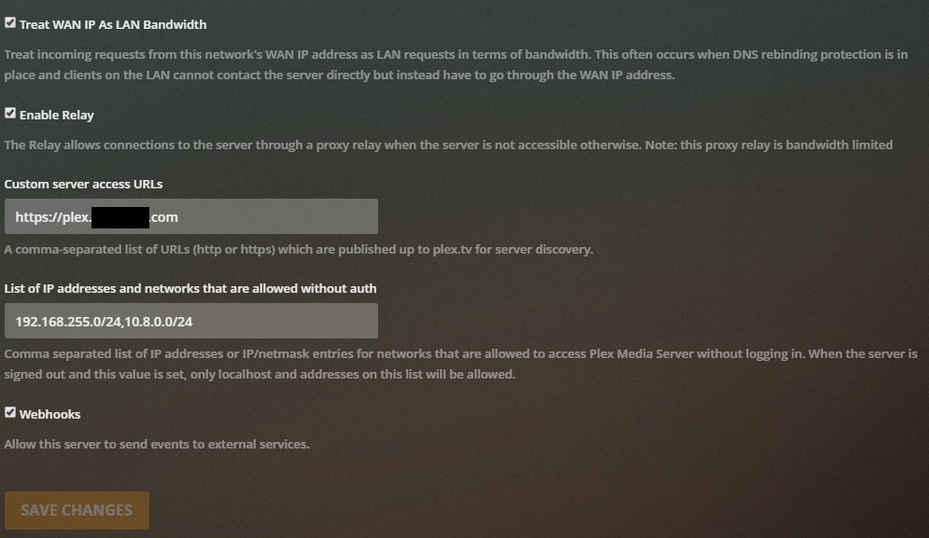
Not sure about traefik, but did you put your domain into the custom service url box in Plex? Are certificates “ok”? I use nginx on my VPS and have 32400 closed since the connection is going via the custom domain and port 443 (https).

Regarding ports I followed the official plex documentation for this. I also want DLNA to work over the LAN - so they are required.

EDIT in setup:
I commented out from the docker-compose file:

      #- ADVERTISE_IP=http://192.168.255.11:32400/,https://plex.example.com
      #- ALLOWED_NETWORKS=192.168.255.0/24,10.8.0.0/24

And kept this settings inside the app (was there before):

Now I am not getting error message but only loading circle and nothing happens - playback just wont start. When I open Plex over the browser playback still starts without any issues..

Well you probably need to keep the advertise part, but again I am not an expert with traefik (nor with nginx).
You might be right on the ports, sorry I misunderstood because I don’t run my VPS setup in LAN obviously…

For the ports - some of them are not required in my setup - but I put all of them just in case…

As I said, it worked almost a year without issues, then it started randomly “not playing” and since couple months ago it just wont play at all via the android app client…

FUN FACT:

  • I just tried other file to play and it works… lol?!?
  • Then while circle was loading the content to be played I tried to change the quality to: Play Original Quality and it started playing…
  • Then I switched to something lover like 480p and works as well…
  • However when I switch to Convert Automatically playback never starts… and it hangs on the loading…

So I believe we have a bug to report then… Any Ninja around?

For the custom access URL, leave out the https://. Just the domain is needed.

Edit - Oh yeah, restart PMS after.

image
Anyway tried and no effect on the problem…
I am changing the title of this issue to be more relevant now.

Ok, you’ll need to provide the log from the Android app after recreating the issue. Android, Android TV, Fire TV Logs | Plex Support

i’ve have similar issue with auto quailty and reported it too here https://forums.plex.tv/t/auto-quality-convert-dosent-work-plex-player-8-1-2/598743
its started with version 8.1.2 of the player any version before that one works.

This topic was automatically closed 90 days after the last reply. New replies are no longer allowed.
