Server Version#: 1.18.2.2058
Player Version#:
Hi!
So i have some issues with playback stopping on plex when watching movies. I have only noticed it when watching movies. Series seem to not be affected.
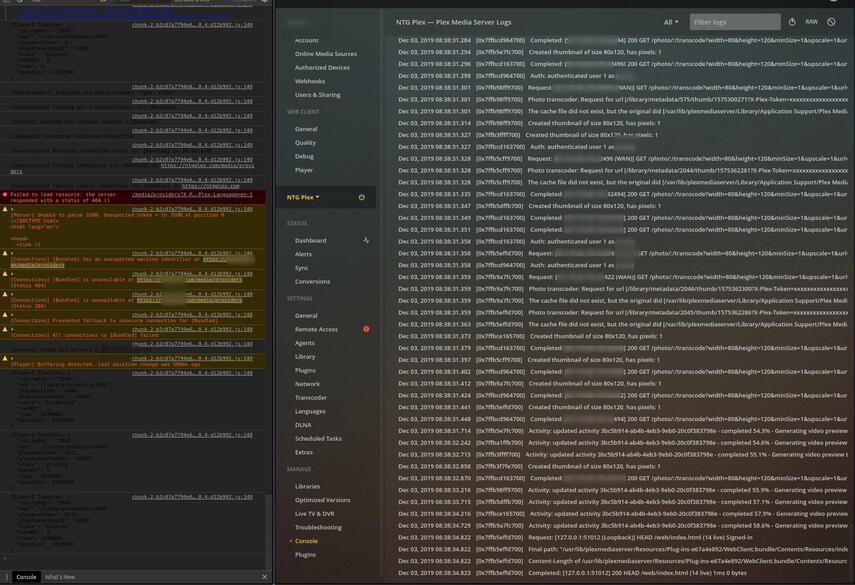
I have checked the console while reproducing and the only error that i see is 
error issuing curl_easy_perform(handle): 51
I have tried various fixed that i have found online. But the posts i found are either out of date or unrelated. So i decided to post here for some help
The Plex server is running in something called “Openflixr” and it has been great for the most part. It is being hosted on an old server we had at work and it is basically only used for a legacy FTP server which we are killing in Jan 2020. So there is plenty of resources for the VM.
The server is on a dedicated 1000/1000Mbit business line since we had one line we did not use.
There is also a dedicated enterprise cisco firewall in between. To ths network we also connected a Synology D1819+ with around 30TB of storage.
The speed between the server and the Synology is local 1000/1000Mbit so it should be more than fast enough to stream movies.
First i had mapped the media folders as SMB but it gave some permission issues so i remapped them as NFS and have now fixed the permissions i think. At least everything seems to work except this.
I am out of ideas and i don’t know what to test or try net. Where can i continue troubleshooting the issue?
I doubt it is a resource issue.
-
OS: Ubuntu 18.04.3 LTS x64
-
CPU: Intel Xeon E5-2600 server has 4 cores 8 threads
-
21GB ECC ram
What can cause the curl_easy_perform(handle): 51 issue?