Server Version#: latest
In my library TV Shows, files smaller than 300 Mb are hidden. How to show them?
Thanks!
The file size does not matter. If named incorrectly, or contains the letters sample, it will be ignored.
Please show me the filenames / directory listing?
Directory listing :
Plex/Series/Le bureau des légendes-S04E09.mp4 (3xx mo)
Le bureau des légendes-S04E10.mp4 (29x mo)
Continuing the discussion from Plex and smalls files:
After change the size of my e10, I still do not see it…

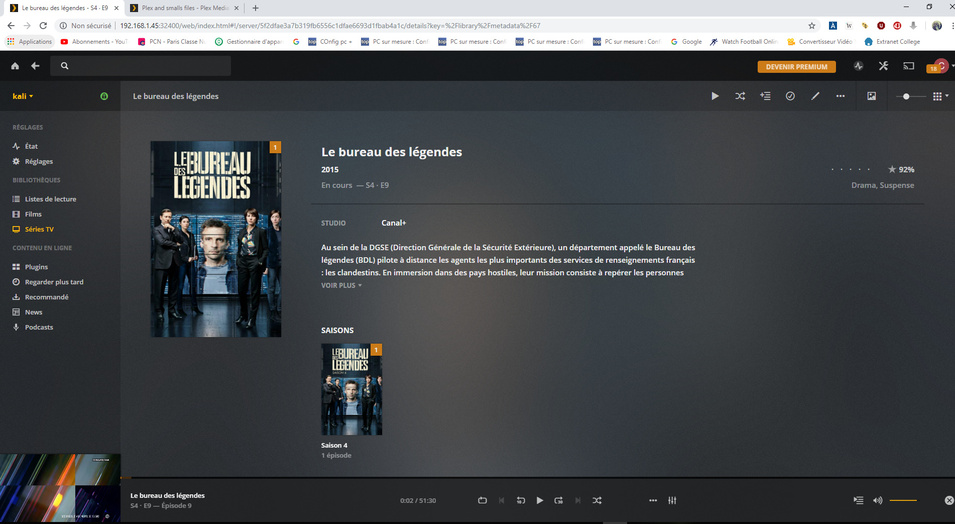
While the naming looks OK the structure appears in error.
For Plex folder naming and structure is more important than file naming.
<~~~~~~~~~~~~~~~~~~~~~~~~~~~>
TV Shows <- The TV library points here
_______ShowName (year)
____________Season 01
__________________ShowName (year) - s01e01 - Optional Name.ext
__________________ShowName (year) - s01e02 - Optional Name.ext
__________________and so on for the shows in season 01
____________Season 02 <- just like Season 01
____________Season 03 <- and so on for each season
____________Season 00 <- or “Specials”
__________________ShowName (year) - s00e01 - Optional name
__________________ShowName (year) - s00e02 - Optional name
__________________and so on for each special
Note: the eXX part of the specials must match EXACTLY what is found in TheTVDB
You can try other setups BUT Plex is very picky about TV show structure and it is best not to fight the great Plexisaurus.
<~~~~~~~~~~~~~~~~~~~~~~~~~~~>
What is .ext?
.ext refers to your file extension (e.g. .mp4 or .mkv).
OK, thank you. I made the changes that you asked me to make and the episode 10 is not still visible even after a new scan.
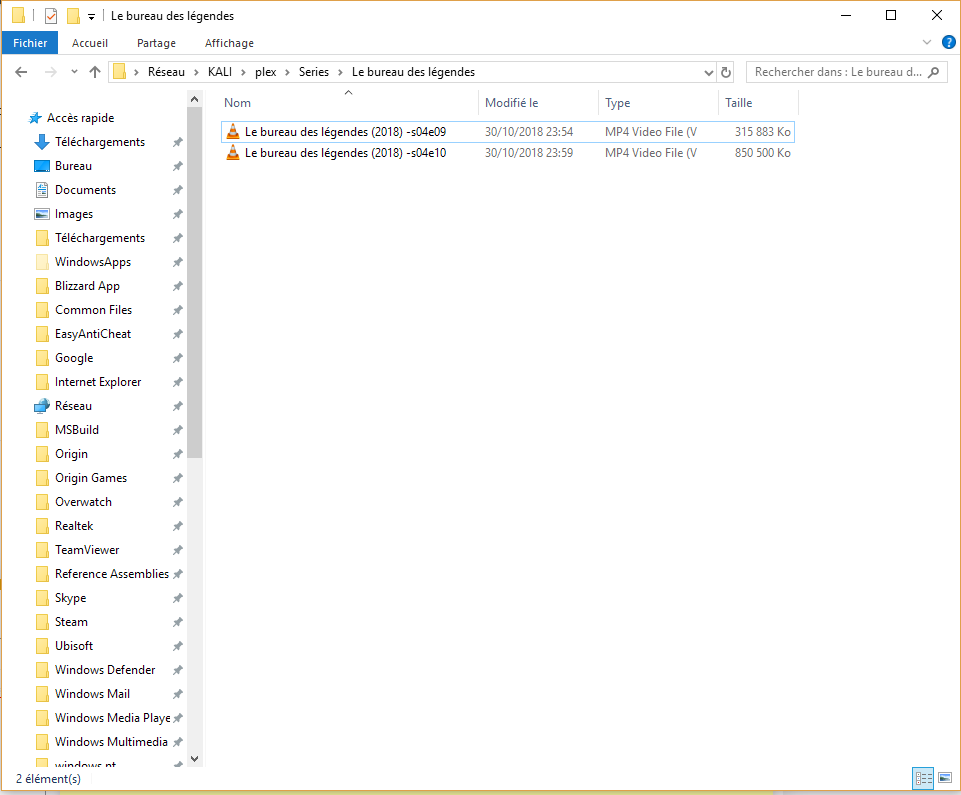
try this:
- move the folder
Le bureau des légendessomewhere else (outside the.../Plex/Seriesfolder). - scan the library
- clean-up packages, empty trash (other library actions)
- move
Le bureau des légendesback too.../Plex/Series-
side note 1: to avoid conflicts, it might help to name the show folder as
Le bureau des légendes (2018)– same as the show name in the episode files! -
side note 2: for future reference… you’ll be best if you also include the
Season 04folder – however this should also work as you have it right now
-
side note 1: to avoid conflicts, it might help to name the show folder as
- scan the library again
OK, I am going to try that
Thank you very much, that worked, do you think I can put back my file of the episode 10 wich is smaller than 300mo?
as chuckpa said… the size doesn’t really matter.
however… I’m not entirely sure where exactly you want to put the file back to?! (confused)
I have another problem, I can not add movies to my library, I can read movies that I already put but I just added 2 and I can not see them in Plex. I know that I did my directory listing very badly but it worked very well before
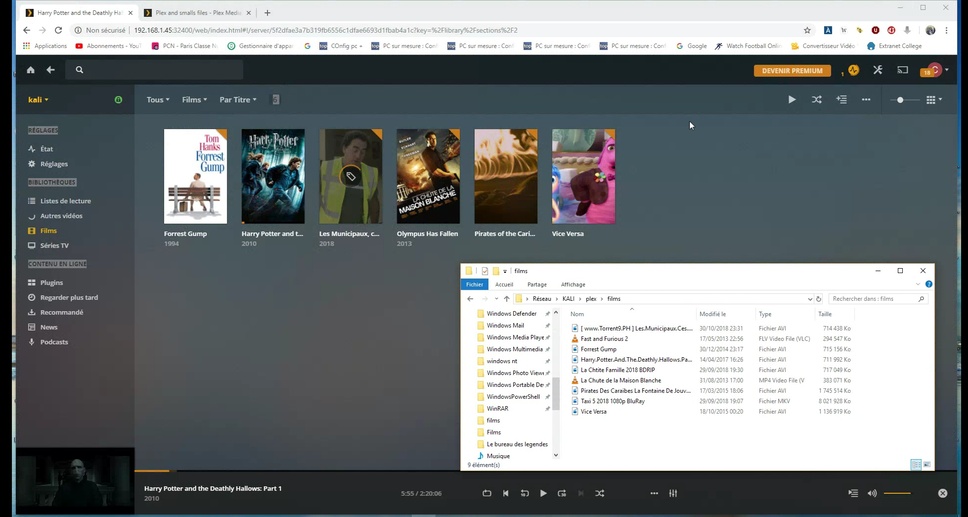
Naming matters to Plex.
While for TV Shows the naming and folder structure is super strict, for movies it’s a little bit more flexible. Still for it to give you the best Plex experience, I recommend to stick with some basics 
- For your movies… you can put them all in the
filmsfolder – no problem. - movies should be named
Movie Name (release year) - if it gives you some value add, you can keep the technical details in square brackets
[...]but make sure to put them at the end of the name!!
It can happened that Plex gets caught with a bad name and skips further scanning.
If that happens, you can have a look at Plex’ Logs (Settings > your server > Troubleshooting > Download Logs, unzip, open Plex Media Server.log and look for ERROR or WARNING messages) – if you cannot easily find the roadblock, you could post the logs here
PS: please refrain from promoting file sharing (see your screenshot above)! this is a violation to our forum guidelines/rules!
Logs: Plex Media Server Logs_2018-11-01_11-37-29.zip (2.0 MB)
Can you confirm those flv videos actually play (e.g. using VLC)?
Yes, I can play .flv on Windows with vlc but my problem is not only about .flv files but also with some ordinary .avi file
