Think I’ve found A solution… it was the breadcrumb in the logs about wallpaper crashing that someone mentioned.
Turn off picture in picture in app settings, restart phone, and app will continue to work. Turn pip back on, then hit any button that would cause pip, ie show all running apps button, and the pip service crashes. App stops working. After reboot, will play first thing you try, press any button, pip crashes… need to restart phone again.
You my friend are a genius…was having the same issue of the Plex app not working on an S21 Ultra 512gb…the only way I could use Plex on my phone was to access the web based Plex app! It was crazy I couldnt watch my OTA tv either…tried your fix and viola! Thanks a bunch!
Having the same issues here. Upgraded from Note 8 to S21 Ultra. Plex works for a while after restart then goes to infinite video loading after a while. Hope there is a fix soon.
@kakashi176 Try my solution re picture in picture two posts up? @sixones care to weigh in? it was you who mentioned the wallpaper service crash that lead me to think this could be PIP/Overlay related
To add the tile here, It does not work just once upgraded to Android 12. However, it works fine on laptop, Android TV and Apple device, so I believe it is OneUI or Android 12 issue.
Following all the recommendations here and did not work!
@jdidplex Unfortunately, I can confirm this did not work for me either. I turned off PiP and restarted and still was unable to play any videos. I then cleared storage/cache for Plex (confirmed that PiP was still disabled) and still had no luck. Was really hopeful for this solution too!
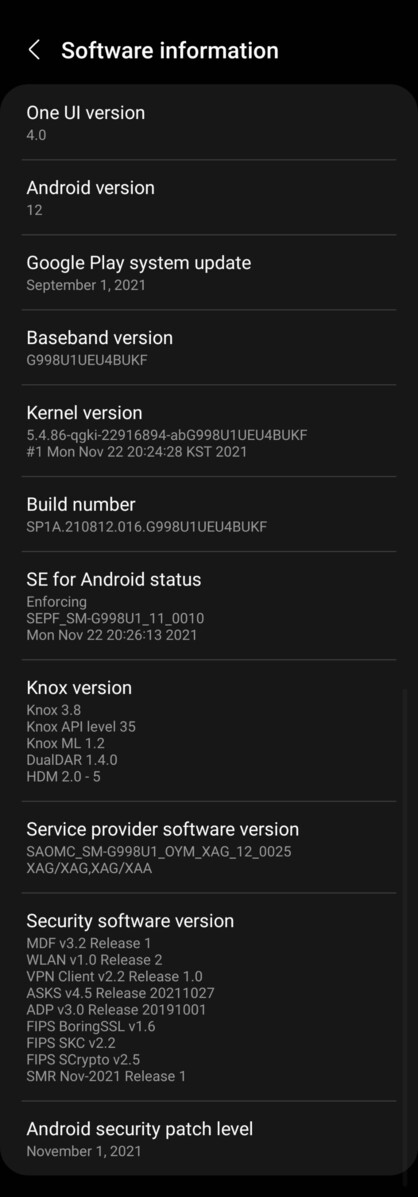
Purchased a new Samsung S21 Ultra and the PLEX app worked until I updated to A12. The PLEX app will no longer stream video and I have tried all different setting with no joy. Looks like PLEX software engineers need to fix the code and send out an update. Thanks
Disabling PIP for Plex seems to have fixed the issue. Then again, so does rebooting. That being said, it has been about 20 minutes and I have hard stopped and restarted Plex and it is still working. This seems to be the issue. Disable the PIP permission for Plex if you are using a Samsung phone.
Unless i thought the Issue has been resolved by the latest Samsung Uodate - it didint. It still exist. Even after a Restart it occures. Can not idetify a reason. Log didnt say anything. Did not even see a connection from the Smartphone. No Clue what to do, instead of watching at Home via Ipad. That does workl without Issues…
Could the plex app be targeted for deep sleep by Samsung?
Reason I ask is that I’ve still never experienced this issue. I’ve not had to use any work around and I’m not using an external player. It’s very strange so many have this issue while others do not.
I tried disabling battery optimalization and that didn’t work. The fixes suggested above also don’t seem to be related to deep sleep related settings, but who knows.
Yeap, Samsung S21 (not ultra) running Android 12 and been doing OS updates on my phone when they come in. Think I’ve done two security updates since the initial Android 12 update.
I’m based in Ireland so maybe region is a factor but cannot see how.
@jdidplex When I first looked, I didn’t have any permissions. Microphone, Phone, and Storage are what were listed under “Not allowed” I switched those to allowed, cleared data, rebooted, and still couldn’t get past the loading icon