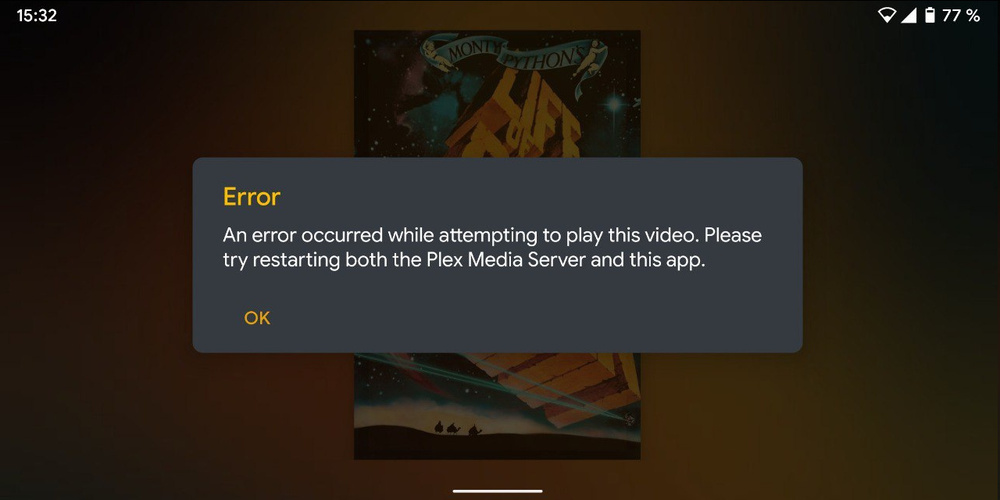
When i disable the option “Disable video stream transcoding” in the Transcoder Settings of the Server, i can only play some files, not all.
This is the error message:
Why does my h.264 file only play when the plex server TRANSCODES it?!?!?!??
You cant tell me that my phone does not have support for h.264 codec..
EVERYTHING in my library works when using vlc, my phone has support for EVERYTHING. I have disabled transcoding because my server cant handle it, so that the mobile app can handle it (other apps can, plex for android app cant)
Manufacturer: Xiaomi
Device: wayne
Model: MI 6X
Product: havoc_wayne
Version: 10 plex-log-lollilol01.zip (281.7 KB)
i dont know what happened, but just rename the “.txt” to “.zip” because it seems like this uploader here just wants it as txt
Ok. That error is gone. Now it shows that the video you are playing has a higher bitrate than the quality setting you’ve set in the app so a transcode is needed. Since you’ve disabled that on the server, it doesn’t work. Plex isn’t giving a good error when this happens, but it is expected that the video will not play if a transcode is needed and you’ve disabled that on the server.
I now reset the app completely (deleted the app data) and had to login again then. I then set everything up (including setting the default remote stream quality to max. now) com.plexapp.android 2020-04-16 01-05.log (123.7 KB)
It looks like its still using plex.direct:32400 when i want it to use shibe.life:443 (my own domain)
ah and btw: on which line did it say it has to transcode?
thanks for helping btw!
Now you are trying to play VC1 video which your device does not support.
04-16 01:05:27.676 i: [MediaDecisionEngine] Analyzing media: 1920x1080 24580kbps (Container: mkv, Video: vc1, Audio: dca)
04-16 01:05:27.679 i: [MediaDecisionEngine] Unable to direct play; Unable to Direct Play as VC1 is not supported on this device.
04-16 01:05:27.680 i: [MediaSessionHelper] Releasing media session with tag: video
04-16 01:05:27.681 i: [MediaDecisionEngine] Unable to play; server unable to transcode video
This is expected to fail if you have the transcoder off still.
What does that mean? Can i install some like codec-packs or something? I mean it works in vlc… Why doesnt it work in the plex player? I mean cant it just transcode on the device, like vlc does?
VLC likely has it’s own video processing engine, that may or may not be… battery/cpu efficient.
There aren’t usually codec packs for… small, lower power mobile devices, often limited to what is built into the hardware. You get new codec support by getting new hardware.
VC1 is NOT typically a stream friendly codec.
Find something that has video: h/x264, and has audio: 2channel aac/ac3.
Plex Android client I’ve heard has a ‘new player’ similar to the iOS ‘enhanced player’ that might can hash it… YMMV.
Plex can decode some codecs lcoally. However, VC1 is a horrible codec. It can only be decoded using a single thread of the cpu. Depending on the device, this might work, but Plex runs on lots of devices and not all of them have a strong enough cpu to handle this so it’s been disabled. You should avoid using VC1 at all cost if you can.
Okay thanks for the information. Whats that about the new player for the android app? Is it already live and if not, how can i get it? Is there some sort of beta?