Server Version#: 1.25.3.5409
Player Version#: Plex app on Dune Media player
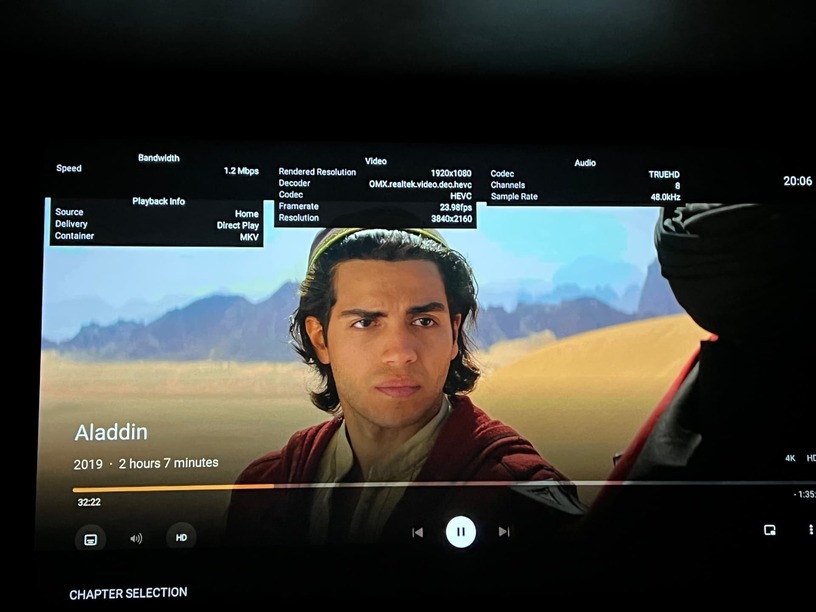
I have my PLEX server running on a compatible Synology NAS server. All my movies are also stored on the same NAS device. I have a Dune HD Max vision 4K player. When I access the MKV file located on the NAS directly from the Dune player without the Plex app, it plays perfectly fine. But, when I run the Plex app (downloaded from the android store and installed on the Dune Player), it freezes often and then the audio goes out of sync. I don’t have the same problem when I run the Plex app on NVIDIA Shield.
Has anyone experienced this issue with these Dune players. They are supposed to be more high-end and more powerful than the NVIDIA shield. ($700 vs $200).
How do they run Linux and Android simultaneously? It sounds like Android is either emulated or in a container. Does Dune support running media apps in the Android environment?
Linux-based Dune HD OS: The media player runs a unique hybrid OS which consists of a Linux-based Dune HD OS (to ensure stable operation and smooth media playback) and Android OS (to support Android applications), which run simultaneously.
@BigWheel i downloaded the file onto a usb stick and connected to dune player. It recognized the usb and am able to see the apk file. When I execute, it acts as if it is installing and then comes back and says the app was not installed. Any ideas? I opened up all security settings I could see on the device
@BigWheel Thank you for replying so fast. But, I deleted the store plex app and then tried installing. But, I got the same message. I rebooted and tried and still no luck
Some android devices have a setting to allow installation of thing not from play store. On my nvidia Shield it is in Settings>Security & Restrictions>Unknown sources.
Not sure if your device has that, possibly named something else. Have you sideloaded other things on it before?
If you don’t see Plex in that list to enable then maybe you do need the Arm7 version. I’ve never used a Dune player so not sure why it would not work like any other as far as sideloading.
@BigWheel I was able to install the arm7 version. But, the playback on this is worse than the store version. It completely freezes the video. The older version was playing but audio out of sync. This one is completely frozen
ok. if you can grab the android logs from that version you have installed and if you reinstall the store version the logs from that as well. I will add it to existing bug reports.
regarding the audio out of sync did it happen right at the start or was it only when skipping intro or otherwise skipping ahead? ( usually jumping back 10secs will fix)
Here’s the Store version log. I captured the other log before this. but, Android cleared it since too much time went by. I’ll reinstall the ARM 7 version tomorrow and regenerate that log.

 ok. if you can grab the