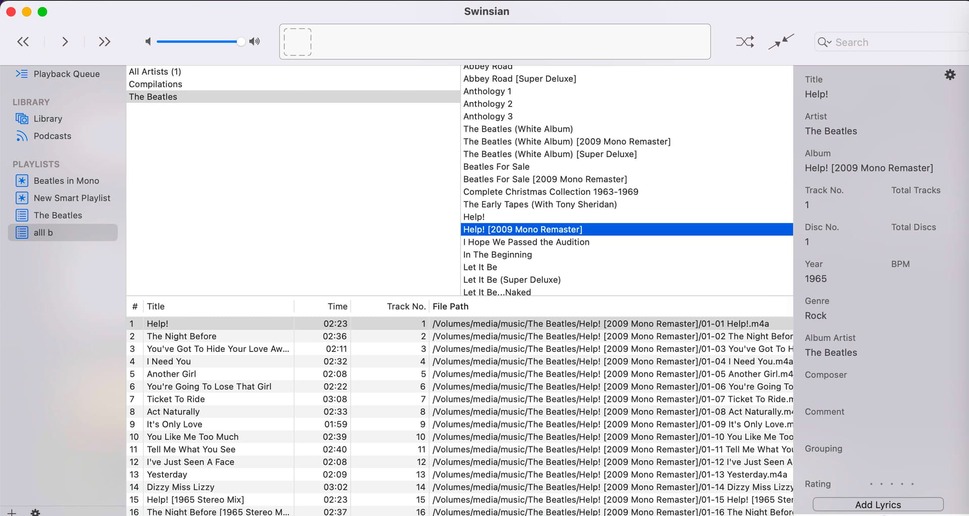
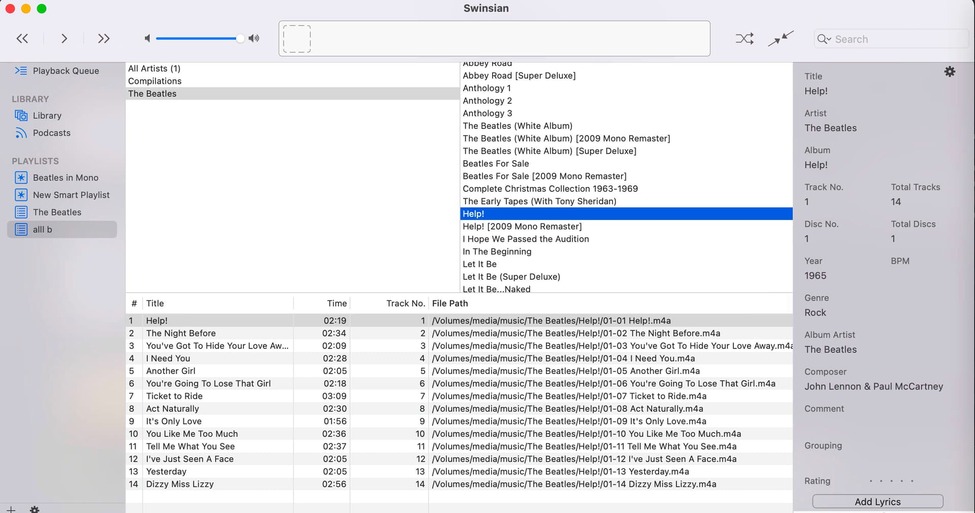
I have a bunch of alternate versions of Beatles albums. They are all tagged correctly by the way, no stray spaces or whatever, artist, album artist, all exactly as they should be, repeatedly verified in Mp3Tag (and Swinsian).
The files are all ALAC.
But some albums just won’t be recognized by Plex. For example, I have two versions of Rubber Soul. One is just “Rubber Soul,” the other, “Rubber Soul [2009 Mono Remaster]”. The album tag is set to that, and the album is in a folder with the same name. The mono version will not be picked up at all–it’s not that the tracks are sorted incorrectly. Plex acts like it’s not there.
Ok, you might think, it’s a problem with those files. No. If I change the album title to “Rubber Soul (2009 Mono Remaster)” it gets picked up. Not correctly though.
The other thing that happens: So, like I said, multiple versions of different albums. But what Plex seems to like to do is just list one of them twice, instead of one one time, the other the other time.
So, right now Plex has two identical listings for “Help [2009 Mono Remaster]” but zero for the stereo version which should just be labelled “Help”.
I really have no idea what to do. I’ve uploaded screenshots showing Plex being all confused and listing the mono version of Help twice (they are totally identical listings), the normal version of Help zero times, and how I indeed have these two different albums tagged and sorted differently.
Scanner: Plex Music
Agent: Plex Music
Sorting: Library Default
“Prefer local metadata” is checked (this setting SHOULD mean that my tags should control what is seen in Plex but it just doesn’t)
This is an ongoing issue apparently. Same example. I should point out, again, that the albums are tagged AND sorted correctly. Different album tags. Different folders. It is really hard to think of what else to do to get Plex to not get totally confused.
There’s the occasional feature where you think, “Ok, Plex is finally going to get serious about music,” but nope. They’re on some pointless “integrate with streaming services” kick. At least it no longer takes 27 weeks to scan a music library
Plex’s media scanners for TV and movies explicitly ignore information contained within square brackets. I’m not positive that that’s the case for music as well, but it would make sense that they would do the same. It seems to be borne out by your testing as well. This should only apply to the filenames and directory names though, not the metadata tags. So I’d recommend replacing the square brackets with parentheses to see if that helps (again). But leave the square brackets in the tags.
Thanks, great tip. Though my music management software (Swinsian, it’s just like classic iTunes without any cruft, but faster than it ever was) puts music into folders based on tags. But I can mess around.
After totally removing all square brackets from both tags and filenames and paths: Plex is still giving an incorrect album title for several albums. In one case the square bracket makes an appearance out of nowhere.
If I choose “Fix Match” on one of the incorrectly tagged albums, it gives me just one choice. The correct one! But choosing it does not actually change the way the album title is displayed.
ok, first getting rid of all square brackets and then adding/removing the folder didn’t work. but it did after I cleared the bundles, emptied the trash, etc.