I setup season files on my plex with posters I download and store. A few days later Plex has changed some of the season episode numbers from say 4_2 to 13_4. It also changes the poster to an unrelated image. How do I prevent Plex from changing the names of my media files? I waste hours every other week renaming files plex has broken.
I’m willing to bet this wasn’t Plex. You should search all other possibilities for how this happened.
Plex never touches your files.
If this is about how your files appear inside of Plex, you should read and follow this section of the official documentation: https://support.plex.tv/articles/categories/your-media/
I am open to suggestions. It does not change the name of the file on the system, it only changes it in Plex, so IMHO it can only be Plex. I have added no new SW to the system so I just cant see how it would be anything else. It also does not seem to make any difference what the file is called on the system. I have changed the naming convention multiple times trying to troubleshoot.
Are the files on a network or removable drive?
You need to be more clear.
If Plex isn’t changing the names on the file system (which it cannot do), then you’re just talking about Plex not matching the display name properly to what you intended.
There are only a few naming conventions that work properly with the Plex metadata matching system - what are you using? Please describe the category (movies, tv, etc), your directory structure, and an example filename that does not match correctly.
Trying to be clear. The file on the system is in a folder called Blue Bloods, folder:Season 01, file:Blue Bloods - s01e01.mp4
The system allows me to set the file name and other info in Plex. Then later when I look in Plex it displays the file as Blue Bloods s02e21. I change the name in Plex, all good for a few days, then it is changed again. The only culprit can be Plex.
The media is on a hard drive connected to the system through USB. Everything works well except this naming change problem. This does not happen to movies, only to TV Series.
Are you changing the name or fixing the incorrect match in Plex?
The only time I’ve had trouble with this is in terms of DVD order versus air date order on TVDB.
I am changing the name in Plex.
It seems to have problems with three specific episodes in general. It does not like episode 7, any season, or episode 17 in any season. These are changes all the time. I just checked and now episode 7 is missing in Plex, but it is on the server drive and have never changed.
Plex can read embedded metadata from MP4 files if configured to do so.
If the file has incorrect embedded metadata, it can affect how Plex displays the file.
Check if Plex is configured to read embedded metadata and, if it is, try disabling the capability. Note that this is a library setting, so it will affect all shows in the library.
- Edit the Library
- Advanced
- Uncheck
Prefer local metadata - Save Changes
- Refresh metadata if Plex does not do so automatically.
The only way I can get Plex to recognize episode 7 is to rename the original file with the word seven rather than the number. Works with all the other numbers. Also same problem with episode 17.
Which scanner & agent are you using?
I get an immediate match using Plex TV Series / Plex Series and the following file structure:
M:\TEST-TV
\---Blue Bloods (2010)
    +---Season 01
    |       Blue Bloods (2010) s01e01.mkv
    |       Blue Bloods (2010) s01e07.mkv
    |
    +---Season 02
    |       Blue Bloods (2010) s02e07.mkv
    |
    +---Season 03
    |       Blue Bloods (2010) s03e07.mkv
    |
    \---Season 04
            Blue Bloods (2010) s04e07.mkv

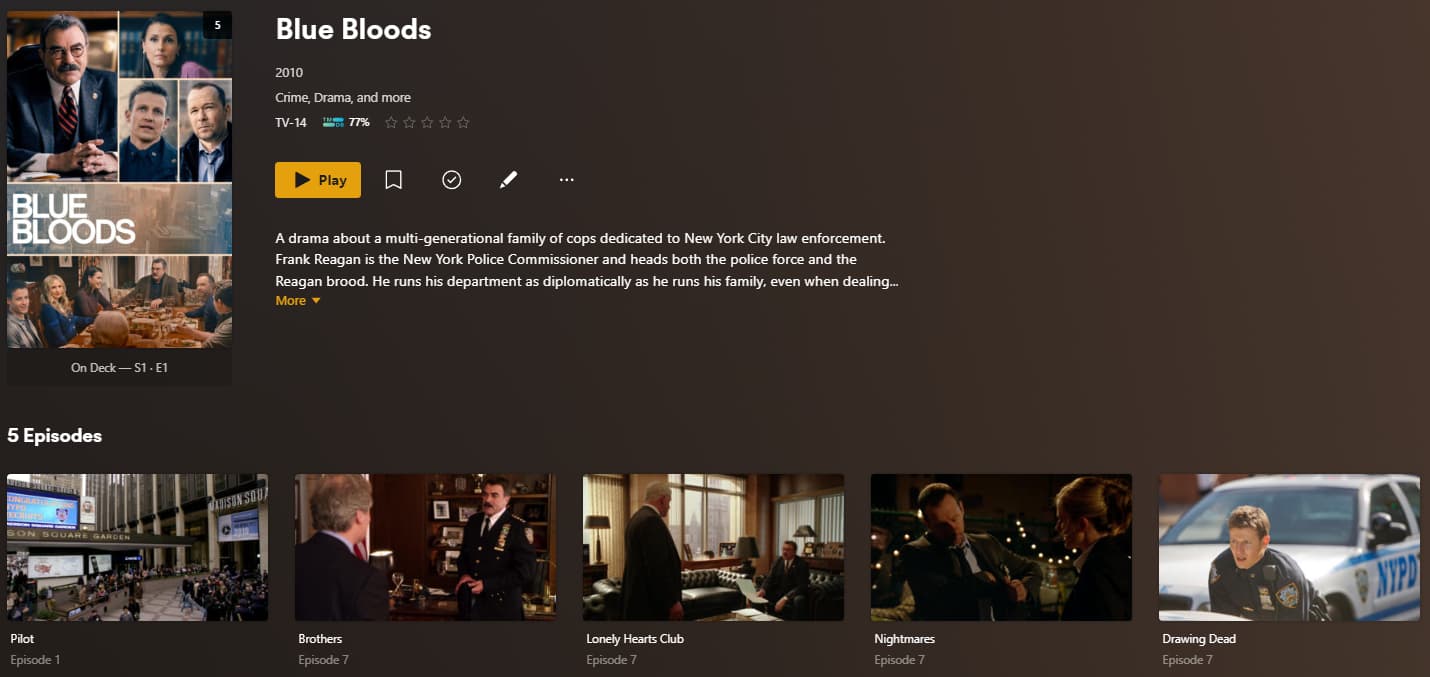
I’m betting on messed up embedded file data. Either tell Plex not to use it, or remove it from the files and rely on the logical names.
First let me say thank you to you all. Second, I figured it out and will tell you it was mt own fault.
The problem was that a few months back I moved the TV SHOWS folder under the movies folder to make it easier for me when setting up sharing. I did not think about how Plex see these two types of media. So series being under the movies folder seems to have been the issue. I put the TV SHOWS folder back to the root and it seems the problem is resolved. Thanks again for your time and efforts, good on the lot of you!
