I’m running plex version 1.26.1.5798 off a Synology NAS and recently have noticed some odd behavior with the EPG. The channel numbers and logos disappear. This happens on both my live TV which is running off an HDHomerun Prime and the plex channels. The channel numbers and icons will load normally for a second and then disappear. I’m using the Edge browser on Windows 10 and 11 machines, and it occurs on the other machines too. It is not occurring on the Samsung or Roku streaming sticks just the Edge web browser. I’ve installed the Brave browser earlier today and haven’t noticed the issue so far.

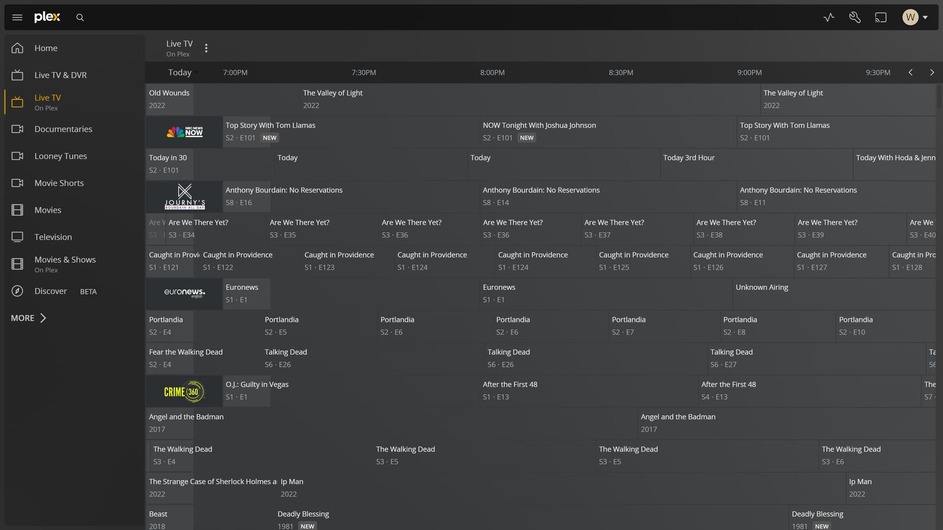
Happens on Chrome as well.
You can use the Plex for Windows Client.
Thanks for reply but unfortunately the Plex Windows Client does not work well on any of my machines. I probably should have mentioned this above but didn’t want to confuse the above issue. The Plex Windows Client constantly freezes in a manner where the live TV video starts to play without sound and when the sound starts playing the video freezes. It’s totally unwatchable. Thank again though for your reply.
I am having the same problem within the Windows Client. I have looked at multiple settings and refreshed the guide several times. Nothing.
I can’t even get the Windows Client to stream without buffering or freezing and yes, I have noticed the disappearing channel issue there also. I have the same issue on three different PCs that have plenty of power so that’s not the problem.
