ok. so I finally got plex on my atv. then i tried to login and login was successful but it would could not find any my server. upon further research i tried installing plex connect and certs on my server pc as well. now it continually gives me a login failure on plex connect on my atv and it will not let me login.
I have not posted a log for it because i cannot figure out where to find it. I am still very new to this. If that will help (it probably will) could someone please help me find it.
Ok. so I figured out problem number one. I had a hunch and tried using my user name and not my email address to login to plexconnect on my atv. It worked but I still cannot connect to my servers. I tried turning off my firewall to see if I needed to add an exception in it but it still would not log me onto my account.
Ok. so I figured out problem number one. I had a hunch and tried using my user name and not my email address to login to plexconnect on my atv. It worked but I still cannot connect to my servers. I tried turning off my firewall to see if I needed to add an exception in it but it still would not log me onto my account.
I meant it would not still find my server.
Turn on UPnP in your router.
Is this a myplex issue or a local pms issue?
@Drjiful upnp was already turned on
Is this a myplex issue or a local pms issue?
How do figure that out? My htpc has never had trouble accessing PMS if that helps.
Can you access your personal local plex media server on your Apple TV?
I have plex connect on my atv. Upon login of my account it says no media servers detected. As far as I kmow this is the only way to
Can you access your personal local plex media server on your Apple TV?
I’m not sure I understand your question. If by access do you mean login to PMS yes it accepts my login. But directly above the login where it tells you the number of servers found it says zero. So logins but does not see any servers.
This has been my problem all along.
Can you play tv shows or movies on the library tab of plexconnect? Have you added any media to your personal pms?
Or:
Do you mean when you login to myplex you cannot access remote content on the shared library tab? As in other pms’s that have been shared to you by accepting friend/family requests when logging into http://plex.tv then clicking the servers link to accept them. Myplex will not work without visiting that site and will produce zero servers and is only typically intended for shared content not on your local pms.
A screenshot of your appletv and log would be helpful using this template:
https://github.com/iBaa/PlexConnect/wiki/How-to-report-an-issue
Can you play tv shows or movies on the library tab of plexconnect? Have you added any media to your personal pms?
Or:
Do you mean when you login to myplex you cannot access remote content on the shared library tab? As in other pms's that have been shared to you by accepting friend/family requests when logging into http://plex.tv then clicking the servers link to accept them. Myplex will not work without visiting that site and will produce zero servers and is only typically intended for shared content not on your local pms.
A screenshot of your appletv and log would be helpful using this template:https://github.com/iBaa/PlexConnect/wiki/How-to-report-an-issue
It's 10pm right now so Ill post the log as soon as I can but for now I'm a lil confused. All I have used through the plex.tv is my own server. I do not think I have used myplex. I have no shared networks with friends. I should be able to post a log in about an hour
So it took me a minute to understand what u were saying. I think I understand it now. It sounds like you are saying that I cannot use plex connect on my apple tv to share my own server? if not with plex connect how can i do this? Do i need to "create" another account to share it with then?
unfortunatley this is all that is in my log. there is no insight. it logs in fine on my atv. there are just no servers there.
00:06:44 PlexConnect: started: 00:06:44
00:06:44 PlexConnect: Version: 0.3.1+
00:06:44 PlexConnect: Python: 2.7.8 (default, Jun 30 2014, 16:03:49) [MSC v.1500 32 bit (Intel)]
00:06:44 PlexConnect: Host OS: win32
00:06:44 PlexConnect: IP_self: 192.168.1.4
00:06:44 DNSServer: started: 00:06:44
00:06:44 DNSServer: ***
00:06:44 DNSServer: DNSServer: Serving DNS on 192.168.1.4 port 53.
00:06:44 DNSServer: ***
00:06:44 WebServer: started: 00:06:44
00:06:44 WebServer: ***
00:06:44 WebServer: WebServer: Serving HTTP on 192.168.1.4 port 80.
00:06:44 WebServer: ***
00:06:44 WebServer: started: 00:06:44
00:06:44 WebServer: ***
00:06:44 WebServer: WebServer: Serving HTTPS on 192.168.1.4 port 443.
00:06:44 WebServer: ***
00:09:30 PlexConnect: Shutting down.
00:09:30 WebServer: Shutting down.
00:09:30 WebServer: Shutting down.
00:09:34 DNSServer: Shutting down.
00:09:34 PlexConnect: shutdown
I cant figure out how to change my settings. when i click on settings it justs pops up a command window for a split second but it did get a plex.tv request from the proper dns of my apple tv so im assuming it is connect. it just doesnt seem to give up any files
You can use your own library using PlexConnect I use one all the time. Myplex is not needed to be signed in to view your local content. When you highlight the library tab at the top of the hijacked app it says “no plex libraries available”? A screenshot of your aTV issue would be great.
by screenshot do u mean a picture or do u mean alog? i stated earlier for the log that i cannot for the life of me figure out how to access the settings. i double click settings and then there is a flicker of a command window. i dont mean to be difficult, i just cant find one.
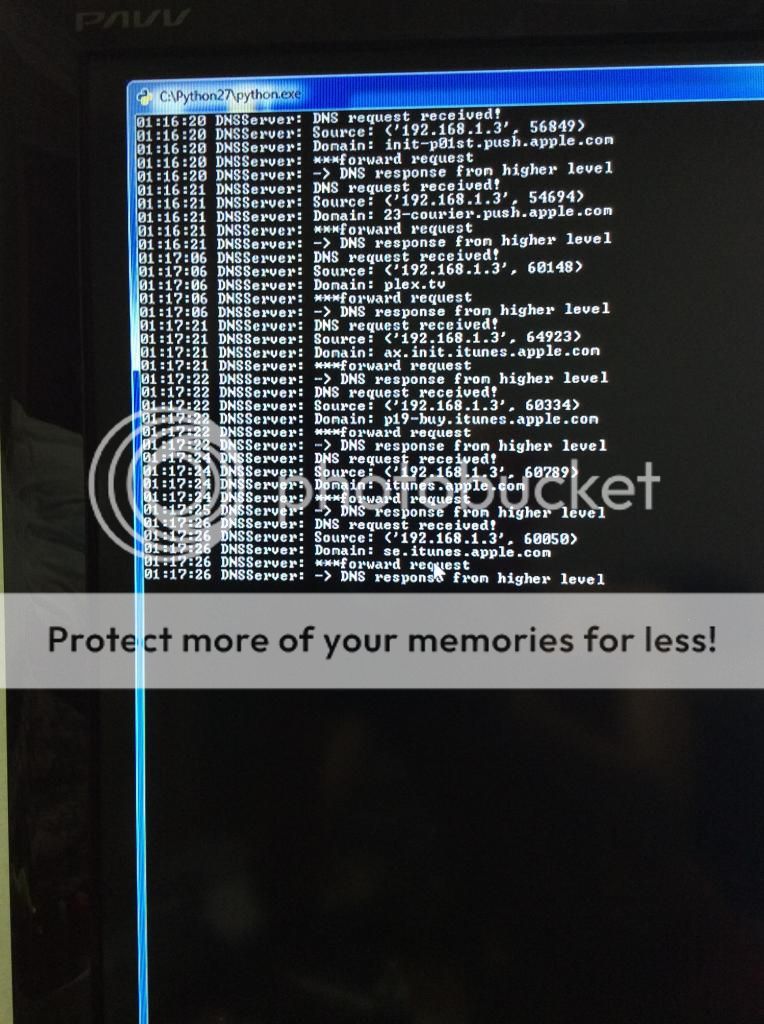
here is a screenshot of the direct cmd log of me logging in to plex connect through my atv 2.
[
](http://s327.photobucket.com/user/leont1972/media/photo1.jpg.html)
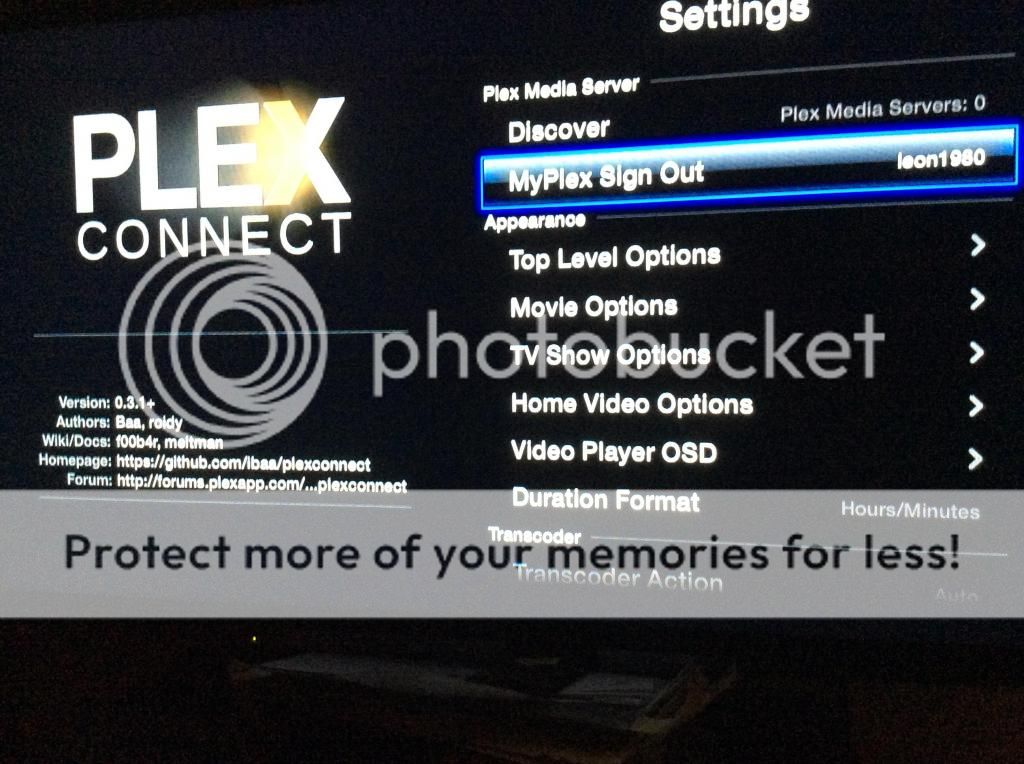
Here are my libraries. they all say the same thing
[
](http://s327.photobucket.com/user/leont1972/media/photo2.jpg.html)
And here is the main page
[
](http://s327.photobucket.com/user/leont1972/media/photo3.jpg.html)
The log is me logging into plexconnect.
Plexconnect looks like it’s working fine but you cannot access your pms content. Something is blocking pms from getting to plexconnect. You have added content to your pms server I assume. How is your network setup as in layed out from router to PC & router to aTV. Does plexconnect and pms reside on the same os/device which looks like a PC? You may be able to define in your settings.cfg your pms ip to fix it for now.
I have already tried disabling firewall to see if that was the problem. It was not.
My network a wired network through CAT-5. I am using an old desktop with win 7 on it that has PMS on it. This computer is wired to my router. My apple TV is wired to my router. My HTPC is wired to my router. As I do not know if this is what you mean by layered out I am also including pics of my router settings. As I have a feeling this may not be what you mean by layered out can you please get a little more specific? I know I dont know a lot and im driving u nuts im sure but im still trying to learn about this networking stuff. I barely know how to access my router configuration.
That’s seems specific enough just making sure you don’t have multiple routers in the mix. Interesting why your htpc is getting pms content but the aTV isn’t. Your pms host resides on the same PC as your plexconnect host correct? I assume your are running plexconnect with administrator privileges. You could define your pms host ip in your setting.cfg then restart plexconnect to try to fix it. If that doesn’t work could try to use the other htpc as a plexconnect host instead possibly?