Server Version# 1.25.2.5319
Player Version#: 8.27.1 29871
Hi,
I have a little problem: Basically my Plex setup is working just fine. I only have problems with the android tablet (Lenovo p11) I just bought for my kids. The app is not playing mkv files. I know that mkv files work on the server because they are playing in all other devices (App on android tablet + phones, LG TV and in their respective browsers). Plex even plays the mkv files on the Lenovo p11 when I run Plex in its browser.
→ mkv works on Server
→ mkv can be played on device (plex via browser or via VLC player) but NOT via Plex app
I searched on google and in the forum but could not find a solution for my problem
Has anybody an idea what might be the issue of my problem?
Do you need any further info (e.g. log files)?
Having the same problems. Worked fine up until last update. Works on Android phone, works on computer, works on Ipad, works on Shield TV. Will not work on any roku device. Worked flawlessly up until a couple weeks ago. Mostly our old TV shows. Some movies work and others dont. Seems random, but assume there is some common thread.
Hello–does your MKV have embedded subtitles and what is their format?
I’ve been experiencing the same issue with a Samsung Galaxy Tab that won’t play “some” MKV but will others. I’m using H.264 codec and AAC audio on most files. In the case of the files that wouldn’t play I noticed they had subtitles saved in ASS format. I’ve since switched to saving my personal videos as MP4 containers with external subtitles–this seems to be universally more compatible.
Like you, I could formerly play these files on the Samsung tablet, but I don’t know when the issue arose. I can also use VLC to play the files.
In my case the video format is MPEG2 and audio format is AC3. I do not have subtitles. I have attached the output of mkvinfo of a single file. Maybe this gives you all information you need. infos_mkv_file.txt (2.7 KB)
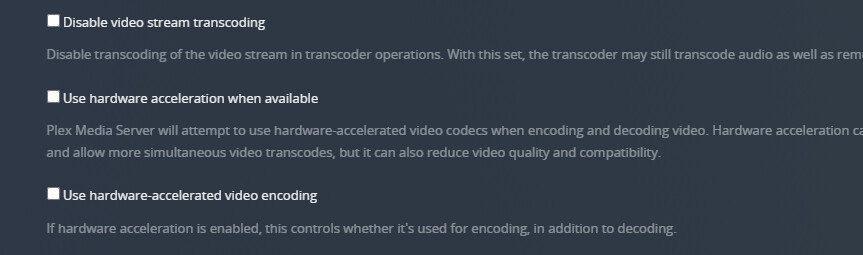
Not sure if this will fix things for you, but just worked for me. I deselected Use hardwar acceleration when available. Under transcoding option in settings.