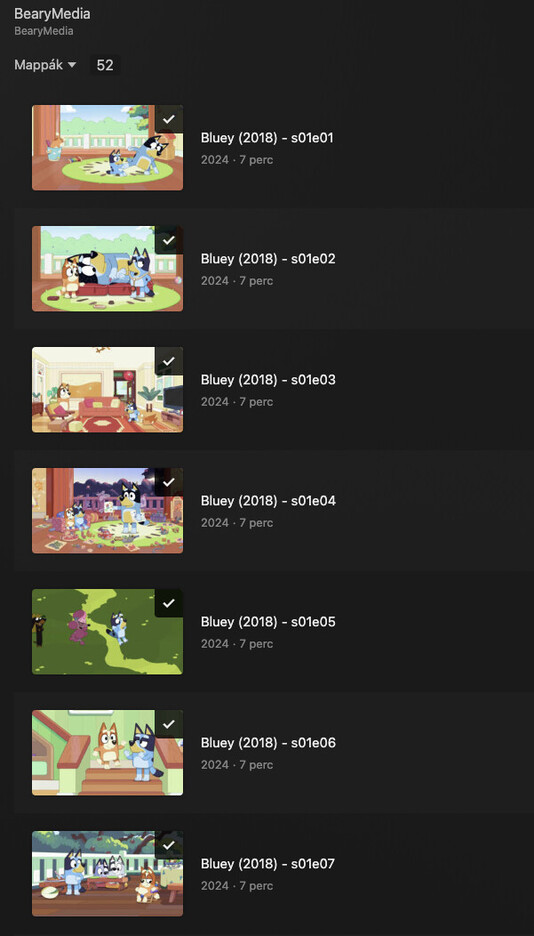
but plex is not allow me to switch between the episodes, I always have to exit the tvshow and jump to the other one from the directory.
I’ve read this blog post > https://support.plex.tv/articles/naming-and-organizing-your-tv-show-files/
but didn’t help me too much, can anyone assist me in how can I resolve this issue?
in the red circle there should be a “next episode” button, which is not working what’s meaning that I have to exit the tvshow (the currently watching episode) and search the following one instead of simple clicking on the next episode button
does episode 2 even appear in your library when you browse the library?
How exactly did you start playback of episode 1? Did you start playback after browsing the library? Or did you perform a search and then started playback directly on the seach result?
How exactly did you start playback of episode 1? Did you start playback after browsing the library? Or did you perform a search and then started playback directly on the seach result?
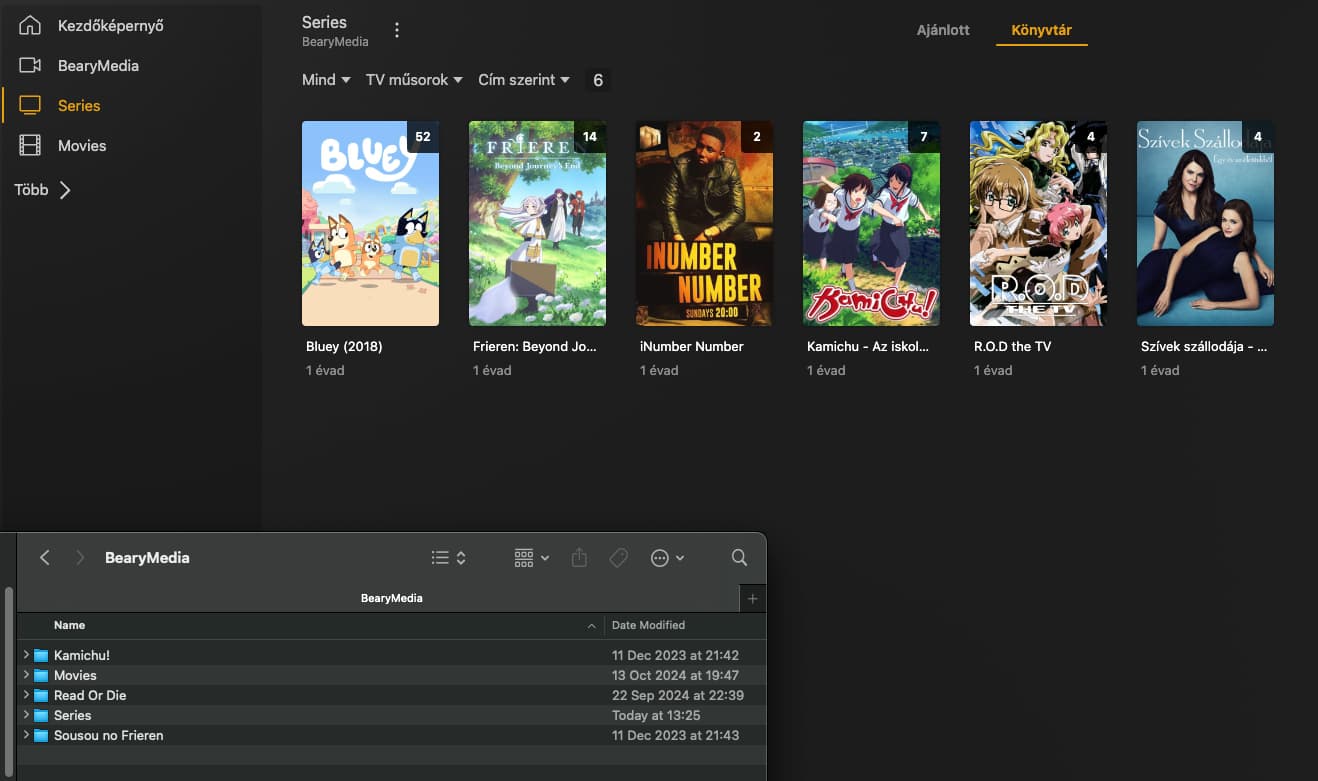
Thanks, the sreenshot helps a lot.
I see the issue.
If you want Plex to treat your files as a series, you need to add them to a library of the type “TV Show” (which means “series” in Plex).
Also contributing to the issue is that you are using the “Folder” library view mode.
It appears that you have them currently in a library of the type “Other Videos”/“Personal Media”.
Currently, you appear to have only one single library. You will need to create at least 2 separate libraries (or maybe even 3).
Movies
Series
private videos, which cannot be sorted in any of the above categories, and which are not listed on TheMovieDB.org.
You are best advised to sort all your videos into completely separate folders based on these categories.
Then, inside each of these category folders, apply the recommended file naming and folders structure for the various media types: https://support.plex.tv/articles/categories/your-media/
Now create a new library, by the type “TV Shows” and point it to the category folder for your series. https://support.plex.tv/articles/200288926-creating-libraries/
Now create a “Movies” library as need and point it to the folder where all your movies-types of video are stored.
You cannot combine movies and series into the same library.
Exactly.
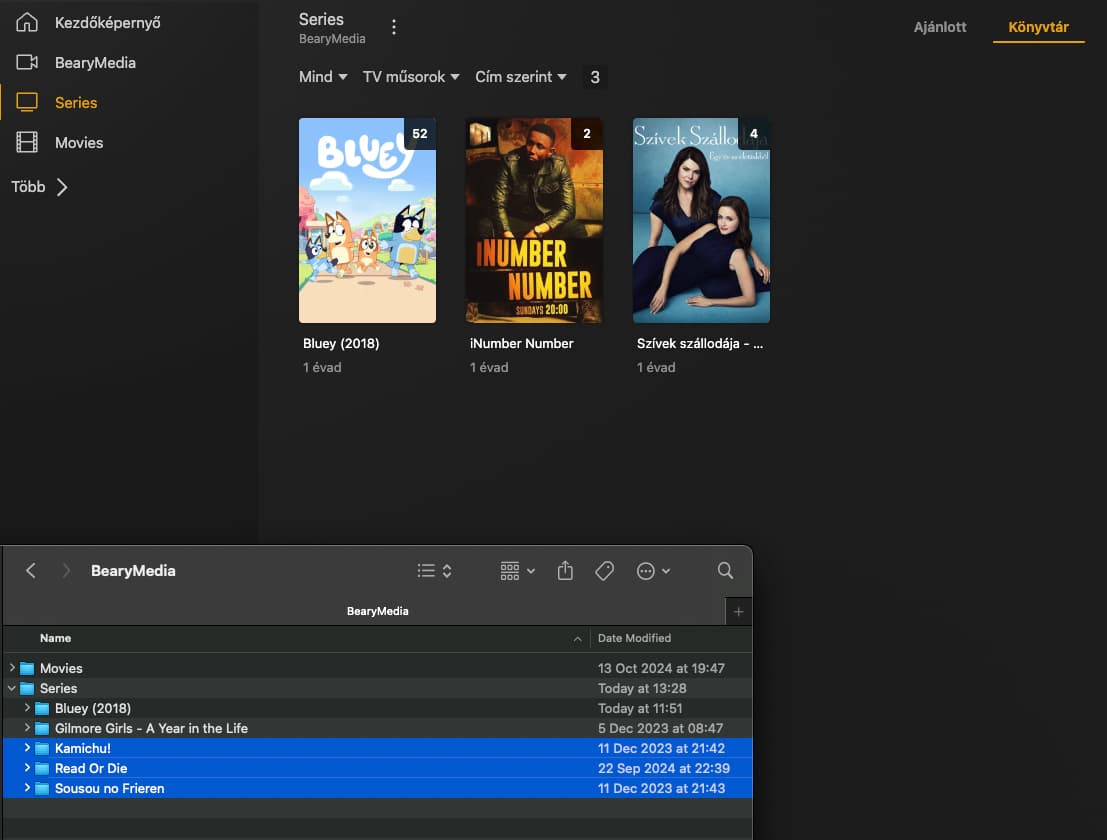
Now move all the folders which are series (Bluey, Gilmore Girls etc) into that Series folders.
Point the new TV Shows library to this Series folder.
DO NOT try to add each series individually to the library.
I don’t understand the point of switching between “Folder” view mode to “Recommended” (Ajánlott in Hungarian)
The “Next episode” button shouldn’t rely on in which view mode the users watch the plex client, should it?
nothing, found it meantime. the problem was the Plex Movies folder pointed to the BearyMedia folder and not to the BearyMedia/Movie folder
same problem with the series, that’s why plex read everything into everything
Side note: I recommend you to always add the release (year) to the folder name.
Just like you did with Bluey.
Because if at some time in the future a new series is released with the same title as one of the old series you have, you might get trouble with mis-matches.