If this is pulling data from the HD Homerun I assume it is only giving you 24 hours of EPG as per the restriction if you don’t have a subscription?
Hey @Schtevo_66,
I’ve just checked the XML file and yes it looks to only be about 24hrs. So you’d need to run the script daily.
For me:
First show start time: 20200115203000 +1100
Last show start time:20200116190000 +1100

Hi Shane
I’ve renamed the python script. I’ve corrected the “start in” directory so it is the same as where my python script is saved.
Yes, I do have HDHomeRun plugged in and working.
It still isn’t producing an xml file for me though when I run the task 
Any other ideas?
Cool should be fine then.
If you copy the script (hdhomerunepg.py) to the same directory that you have python installed e.g. \AppData\Local\Programs\Python\Python38
Then open a command prompt Windows Key + R
Type CMD and press enter
Then navigate to the directory where python is installed and where you copied the script too…
Type cd %LOCALAPPDATA%\Programs\Python\Python38 and press enter
Then type “python hdhomerunepg.py” and press enter
What is the info/error returned?
Hi @ShaneOss

Thanks for the info @allie181. Try the following from the command prompt window to install the missing urllib3 module.
python -m pip install --upgrade pip
pip install urllib3
Thanks @ShaneOss. That worked.
However, I now seem to have an issue in that every 24 hours I need to manually refresh the guide in Plex, otherwise I can’t access live tv. Any ideas?
Hey @allie181,
Sounds like your scheduled task may not be running every day at the time you specified. You might want to check where the XML file being generated was last modified. If the task is running once everyday, Plex should update the guide using the latest XML.
I had the same issue when I was only running once per week initially. Also when I had issues with the task not running due to incorrect parameters etc. and the XML file being older than 24hrs since Plex last refreshed the guide.
Also in your Plex Settings → Scheduled Tasks. There’s an option “Perform refresh of program guide data.” make sure its enabled.
Hi Shane, I figured it out. The scheduled task was running at 6am but the scheduled tasks within plex were running at 5-7am. Once I changed the scheduled tasks within plex to run at 9am - after the 6am scheduled task would have run and finished, then it all worked. Thanks for your help
1 Like
No worries.
Do the categories for you people down under work with PlexDVR and your xmltv files? It does not on this side of the globe and I am not sure whether this is a language or a general problem.
I mean the news and sports categorie on the “What’s On” homepage e.g.

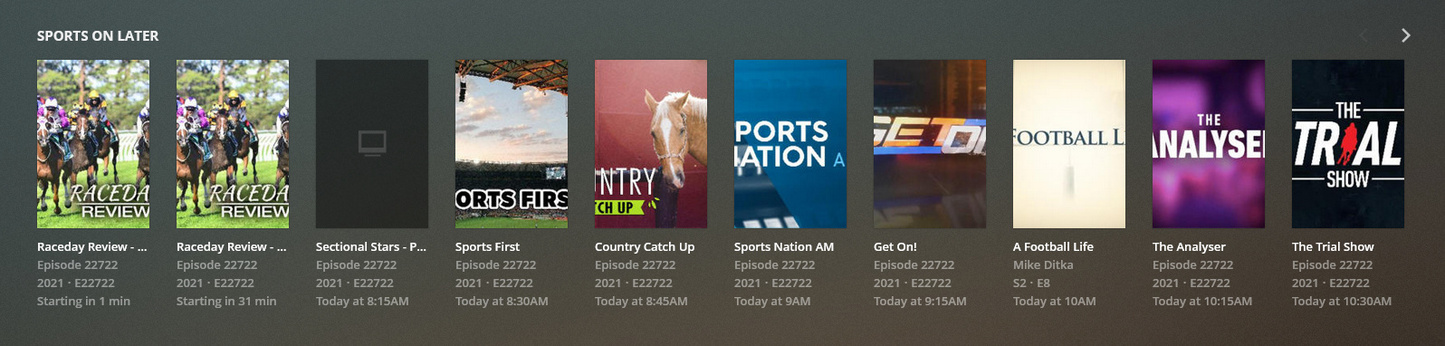

“Sports on later” is missing with my xml in QLD Australia.
Ok thanks for letting me know.
I’m using guide data from [link removed] for Darwin, Australia. Recently 10Bold and 10Peach started showing the same data as regular channel 10 instead of their own unique data/shows. Anyone know whats going on or have any idea how to fix it?
Bullsh*t they removed the link. Plex should be paying you guys for this, instead they’re taking the links down to your good work. It’s all so far beyond me (no idea what you’re talking about with Perl, etc.) but I found the site and feeds thanks this great community, who Plex royally screwed over. I, too, had just bought a Plex Pass solely for the DVR (yesterday, but had done my thorough research over a year ago. With a quick brush up recently before paying, I didn’t pick up on the fact that there is no fully-functioning DVR including EPG anymore - was not clear).
Absolutely enraged but thankful to the people here, in particular Mark and Michelle, who have helped come up with a solution after Plex evidently abandoned us all… and took our money.
Grabbing the EPG from sites that prohibit this is a copyright infringement. If you do it for yourself, nobody will come after you. If you offer your service to the public, than at least the distribution of this service is stopped. I don’t know the details but I know that EPG data rarely comes for free…
Got you. I thought it was included in the Plex Pass (turns out, it apparently just used to be).
Obviously the new guide provider does not cover Australia, New Zealand and probably some others. With the old provider, they were included I guess.
Sure. And this should be made extremely clear. But I feel it is not, which is misleading. As I see it, Plex have failed to very clearly point out an essential requirement for their Live TV & DVR features in Australia. 
It seems that, on top of the “Plex Pass and Plex Media Server” stated in the requirements for DVR, an additional guide feed - through a subscription to something like IceTV - is essential. A channel scan feature at the bottom of the website is not a way to sidestep clearly outlining the requirements to get DVR to work in Australia.
To me, this part of the website, for example, is missing something essential and is misleading to laypeople, who don’t have extensive inside knowledge on how the process works.

