Hold on folks… immediately after the above post I cancelled by clicking the X in the top right while the [Continue] was spinning and then tried one more time… and this time I did get the [Delete DVR] button and the DVR setup auto-found the HDHomeRun and now appears to be loading the XML TV guide!
Does anyone have this setup/running on a Qnap NAS?
First of all thank you to markcs for xmltv files, I seem to have a lot of channel data missing when running free_epg.pl --region=region_nsw_canberra >Freeview_EPG.xmltv. Can anyone provide help to get missing channel data.
@hashssj the free_epg.pl script is based on data from Freeview and Freeview is missing lots of data.
I would suggest to try to run the yourtv.pl script
greatly appreciated, you are a champion.
Hi all after a few months of huffing and puffing and cursing I came back to see what’s happened with epgs in Plex…sounds like you have done an awesome job guys. Would this work on Plex server on am Nvidia shield TV in Perth?
1 Like
hey guys,
i am an australian plex user, this is the best solution i can come up with.
http://freepg.tv/Register.aspx
this is a free service register and they will give you a free url for an epg.
slight downside it does take some setting up and you wont have all the channels but it seems to be the best non paid for solution.
i hope this helps
1 Like
If anyone wants a good solution that’s free just Message me. Australia only.
2 Likes
I am interested… (Canberra).
Don’t mind helping Aussies.
QLD here, please do not post this list
Kind regards Gary
1 Like
Thanks heaps
It’s a real EPG that’s free.
1 Like
Hi SE56
also need your help for fellow Aussie ruuuning HDHomeRun on Plex…
Thanks in advance!
Y’all should have a look at webgrabplus, seems to feature some Aussie EPG sources like Freeview. Haven’t testet it myself though, as I am located in Germany. But I use webgrab for my own EPG as well.
1 Like
There was a group of Plex users that designed a solution for Aussie EPG http://www.xmltv.net/
3 Likes
I found a script written by Vincent Gee which i’ve modified slightly over time to keep working. I think maybe HDHomeRun recently updated their software which stopped things. Anywayz fixed now. As long as you have a HDHomeRun and a local version of python installed to run the script you can generate your own XML for the Live DVR guide. I have created a schedule task which runs daily. The script will out an XML file which can be used with Plex DVR.
hdhomerunepg.py.txt (14.5 KB)
Hi @camel_x5,
See my recent post. You just need to install Python 3.x on your PC and then you can run the script I’d provided. You’d then specify the XML file which is created on completion of running the script for your Plex DVR setup.

Hi ShaneOss,
Can you help walk me through the ep guide script? I’m really new to this 
I’ve installed Python 3.8, and I’ve saved the txt file you have shared above.
I’ve created a scheduled task to run every day at 6am, but it doesn’t seem to do anything. I assume it is meant to generate an xml file that I then insert into the DVR settings on Plex - is this correct?
Thanks in advance.
The scheduler task I’ve set up:
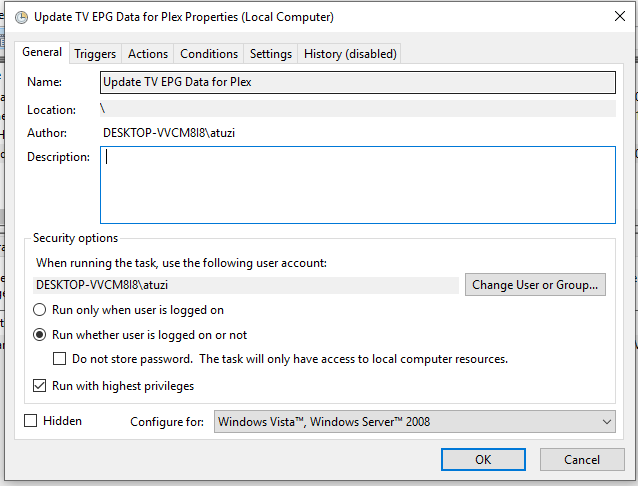


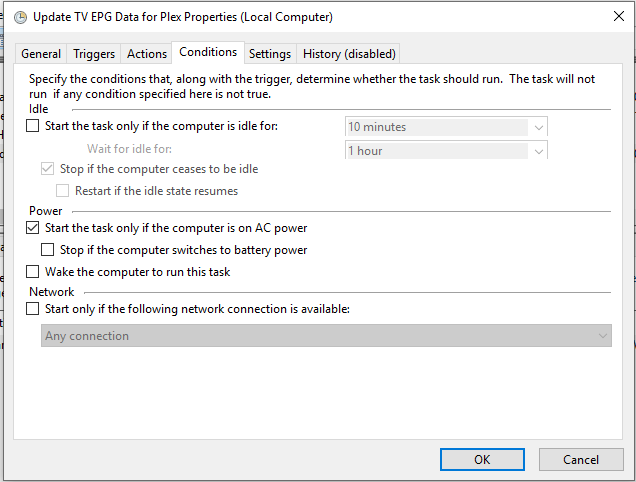

Happy to help. DM me and we can go from there
That’s correct @allie181. I have the python script (hdhomerunepg.py) in C:\Temp.
You’ll need to rename the file to .py instead of py.txt, if you haven’t already.
When the script is run it will spit out an XML file in the same directory which you can use with Plex.
Your scheduled task looks OK. Only the “Start in (optional)” directory is wrong if the script isn’t located in C:\Temp. The start in directory will be the place where you’ve placed the script.
Also just confirming you have a HDHomeRun plugged in and running on your network? As the script pulls all the information from the HDHomeRun. 
