Server Version#: 1.30.2.6563
Player Version#: 1.62.2.3451-fb8ac0ae
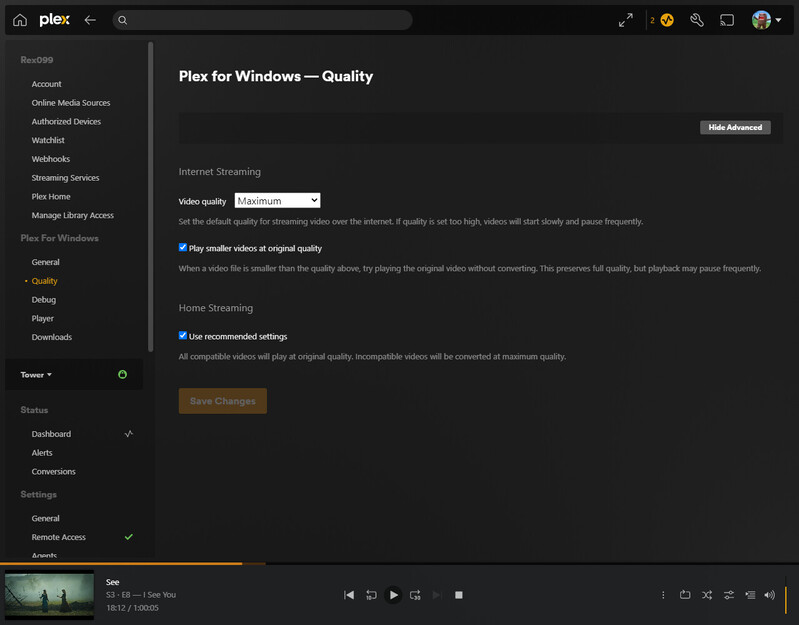
So for w/e reason Plex for Windows app for me will randomly transcode my media down to SD rather then direct playing. And if i just close out of the player a few times it will go back to direct playing the same media.
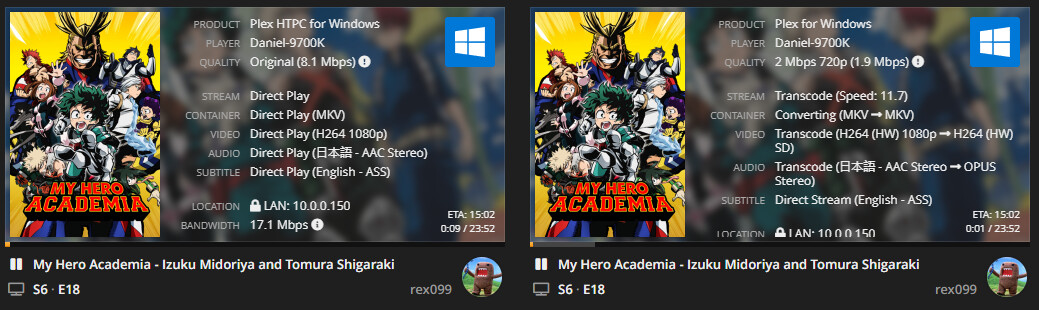
Here is a screen shot of me playing a media file that its transcoding down from 1080 > SD
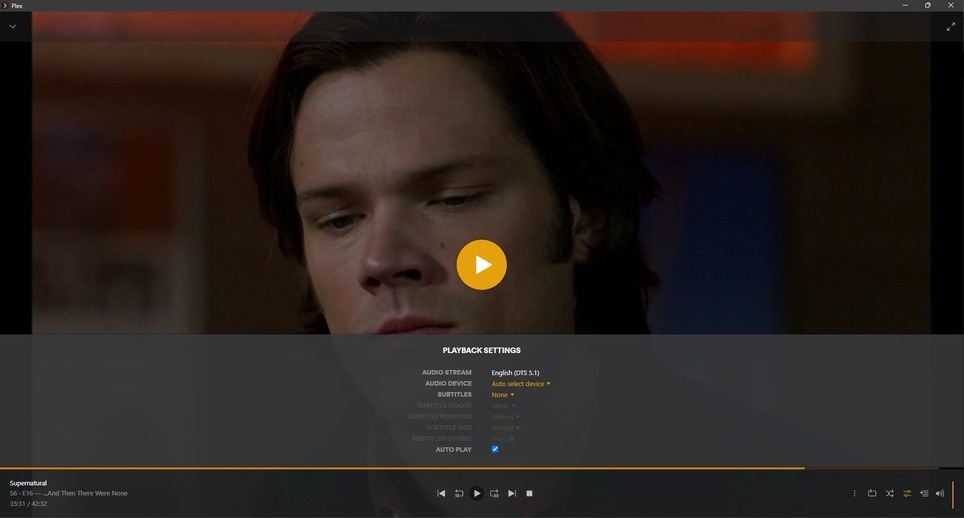
I’ve also attached my Plex for Windows log of the same thing happening with another media file. where I played an episode of SEE and it transcoded it from 1080 > SD again.
I’ve been wracking my brain on why this has been happening, any information would be helpful.
PS: this only happens with Plex for windows, Plex HTPC works fine as well as all my Roku devices, they all direct play fine its just with the plex for windows app. I would use Plex HTPC but I like the Plex for windows interface better as when I’m watching something on my secondary monitor while I’m on my PC the mouse just works better on this interface.
I can rule how the first 3 points as my server uptime right now is “Uptime 2 months 9 days 8 hours 52 minutes” The server is a docker being hosted on Unraid. Also both the server and client have NICs locked at 1.0 Gbps so I don’t think that last point is the problem either.
I can do a fresh launch of the client and sometimes it will transcode down to SD and sometimes it will direct play so none of that makes sense. And if it does transcode I can just close out, relaunch multiple times until it direct plays.
This still seems to be an issue with the Plex for windows client. This can be reproduced time and time again but with no clear way to fix it. Here it is again, same media file but the Plex for windows client decides to transcode down to SD and the PLEX HTPC direct plays.
Same exact issues, My Plex will randomly start to refuse to direct play, and it will automatically transcode and I cannot change it.
Nothing at all I do seems to resolve the issue. Like OP said, it will randomly just start working again.
I have been personally dealing with this issue for months.
Nothing at all fixes this. I have reinstalled PMS, Plex for Windows, cleared all %Appdata% in all relative folders. Cleared registry, reinstalled etc. Nothing makes it NOT forcibly transcode other than just waiting.
If I go into my PMS settings and disable transcoding, everything just straight up fails to play. Saying either CPU has not enough power (I’m using an 8 core AMD 9590)
or sometimes just giving me this (with transcode disabled)
With all of this being said, as I type this I was able to get something to finally direct play, since last night of not being able to at all.
I did nothing this time whatsoever to combat this issue, it just randomly started working again. I guarantee it will happen at least 2-3 times the remainder of this week.
Understood. OP has the same network settings. Personally I disable Video Stream Transcoding, the error code that always comes up is ‘Not Enough CPU for conversion of this item’. I restart the app and carry on streaming. I’ve had my brother not remember what to do when this error comes up so for me that is the inconvenient part.
I think it has some thing to do with the encryption keys and Plex Relay. If you restart the server, or use a device that hasn’t been used in a while this happens. It might also come up as and Indirect connection.
Either way I’ve been dealing with this Playback Error for years and I don’t think there’s anything that can be done on the user side to fix it other than restart the application.
Thank you @rex099 , of course I am unable to reproduce at the moment as well. Rest assured this will happen to me again. When it does I will have my logs ready.
Here is 3 log files, The first two should be from when the client decided to transcode then the last one should be from when it decided to direct play after the first 2 attempts.
If you need more logs I can provide, or if you want like specific chain of actions with logs I’m willing to provide anything. Its a super annoying issue cause it comes and goes.