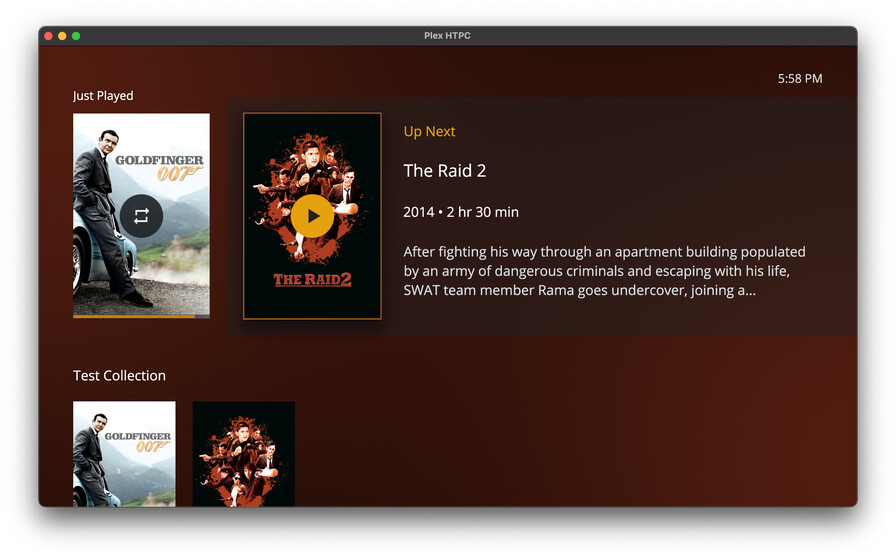
Nice a new version! 
One cosmetic thing I noticed right away (again, unfortunately)… Movies with a DTS (core) track still show up as DTS-HD but only on the main movie page - when selecting other audio tracks it shows up correctly.
Nice a new version!
One cosmetic thing I noticed right away (again, unfortunately)… Movies with a DTS (core) track still show up as DTS-HD but only on the main movie page - when selecting other audio tracks it shows up correctly.
@Moussa movies in a collection are still autoplaying with autoplay disabled 
is there even a filed bug report for this? seems like a trivial fix
To trigger it you have to either play a movie in the collection screen individually (not play on the collection), or simply play an individual movie from the movie library that resides in a collection.
Dear all,
I have been a fan and loyal user of Plex for years and was very happy to see the release of the new and modern Plex HTPC desktop player. I run both the Plex server and player on the same device, a 10th generation intel NUC (10i7FNK).
However, unfortunately, I can’t use the Plex HTPC player at the moment and have to stick to the classical Plex Media Player. The problem is that when using Plex HTPC, there are very severe performance issues. Videos do not run smoothly, they stutter all the time to an unacceptable degree. This affects 4k but also 1080p content (I haven’t tested lower resolutions yet).
All this is very surprising for me, because all settings in Plex HTPC and PMP are basically identical. Hardware acceleration is enabled for both and the .log files of both players show me that dxva2-copy is used in each case.
Can anyone perhaps tell me what the problem could be? In the attachment, you can find the .log files of both players.
I really appreciate any help or advise. Kind regards from Germany, Tim.
Plex_HTPC.log (764.2 KB)
Plex_PMP.log (1.0 MB)
I agree, I too have very noticeable performance issues during playback with HTPC , although my Intel NUC is not as modern as yours. When comparing with PMP, no playback issues at all.
HTPC version 1.4.1 has added the possibility to change the Video Playback Quality Setting. When I set it to Normal or Low, playback is no longer choppy but smoother, which is great.
@tim.b Try lowering Video Playback Quality to see if you can see any improvement.
Unfortunately CPU load is noticeably higher during playback with HTPC than with PMP, even during DirectPlay. That is a problem for me because I have guest devices that require transcoding and need all the CPU they can get.
EDIT:
I was wrong, When I set Video Playback Quality to Normal or Low, playback is still choppy, it’s actually unwatchable. Also CPU and GPU usage are really high compared with PMP.
I’d love to use the new HTPC player with the nice features but unfortunately I’ll have to stick to PMP with smooth playback and moderate GPU/CPU usage.
I tested this new release today, and can share for my setup that the video quality and or performance is still lacking, and i do as well get playback issues pending the source like others have noted. So far i have to stick with an alternative method for my HTPC experience. but hope in the future this may become a great option for the HTPC, just not today. It may never be an option for us with plex again, but external player resolves all playback issues i have.
CPU 5950X
GPU 6800XT
Noted several of my clients updated to 1.4.1 (across 2 homes) … all are having huge issues with choppy playback , particularly 4k content (all are i7 windows 10 pcs). Regardless if HW decoding is on or off (i usually run off).
Reverted to 1.3.1 … all smooth as silk with 4k HDR DTSHDMA
Something is wrong with 1.4.1.
Have set the ini file to disable the updater.
Thank you @ddefauville for your kind reply! However, playing around with the Video Playback Quality did not resolve the problem, as you mentioned also yourself in the meantime.
However, I have noticed a very strange thing, at least on my machine: if I do not play the content directly via “Direct Play”, but force a transcoding to take place (to whatever quality), then everything seems to run smoothly!? At least that’s what I was able to see for 1080p content. Live transcoding of 4k content brings my NUC to its knees anyway, of course.
Of course, none of this is really an option. But I think it shows that something strange happens when “Direct Play” is turned on in Plex HTPC.
I have the same issue as this fellow.
Looking through the chain it seems many people do. The classic PMP works, but HTPC doesn’t. Choppy and stuttery and unwatchable. I thought it was my computer, but since then replaced with now a rtx 3070 and i7 and still same issues.
Hopefully this problem can get fixed so we can get updates. I too will be using the PMP.
To plex employees, maybe making a setting in the config to enable OpenGL may help. Helped me when my PMP was doing the stuttery/unwatchable thing.
Set openGL to true and it all started to work smoothly!
Thanks,
Justin
Hello!
Was very upset that you stopped supporting Plex Media Player (for Windows Home Theater PCs).
I even began to select another player for my collection of films.
Previously and for a very long time I used KODI DSPlayer with MadVR.
But I liked your system with the Server and players very much.
In the process of searching, I found that you are continuing to develop Windows Home Theater PC in a different way.
I was very interested. I started trying. I liked the last version with a not careful test.
The first and very significant drawback for me is the lack of titles in subtitles and audio tracks.
It was in Plex Media Player (for Windows Home Theater PCs) too, which I didn’t like either.
This was introduced in Plex Media Player for Windows and was very enjoyable. It was hoped that in Home Theater PCs
it will be entered. But with the end of support in May 2020, there was no hope.
In the new version of Plex HTPC, titles in subtitles and audio tracks are also not reflected.
Very sorry. I hope that you will correct this.
I’m very upset that you have ended support for Windows 7 in Plex Media Player.
I have Windows 7 installed on my player on a big TV and I couldn’t
fully test your new releases of Plex Media Player and Plex HTPC. I plan to update.
Sincerely!
I’m just getting a black screen when trying to play any kind of video whatsoever. Audio plays, but no video at all. PMP works perfectly.
macOS 10.15.7
You are extremely arrogant and should be removed from this project.
Every other device and player I use supports manual adjustment of output size to support the dizzying array of displays out there.
And yes, plasmas are still the benchmark to beat in regards to image quality. To suggest otherwise shows you really don’t understand your users.
If you actually want HTPC to replace PMP, LISTEN to your users.
I feel like you just slid the fact that “watch together” is now in the app under the radar?
I was dying for this feature and now I can see it as an option.
Granted I haven’t tried it yet, will test it out later. But this is definitely something people would love to know!
That is funny since the majority of plasma displays are in landfills and no one makes them anymore. They don’t beat oled in every category anyways so it is a preference not a fact about what is truly the benchmark. I haven’t manually adjusted the size of my player since I used Zoom Player, and that was around the time plasma displays were popular…ages ago. You don’t speak for everyone so maybe YOU should lighten up Frances.
Plasmas are not made anymore because it was too difficult to make them in 4K resolutions and they are power hogs: Not because they are inferior in image quality. It’s been 6 years and oled is still unaffordable, has burn in issues and can’t compete with plasma viewing angles or motion. Not to mention the weird sub pixel rendering issues from oled.
The only TV today I would consider an upgrade over my plasma is over 3 times the price.
Doesn’t change that the employee I was responding to is repeatedly toxic towards the plex user base and needs to go.
I was pretty curious to see what has been said to offend you. Sadly the guy hasn’t posted for a few months and you didn’t use the quote feature so I’m not gonna bother trawling through 600+ posts.
Is there actually anything being done to address the stuttering issues many users have? every other pc player seems to be able to easily get this right and has for years why cant plex?
delivering smooth playback is an essential very very basic feature, how is this still an issue? seems like developing correct working apps is considered as non essential to plex and focus is on trying to push own videos and junk with adverts.
when you dont listen to what your customers want, and try and force rubbish down there throat customers dont tend to stay around for very long.
Links to these posts? And did any of them include logs?
scroll up a few posts there not hard to find!