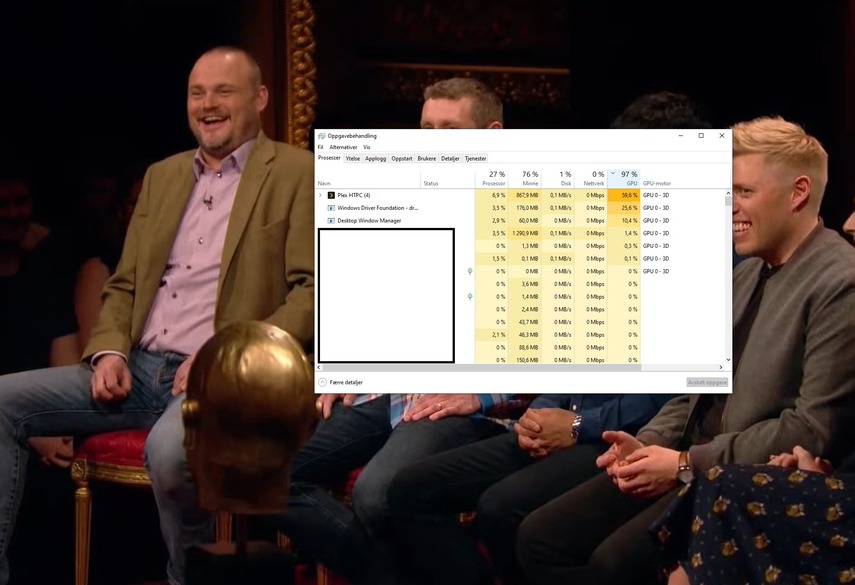
It’s your CPU doing the work.
Hey, all you madvr fanboys, have you considered looking into what scalers are available for mpv?
Try this link: Mathematically Evaluating mpv's Upscaling Algorithms - A study of performance and quality
You can literally just code your own if you like.
Also, here, a guide on configuring “the best settings”, as they are not the best right out of the box.
How To: Configuring MPV for Best Video Quality Including 4K Upscaling (Updated) - free time
Please just do some research first before bashing mpv. Its a bit more complicated setting it up than next-next-finnish-MadVR but it has basically the same scalers available.
I’m running on a projector, FHD 120Inch in a dedicater home theatre. It looks exactly the same as Madvr but with the added comfort of an integrated player.
Personally for me, the only thing holding me back from Plex HTPC is the intermittent stuttering, and that has been addressed by @gbooker02 on October 19. I’m just hoping for a fix for that soon, and also, @gbooker02 if you are reading this, can you verify that there is no support for .icc profiles in the build of mpv you are using?
I was actually aware of FSRCNNX and it is interesting, but it didnt have the advantage mpc/ madvr has of allowing HDR, stutter free playback quality tonemapping etc that madvr could have now as an external player with plex htpc.
have you actually implemented FSRCNNX or other high performing scalers yourself for plex htpc or just mpv in general ,as i would be interested how aswell as others for plex htpc im sure.
I can’t speak for others, but i did try it myself about a year ago and did a comparison on our (at that time) Z8H 85" ,and madvr was still far better for my eyes. But that doesn’t mean in anyway that mpv doesn’t look good to others or better then madvr, it just doesn’t to me.
For my eyes it wasn’t at the same level for handling of chroma & gradation the most noticeable, noise , HDR, some minor interpolation and oddly color management
I have not tried in about a year, we have the Z9J and UST projector now, if there has been significant updates we will look at it again and give it a try.
Not really a fan boy myself of any brand, just what ever give the best results. But i admit i have debated just getting the Madvr Envy or Kaleidoscope and moving on from plex htpc, but still enjoy our current htpc, just don’t like the interface as they are not plex to keep it wife approved.
Here is my mpv.conf: mpv.conf - Pastebin.com
You will have to download the scalers at the bottom and edit the location. My experience is that it is best to place them near the mpv.conf, have had issues where they are not read otherwise.
Unfortunately, I have not been able to find the correct key in Plex that shows the “overlay displaying statistics (“i”)” like mpv does, have to look into it. This has resulted in me creating this config with the “mpv.net”-player as it was a simpler and faster way to test that the scalers actually load. Maybe @gbooker02 can shed some light on if there is any way to access the mpv “STATS” overlay that has like five stat-screens.
Anyway, Its working for me, really like the adaptive-sharpen filter, its great for my otherwise not so sharp projector, its configurable in the .glsl file to fit others needs.
I’m going to disagree with you on the size of the group there. It appears to be a very tiny minority who each make a lot of noise.
I expect that this is going to have to come from the community if it were to see the light of day (which is why I listed some possibilities of how it could be done). I don’t see us spending what would amount to a large amount of resources for a crappy experience desired by so few. I expect the crappy experience aspect of it alone kills the possibility that we would do it which is why I had investigated means to make a good experience months ago (and the options came up short all around).
It doesn’t appear like there are any configure options that disable this. However these options appear to be in the gpu vo and so they may not be used in the current form where HTPC is requiring vo=libmpv (a requirement that I’ve previously stated is going away on all platfroms but Linux).
Could’ve fooled me.
You should be aware that the current MPV library we use is compiled without glsl. I have experimented with building it with shaderc (which includes glsl) and spirv-cross to enable vo=gpu gpu-context=d3d11. While it does work, it appeared to yield no benefit until after the vo=libmpv requirement is removed so I haven’t merged that yet.
What specifically are you looking for? This overlay is part of the app and not built as part of the library. There is the debug overlay which has some info (ctrl-shft-d).
Hi,
I just found Plex HTPC at version 1.9. I have tried it on my Mac mini (Core i5, mid-2011, OS X 10.13) and have 3 major observations:
- No picture when playing video (which other Plex clients on this hardware play fine) - just black.
- Full-screen mode often still shows window title bar and Mac menu bar.
- Animations are very slow.
Just to ask, what metric did you use to come to this conclusion? did you use a control group to test and provide feedback? did you use surveys of all users to poll there thoughts to build a use case?
i,e
How was the decision made to label it as a crappy experience?
How was the decisions made to say there is only a few users that desire it?
Thanks!
Fair enough - apologies.
Lucky you.
AMD GPU’s are not supported by Plex - there is a massive thread on that subject, Plex themselves mention it, seems however, you found a solution. I’ll hunt for a laptop with your gear and use it for our HTPC server.
With HW acceleration off on our HTPC (an oldish 2700X), our GPU is used (as expected as it delivers graphics, LOL) when running HTPC on our AMD based server - totally separate matter to what was being discussed. With HW on, the results are not pretty.
Cheers
@gbooker02
So no ICC-profiles for now? OK.
Just to clearify, I tried the to configure it and only get an error in the log like:
cplayer: Error parsing option icc-profile-auto (option not found)
Regarding the glsl, that is interesting as I only really tested PlexHTPC quickly with this config. I’m unfortinately not using it as i just can’t live with the intermittent stuttering, I really want to, but its unwatchabe  Guess the gain in sharpness was mostry from picking other scaling methods then the default… To bad, I’ll hope the vo=libmpv “problem” gets fixed along with the stuttering issues soon! I want to leave kodi behind and only run Plex.
As to the “stats” screen, my thought was that is was part of mpv, I’m no programmer so I’m not sure how its implemented. I’m using the free-standing mpv.net(GitHub - stax76/mpv.net: 🎞 mpv.net is a modern media player for Windows that works just like mpv.) basically mpv binaries with a bit more GUI elements. That one, and also the more basic binaries have a stats overlay when pressing “i”, the info there can be toggled with number keys 0-5 for different info, one of the screens shows active user shaders, like this:
https://i2.paste.pics/96b16d808cee2d2015a6e7922eff933e.png
Thanks for all you hard work! Really appreciate it!
And just to repeat from my original post: I do generally agree with you.
The server still can’t transcode on AMD GPUs for example. It’s quite disappointing considering how fast nVidia and Intel get supported whenever a new architecture is released. HW playback does seem to work on the Vega architecture, but I am aware that it’s not the case for all the GPUs.
Seems like you are in the same boat as a prior post: Plex HTPC feedback - #923 by yelloz My guess would be the hardware is too old (that user had the same device). The layers work I’ve referenced here many times may bring playback to this device but it won’t do anything to help the slow animations (that’s just pure CPU/GPU speed).
Also potentially fixed in the layers work (because it uses the native API to switch to fullscreen instead of Qt) but also make sure that you don’t have your mouse in that area. Putting the mouse up there will show the menu bar and the title bar (this is intentionally done by the OS).
I answered your first question already when I first labeled it as such. The second becomes extremely obvious when searching for information about madvr and the associated players that this is very uncommonly used. As per not seeing us spending the resources on this, that comes from experience in judging the cost/benefit where the benefit would be to so few.
I checked and this requires the lcms2 library which it is currently not built with. So it’s not there now but perhaps in the future when it can actually take advantage of it (once off the libmpv vo). In my last message I had looked at some different icc settings and those where in a different part of the code and should be present so the exact option is what I needed to check your case.
It is part of the app but not the library. We use the library. The vanilla app has the same stats I just wanted to see which one you were referencing which the screenshot accomplished.
Ok, thanks for the feedback.
so in this regards it is simply what your preference is, not end user consensus.
which is not an issue, as long as we are transparent on the topic, so everyone understand.
As i incorrectly thought the product development was targeted for home theater users.
And i agree if plex doesn’t want to spend bandwidth or money on it, that is not an issue either, just as long as users understand. but of my current 5 home users and 15 remote, 12 all use either madvr , Envy or Lumagen, so I think the term Few users of htpc may not be the best refection of users, as none of my 20 are even on this site.
So no problem and we just simply agree to disagree on calling external player crappy, as it is not in my opinion and it does ever single function needed and more , excluding telling plex server play progress, which is a great to have, but not necessary. Not sure where you maybe searching, but Lumagen and Madvr are the 2 biggest out there for HTPC specifically, and dominate most of the conversations of HTPC, separately from mainstream standalone like Panasonic or Oppo.
We will continue to be hopeful and test new release as they come in hopes that maybe one day the video processing will deliver what we are looking for, Thanks
I would like to send some positive feedback to the developers of Plex HTPC.
During the early days of Plex HTPC, my old Windows setup (NUC Intel i3gen4) was struggling with occasional stuttering that practically made Plex unwatchable.
After @gbooker02 identified the playback stuttering issues, I think version 1.7.0 was the first HTPC version that solved these playback issues for me.
I’m now on 1.9.0 and video playback is nice and smooth. I must admit I have observed some occasional stuttering on rare occasions when starting a movie, but that is often resolved if I restart Plex. I have no logs of this, but I’ll attach some logs should it happen again.
I am really pleased I am able to use Plex HTPC again with all the modern Plex features.
So I want to send a big thank you for all your efforts developing Plex HTPC.
I absolutely love it!
When watching a TV show, I experienced some stuttering that was quite noticeable.
I have attached some logs from Windows HTPC 1.9.0.
Plex HTPC.zip (33.0 KB)
Added: 2021-12-21: I have watched about 20 episodes of the show and playback is smooth almost every time except for 1 or 2 episodes (logs from one of the episodes). I have restarted HTPC but no improvement. When I temporarily switch to PMP to watch these specific episodes: no playback issues in PMP.
But I tend to go back to Plex HTPC and I am happy to see that HTPC usually handles most episodes and movies just fine (with a few exceptions).
That’s because you’re in the videophile club. And that’s not the Plex core audience.
You’re like the guy that wants to majorly trick out his car to go to car shows and drive on the weekends, whereas his wife just wants to buy a car and drive to get where she needs to go.
And that’s all fine, but I think you’re holding out hope Plex is going to let you trick out your own car, throwing revenue to the wind. 
If you tell a group of your users/customers there essentially not wanted and there views are unimportant they tend to move to platform where they are wanted and catered for,thats revenue lost.
The higher end users tend to significantly influence low end average joe users as they are the users with passion and review and recommend products to many others as there known to have knowledge on the subject, ignoring that is damaging in the long run.
I think its very difficult to quantify how many members are in the “videophile club” but given even easier and cheaper for your average joe platforms exist(streaming devices) to assume theres little or few as a percentage specifically on htpc seems misguided.
plex htpc in its current state serves little purpose in my opinion because the intended target customer/end user demands are already served with a choice of streaming devices, plex web, and plex for windows.
using resources on yet anouther variant of the same is a waste,and helps more or less no one who would not just use one of the other options.
@gbooker02 The bitrate is shown in bits, which is kinda awkward and “hard to read”. Would it be possible to get back the measurement in mbits? I would say most media today can be measured in mbits!
lol…true, videophile and audiophile, it is one of my 2 hobbies i enjoy!!!
I believe “in the old” days Plex home theater was marketed towards videophile, but I would say today based on the feedback that the Dev says it is their preference , that Plex HTPC is not marketed towards videophiles, and all of that is ok and don’t have any issue with that, now that i understand the process is developer preference and not user consensus. I don’t take away the time and efforts that has gone into development of plex htpc, I just miss-understood how it was being developed, as it is not the normal practice.
But i would disagree it would be throwing revenue to the wind, as i would anticipate it would cost less to let and external player do that portion of the task vs continued effort to develop internal player in regards to video quality and performance. Doesn’t mean you could do both for it to a please more users.
Maybe it would be better to call it plex for windows, then plex htpc as that makes more sense.
@moochweiser well said on all points.
Agree the mass users already have platforms like Roku, Shield , Android, Apple, etc, so having the same thing on a HTPC with no improvements doesn’t make sense. It only makes sense if the experiences is better in some manner, for the context of a home theater (or a person with a nice display as the may not have a dedicate room), the only experience of consideration is the video quality, Which is why “most” users of HTPC have made the investment in the hardware, other wise they would just use one of the common platforms they already have as the cost is significantly cheaper.

