Server Version#:1.42.2.10156
Player Version#:2025.30.0 (966828550)
Platform Version: 14
Device: Pixel 5 and Samsung Galaxie Tab
Is is possible to turn off GLOBALY, the “Repeat One” mode that is very annoying when you want to listen to a movie in the bed, and you wake-up with the movie still running.
According the the manual :
Passout Protection (Plex Pass Required)
By default auto-playing content will not continue to auto-play the next item, if it’s been more than 2 hours since the user last interacted with the app. This is to help prevent content from continually playing if you fall asleep. Choices are:
Never Prompt (Disable Passout Protection)
After 1 hour
After 2 hours (Default)
After 3 hours
This should do the job, but this does not work either, on my android devices.
It’s possible to do it for one movie/Episode at a time, but it’s super annoying and I have to do it for each and every movies/episodes.
Which drives me nuts, because that’s where I use it the most.
For this :
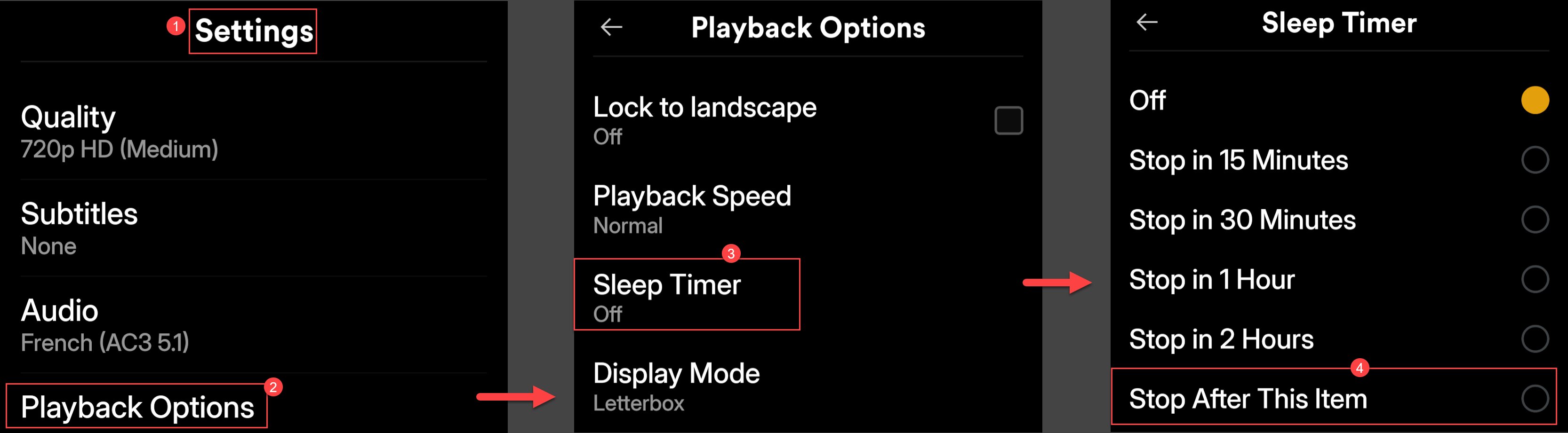
Maybe I missed the parameter, but it’s not the Auto play, the skip intro, etc. that can correct that.
I tried every combinations possible and nothing disabled the “Repeat One”.
Thank in advance for your help.
