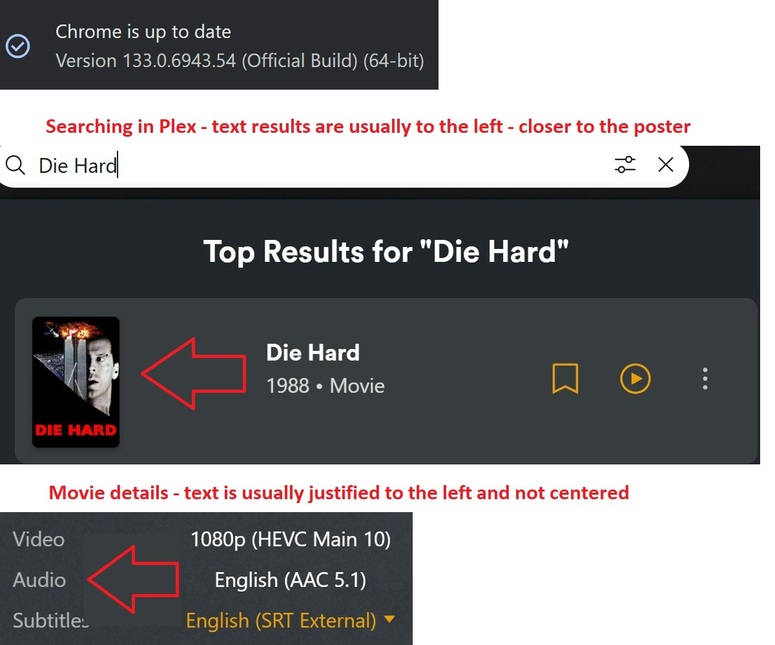
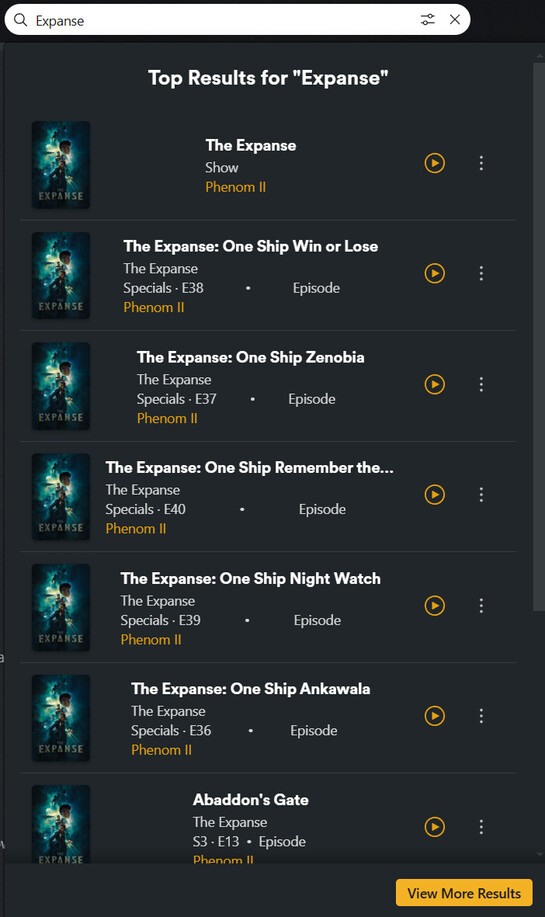
I’m currently running the most recent version of Google Chrome on Windows 11 OS and I’ve since noticed, some of the text in the Plex GUI is justified to the center vs aligned to the left as it has always been. I’ve tried this on several different computers running an older version of Google Chrome and the Plex justification is normal. However, once I upgraded to the most current version, the results are below. Thanks for any feedback!
Note: There are no plugins and/or add-ons in Google Chrome.
=========================================================================
Unsure, maybe it’s just me…
I just updated to the latest beta version of PMS, which was reported to fix this alignment issue, but it still exist in the PMS application, but NOT the web browser when visiting app.plex.tv, which has a newer version of the web client. (see above for details)
NEW:
(AdDetection) Ad detection can now be run on media add (PM-1988)
(Web) Updated to 4.143.0
I’m open to any feedback and/or suggestions!
Again, this is NOT BIG a deal breaker, it’s simply a nuisance!
~Thanks~
Edit:
I just noticed the post for the web client update, but apparently it’s not part of the PMS beta release yet.