Plex web alignment off on multiple machines, new installs

Server Version#: 1.32.5.7328
Player Version#: 4.108.0

For as long as I can remember, my plex-web cover art, timeline, and other elements have been shifted to the right instead of centered, or center aligned. I have tried reinstalls on multiple machines. It seems to be something that follows my account around, even though I do not change many settings from default.
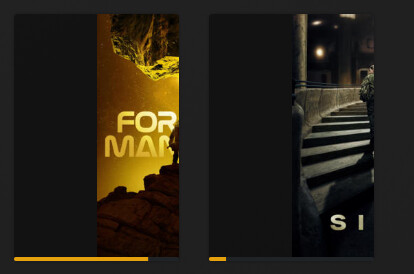
Shifted cover art:
image

Shifted Timeline (starts in bottom center, extends to right edge. I cannot seek past middle of video):
image

This looks weird…
On what browser are you experiencing this?
Do you get the same results if you’re using the hosted web app?

Any browser add-ons / plug-ins that might be interfering with the styles/layout of the web app?

I use chrome, on mac and windows, and am almost always on the latest version.

The hosted app, and firefox for windows, do not appear to have the issue! I can use firefox going forward if need be. I just tried it.

Try the Incognito mode of Chrome, just for the sake of experimentation.

Incognito mode seems good. Perhaps its a chrome plugin? I’ll go down that route and report back.

The offending plugin was “Folding at home in the dark”. Removing it from chrome fixed the issue. Thanks for the guidance!

This topic was automatically closed 90 days after the last reply. New replies are no longer allowed.
