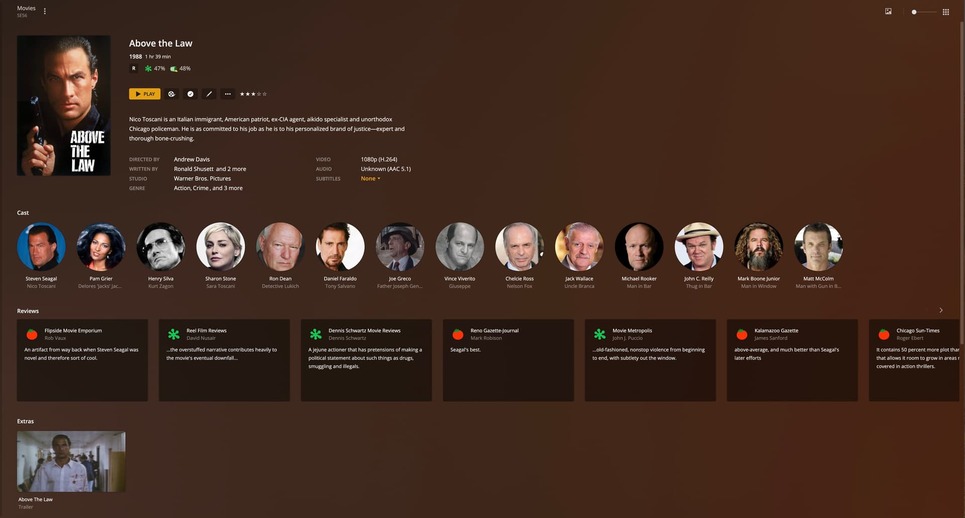
Ok I tested this with the entire File archive for my TV shows and yes it perfectly matched everything. As long I stick with the TITLE > SEASON > EPISODES format. All structured in one Parent Directory.
On the topic of Matching, do you have a preference for ANIME? I seem to have an issue with metadata being recorded for my anime entries. It usually just displays screen caps of the episodes but i want actual cover data, sypnosis, summary’s, staff information, etc like the TV shows and FILMS categories. Usually for anime I use the Plex MOVIE scanner and nothing is missmatched that way. Anime Tv seasons or shows are still able to be viewed. If I try to use the Plex tv Scanner, the same bad results happen with everything being mismatched so I just change the structure to “FOLDERS” with movie scanner instead on my device and that works for the most part. But it would be nice if I can get a more attractive layout for anime as well that follows the same format where I can select “TV series” or “Tv seasons” and check out the various anime stored on my HDDS, grouped by tv show. Is there a special way to catalogue anime on plex?
If something is TV or Movie depends entirely on the format, not content. So an Anime TV show needs a TV library and an Anime movie needs a Movie library. No mixing and matching that (though you can get away with it on some titles).
I then treat it just like regular movies or TV shows really. Just extra file naming fiddling sometimes.
You can determine which source - TMDB or TVDB - fits by which matching source you want to use and there you can mix and match a bit because you can set a default order (I use TMDB) for the library and then for specific shows you can use TVDB (Aired) or TVDB (Absolute)… the absolute order sometimes helps for shows that are long and aren’t using the season order (but in that case it’s all ONE season). The DVD order can help there too or for OVAs.
You can use an app to help automate the matching and rename files but there really isn’t a good “universal” process amongst groups or services. Anime is always… a little odd. Filebot and tiny media manager I think are common. There’s some anime specific agents and customization you can do to Plex but I gave up trying to fight that and really, TMDB has gotten pretty good about handling Anime titles.
One thing you can do to sorta mix and match between libraries is if you name a collection the same thing in TV library and Movie library they’ll show each other’s content sorta. So you can do Stein:Gate movie collection and Stein:Gate tv collection and each one will show each one between libraries (I did that for Macross).
If you want to get into more details start a new topic (feel free to tag me) and you’ll get some responses. Bunch of us have been managing anime for awhile.
So this bug is definitely not fixed, if you ever need to change the date to add a movie (i like to add older movies in the order they were released) each scan library kicks off a metadata refresh that removes and readds everything
This never used to happen as I’ve been doing it this way for years.
Frankly I’m now done with Plex, too many bad decisions removing admin control of their own servers
I’m not having that problem and I’ve been updating\changing files to test to make sure it’s not unmatching for me anymore particularly after my snafu earlier.
What does “change the date to add a movie” mean you did?
So this is a complete edge case especially with my setup using the Stand-Alone Movie Files method, but say you’re bored and rip a bunch of old movies but you don’t want them to appear first in the recently added section, you can go in to the settings of the server and change the date and time of the machine to an earlier time (windows lets you go back as far as 12am, January 1st, 1980 for example) run a library scan and it will add the file as if it were that date and time. Previously, i.e. before January’s updates, this was no problem, it would scan the folder, find the new file add it and flake on retrieving metadata because it’s in the past and can’t be fetched.
Now if you do all this, it scans the folder, can’t retrieve metadata and promptly REMOVES all the other metadata from movies in that folder, marks them for deletion, and then readds them into the database. If you have a large library this can take a while as it does the metadata for everything.
Just another example of Plex trying to do what it believes its user should do instead of what they want to do as, mentioned, I’ve been doing this since 2013 or so without issue. It has to be the new movie agent, because that’s the only thing thats really changed in the last few months, they don’t want to admit that it will only work on one particular happy path, and deviation and it screws up at the expense of the server admin and all the server logs in the world won’t change that
It sounds like a better (read supported) solution for you might be to create a collection of movies you want to be considered as your recently added and add that to the home screen as a hub.
But also, when you add movies normally, do you often have to manually match them?
Definitely an edge case and sounds like less of an issue that I’d blame Plex for changing when you’re specifically trying to circumvent a specific function and more of a “dangit, wish this trick still worked”. I use some things that “work” in Plex but aren’t really supported so I don’t blame Plex when those don’t work.
For example, I wish my “recently watched” wasn’t filled with movies I’ve added recently and marked as “watched” because I like the “unwatched” flag to only be on movies I literally haven’t seen not just movies I haven’t watched in Plex. So… I don’t use that row for anything.
Like @pshanew mentioned maybe you should remove the recently added and setup something different that does fit for you. I have a Smart Collection setup as a row to show “Recently Released Unwatched” and I use that instead of the standard “Recently Released” row on my hub. Maybe something similar will work for you and won’t require you to change your OS date around.
Or maybe you’re exactly right that Plex doesn’t have the features your looking for - but I wouldn’t necessary go with the attitude of Plex inflicting something on their users because your un-supported trick doesn’t work anymore. Maybe try a feature request instead to get it officially supported as a function? I could see where what you’re doing would be useful for folks. They did eventually implement an option to remove titles from “Continue Watching” so maybe something similar for “recently added” would be useful. My recently added row went to crap during my snafu above and that feature would have been really useful. I’d vote for it.