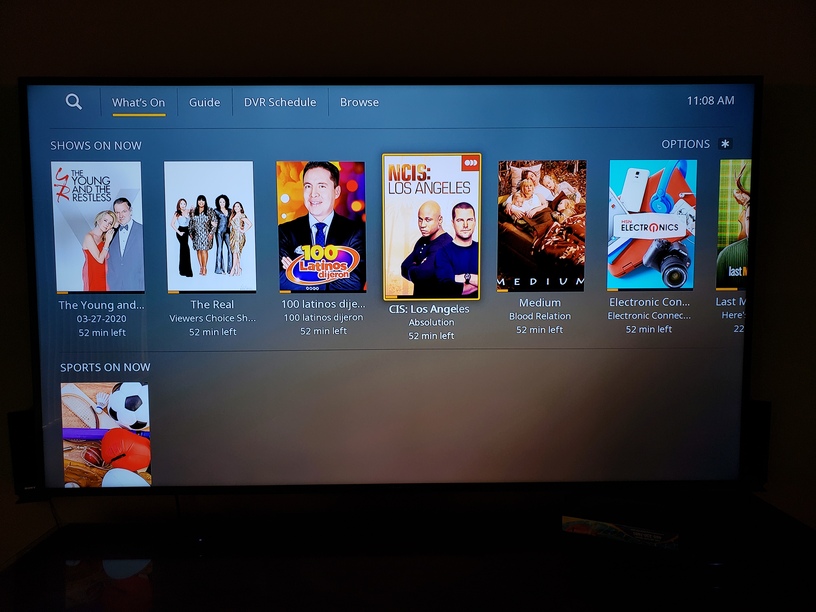
The tuner works fine using the HDHomeRun Roku app but it fails to start streaming from Plex.
Can anyone provide a solution?
Server Version#: 1.18.9.2571
Player Version#: Roku Latest Plex Version 6.5 Build 12
Tuner Make/Model: HDHR5-2US
Guide/Lineup name: Broadcast TV Phoenix/Surround OTA Broadcast
Using XMLTV?: Not sure what this is
Channel number/Name: all
I tried to play a channel from What’s On and got and error that it couldn’t tune. I then downloaded the log.
After trying to play NCIS Los Angeles, I get the loading circle and then I get the error. I then downloaded a new log and attached to this reply. By the way, my PMS is installed a QNAP NAS. I hope this additional information help resolve the issue.
The biggest issue is the J1900 processor in the QNAP, if the client doesn’t direct play the mpeg2 stream it overwhelms the cpu. The QNAP has two network interfaces, can you disable the one that isn’t being used.
Auto – The App will attempt to Direct Play compatible media, and direct stream/transcode when necessary.
Allow Direct Stream
Enabled, the Allow Direct Stream toggle allows the server to copy compatible audio and video streams without converting them and repackage the streams inside a natively supported container. You will almost always want this enabled.
H264 Maximum Level
On the Ultra I would set it to the maximum
Allow MPEG2
Enabled
Subtitles
Roku Captions Mode
Enable or disable the Roku system “Closed Captions” mode. This must not be disabled if you wish to be able to view subtitles in Plex.
Burn Subtitles
Disabled - Avoid sending QNAP into transcode situation
Advanced
Allow Insecure Connections
On same network – Allow fallback, but only when Plex Web App and the Plex Media Server are on the same network
Sorry, missed the ping about the logs. I’ve looked them over and it shows that PMS was unable to determine the type of streams on that channel. It couldn’t identify the codecs involved so its just letting the client try to play them as-is, which is then failing. So 2 possible causes:
1 - The Roku doesn’t like that the streams are unknown and refuses to play
2 - The streams are in a format that the Roku doesn’t support but since it’s unknown what streams they are, the error is very generic
Unfortunately, there isn’t much that can be done if the streams can’t be detected.
I have a similar problem. PMS running on Ubuntu 18.04. Latest version will not play live TV through Roku, though it does record just fine. Playback of recordings are without error. Error message refers to Antenna (same as shown above) but HDConnect app show antenna and channels are fine. PLUS like I mentioned, it will record. Seems to have started with upgrade to PMS. Tried PMS 1.19.1 but problem remains.
I setup Plex LiveTV/DVR back when it went Beta a few years back. The setup was so smooth. Plex found the HDConnect in seconds without issue during the initial setup. The only issue we have had since the original setup, until now, was with a Synology update (fixed easily).
That was then - this is now. Recently Plex has not been recording our livetv. I went in ato settings and it appears Plex is unable to find the HDConnect. Even when I manually enter the HDConenct IP Plex is unable to locate the device. I am able to connect to HDConnect via browser and watch tv,
It is unclear what it is going on. I was hoping the last Plex update would fix the issue - but nope. Plex just spins and spins trying to locate HDConnect. Any one know how to resolve?
My problem was resolved by just power cycling both my HDConnect Duos. Everything is working as I would expect. Sorry to hear your problem remains. Does seem that the most recent updates are loading LiveTV faster.