Server Version#: 1.23.1.4602
Player Version#: 4.29.2
Tuner Make/Model: HD HomeRun
Guide/Lineup name: Guide
Using XMLTV?: No
On Windows10, using the latest Server/Player combo, when I’m in legacy Plex Media Player mode (i.e. - can see server settings and mouse/keyboard driven) and clien on “Live TV & DVR” - I see:
- What’s On
- Guide
- DVR Schedule
- Browse
When I enter “TV Layout” - there’s no “Guide” option and it throws the error:
“There was an unexpected error loading this library”
I’ve read about this issue a few different times - related to Day Light Savings and feature updates that have broken the guide function but didn’t see anything recent.
What is needed to fix the lake of guide in TV Layout mode?
Switch to the new HTPC client if you want TV mode with new features: Introducing Plex HTPC!
They split the functionality of PMP into two clients one mouse controlled and one keyboard/remote.
Thank you … installed and messing around with it.
A coupe of quick questions …
-
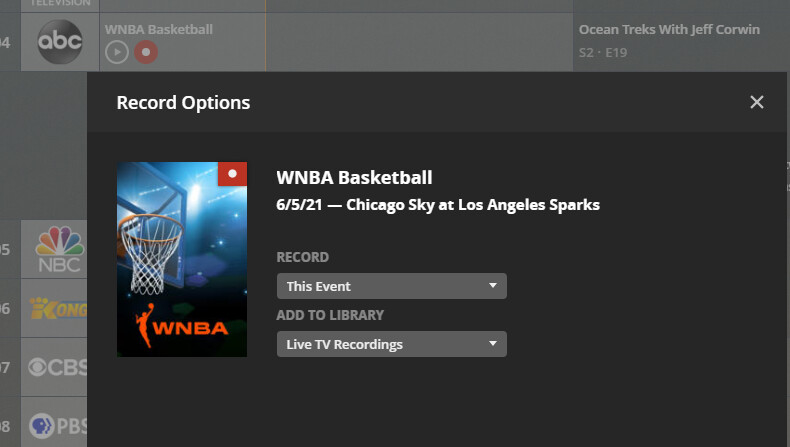
How do you record a show (or a series)? … ideally when in “Guide” mode but I don’t see the option in “What’s on” or “Browse” either (and have tried every key on the keyboard). … on the old Plex Media Player in when in Desktop layout, there’s a record option:
-
Is there no ability to jump to a channel by just typing in the channel number on the keyboard or a remote?
Thanks in advance
That looks like the Plex for Windows client (Keyboard + Mouse)
Where it says “RECORD” > This Event, change the drop down to say ‘All Episodes’. A new drop down will appear to the right where you choose ‘New’ or ‘New and Repeats’ to create add it to the DVR schedule.
In Browse or What’s On mode, use the ellipse (3 dots) to choose record.
Neither client currently allows you to direct enter a channel number.
The screenshot is of the Plex Media Player for Windows. I was using that as an example of "how do you do this (i.e. - record shows) when you’re in Plex HTPC?
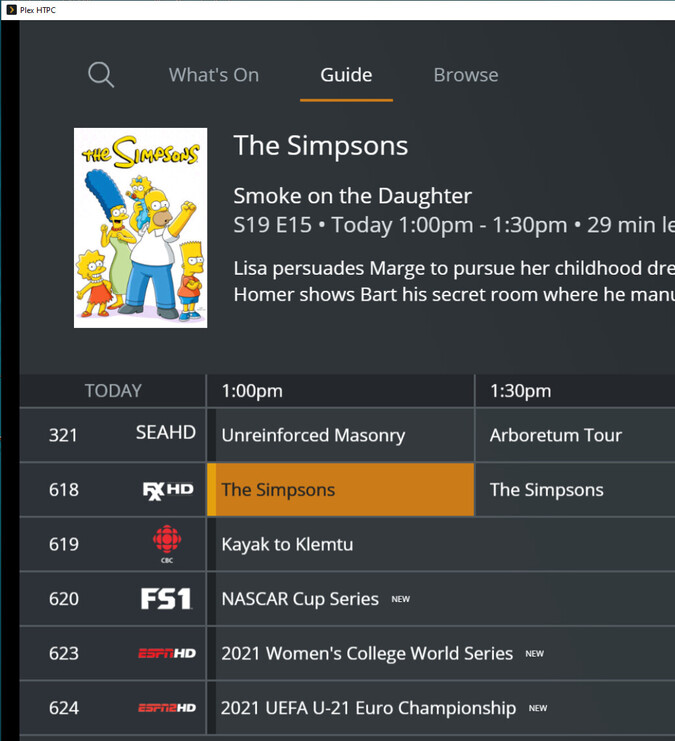
I’m trying to figure out how to also record when in Plex HTPC ala:
Appreciate the assist very much!