Server Version #: 1.13.5.5332
Player Android Version #: 7.4.0.6424 (ab172317)
File system #: QNAP TS-251A

Without me changing anything, the server is sometimes inaccessible remotely. The ports have been manually set and configured on the router so that they are accessible from outside.
Also I have a fixed ddns that should guarantee me not to have this problem but very often accessibility is denied by clients on smartphones. For example, today I can not access from my mobile phone on my server.
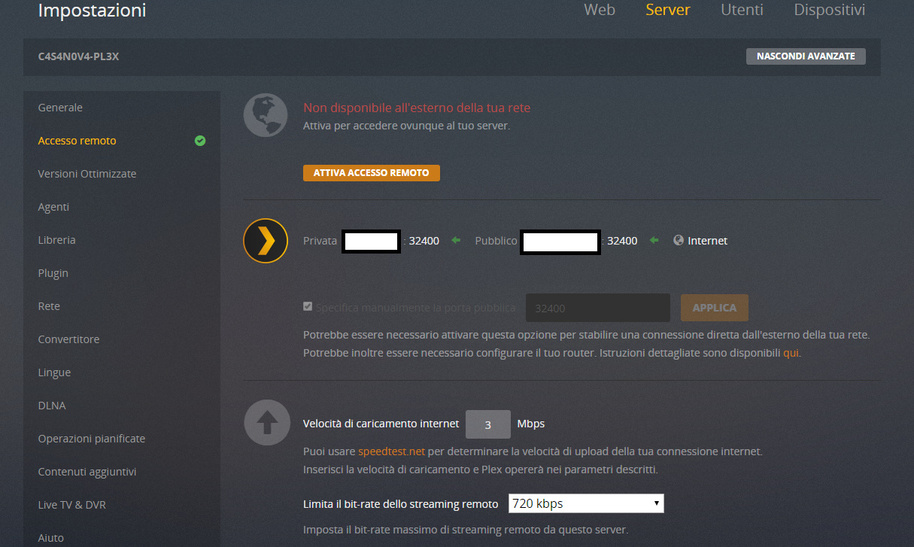
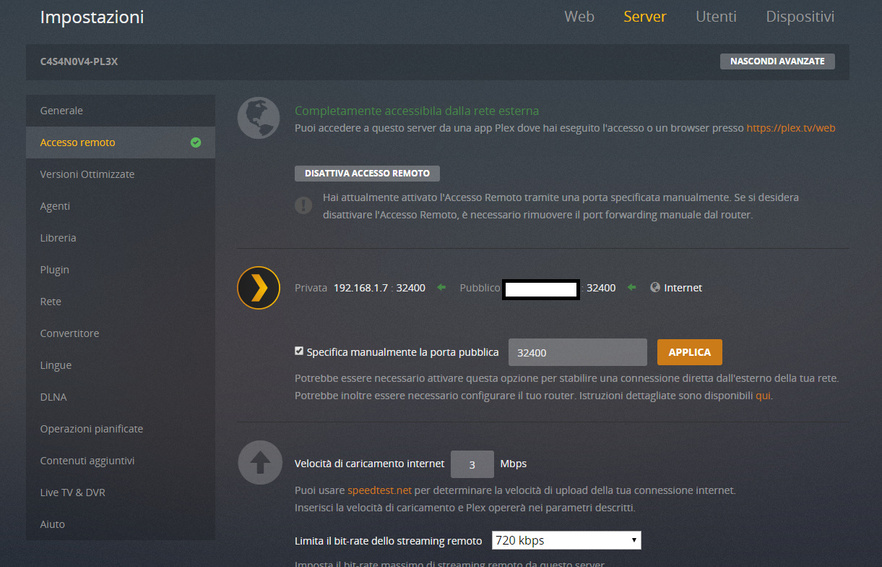
For example, access does not work and the check mark next to the public address was red. Now despite telling me that I can not be reached from the outside, the check is green and I enter the phone while not before. See Attachment.

Typical situation:
- I enter from my smartphone on the plex and the app tells me that I do not reach the plex server.
- Within the server configuration on my QNAP (remotely) and I find that remote access is inhibited.
- I click on “activate remote access”, and instead the check on “internet” turns green even if there is a red writing that says “Not available outside your network - Activate to access your server anywhere.” Obviously it does not make me save the changes (the button is not clickable). See Attachment.
Port forward #: In my router i open the port forward 32400 to the internal lan ip of my qnap;
DHCP reservation #: Also i have DHCP reservation to the qnap server;
DDNS setup #: In ddns i have correctly configured the unique name for reach my qnap from internet.
Firewall #: disabled
But for my ISP restriction i cant reach my router outside my lan if i able other internal ip to available from internet or maybe is my skill not really good for setup correctly that info. In fact from my office i can enter in QNAP and i can enter in plex server too.
But My plex server work correctly from 1 week or more (im new to plex and qnap nas too). Just from yestarday i have all this problems.
Wich other info you need?
PS: from this exactly moment the connection is available and i do not do anything.

Also there is a plex server log available.Plex Media (4.7 MB)
Is this a problem of the app server plex and not to my connection or server?
