Server Version#: 1.41.9.9961
Player Version#: -
My PLEX Media Server can only sort the movie library by the Sort Title field, but not by the Title field. If the Sort Title field is empty, it does not access the Title field and therefore cannot sort the movie. How can I solve this problem?
Fill in the “sort title”. That is automatically done upon ingestion of new items.
If it’s empty on your server, then something unsupported/3rd-party has thrown a spanner into the works.
That can’t be right. I haven’t installed anything special since then. A few months ago, this wasn’t the case. The media server sorted the movies even though the Sort Title field was empty. The Sort Title field is only filled in if the movie title begins with “The” or “A,” for example. In the meantime, however, something has changed with PLEX agents. I don’t know if this is related.
Incidentally, I don’t have this problem with series. Most of the Sort Titles are empty there as well.
That’s not true. The Sort Title field will always get the same content as the Title field, except when the title begins with “The” or “A”, in which case these get stripped off.
Are you using mp4/m4v files? If so, inspect all their embedded meta tags. If they contain a Sort Title tag which is empty, or only contains a space character, this may get into the Plex database as the Sort Title of that item.
Why did everything work fine before? How can the sort titles suddenly just disappear?
I use M4V files. When I add new movies, the sort title is empty. I also tried re-importing the entire movie library (over 6000 movies), but the sort title remains empty.
Which scanner and agent are selected in the properties of your movie library?
(on the Advanced tab)
Scanner: Plex Movie Scanner
Agent: The Movie Database
When I import the movies this way, everything is exactly as it should be. However, I am then notified that the media libraries need to be updated because the old version will soon be discontinued. When I perform the upgrade and update the media library, all the sorted titles are gone.
This is a legacy agent and will not receive any bug fixes or support anymore.
In fact, it will be gone from Plex server in the not-so-distant future.
Use “Plex Movie” right from the get-go when creating a new movie library. It is the default for new libraries anyway.
Unfortunately, “Plex Movie” doesn’t recognize all of my movies and is much less reliable. It requires a lot of follow-up work. That’s a shame…
Most of those failures usually have these 2 common reasons:
- the “movie” is actually a mini-series and will therefore only get metadata when put into a “TV Shows”-type of library
- the movie in question has been marked as “adult” in at least one online metadata source. These movies won’t get matched with the new agent, unless “Allow matching to explicit content” has been activated in the properties of the library. Doing so, however, will disable other Plex features which might be desirable, like the Watchlist, or Discover Credits.
Apart from the above, you can usually get most items to match by conforming closer to the naming guide.
Sometimes you will have to add a “matching hint” to the folder or file name, by adding the IMDb ID or TMDB ID. Particularly if there were several similarly-titled movies in the same year, or if these movies have very short titles, or titles which consist largely of numbers. https://support.plex.tv/articles/naming-and-organizing-your-movie-media-files/
The Swiss film “Bingo” (IMDb tt0313279, TMBD 593595-bingo), for example, cannot be found by “Plex Movie” and cannot be assigned manually either (as the film is not available for selection and therefore cannot be selected). With the old agent, the film could be assigned without any problems.
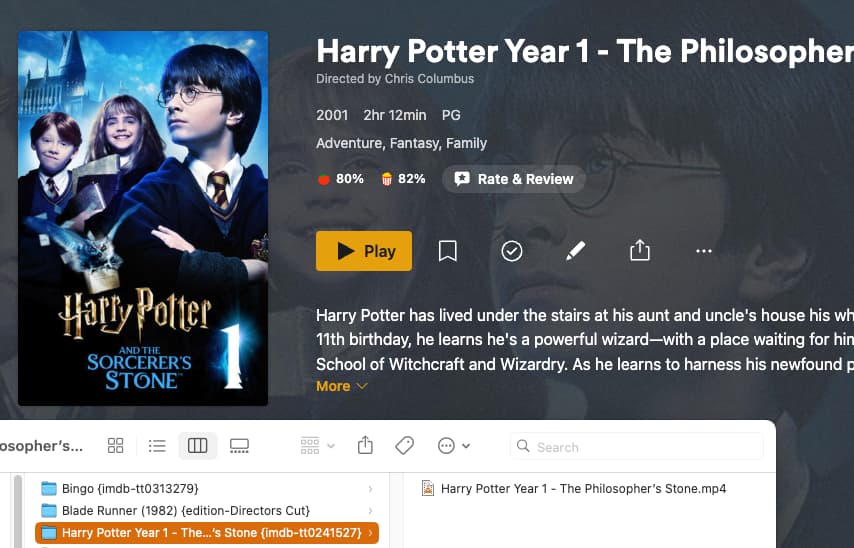
In addition, “Plex Movie” changes my desired movie titles, such as “Harry Potter Year 1 - The Philosopher’s Stone,” “Harry Potter Year 2 - The Chamber of Secrets,” etc., to “The Philosopher’s Stone” and “The Chamber of Secrets,” etc. When I import the metadata from the local information, including my desired titles, the sort titles are deleted. - Really, the old version was much better!