Server Version#: 1.42.1.10060-4e8b05daf
Player Version#:
Running Plex Media Server on a brand new M4 Mac Mini with latest version of Sequoia OS.
Having just migrated over from my MacBook Pro to the Mini, I realized I lost all my local and/or preferred media (preferred posters, backgrounds, collections, etc) I spent Labor Day weekend rebuilding all that from scratch. For 1000+ movies, that’s a slog.
This afternoon, things were starting to look pretty good. I had all my collections, preferred posters, backgrounds and episode cards in place. Transferring some media files over to the Mini started to feel sluggish, so I quit the transfer and restarted the Mini to freshen things up.
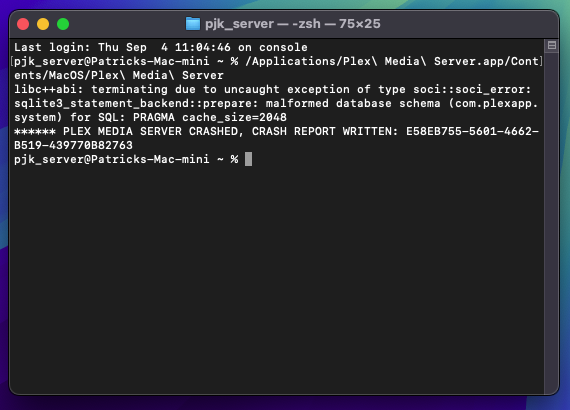
Upon restart, Plex Media Server (let’s just call it PMS from this point forward…) refused to launch. Double-clicking the icon or selecting Open from the Finder just “launched” it for a tenth of a second and promptly quit. No sign-in, no browser page load, nothing.
I backed up the Plex Media Server folder (3GB worth!) inside
~Library/Application Support
and com.plexapp.plexmediaserver.plist inside
~Library/Preferences
Uninstalled PMS per instructions on their help docs. Including Cache files. Restarted as instructed. Since they stated to re-install PMS *after* replacing the backup files above, I did so, and still got the launchquit as above.
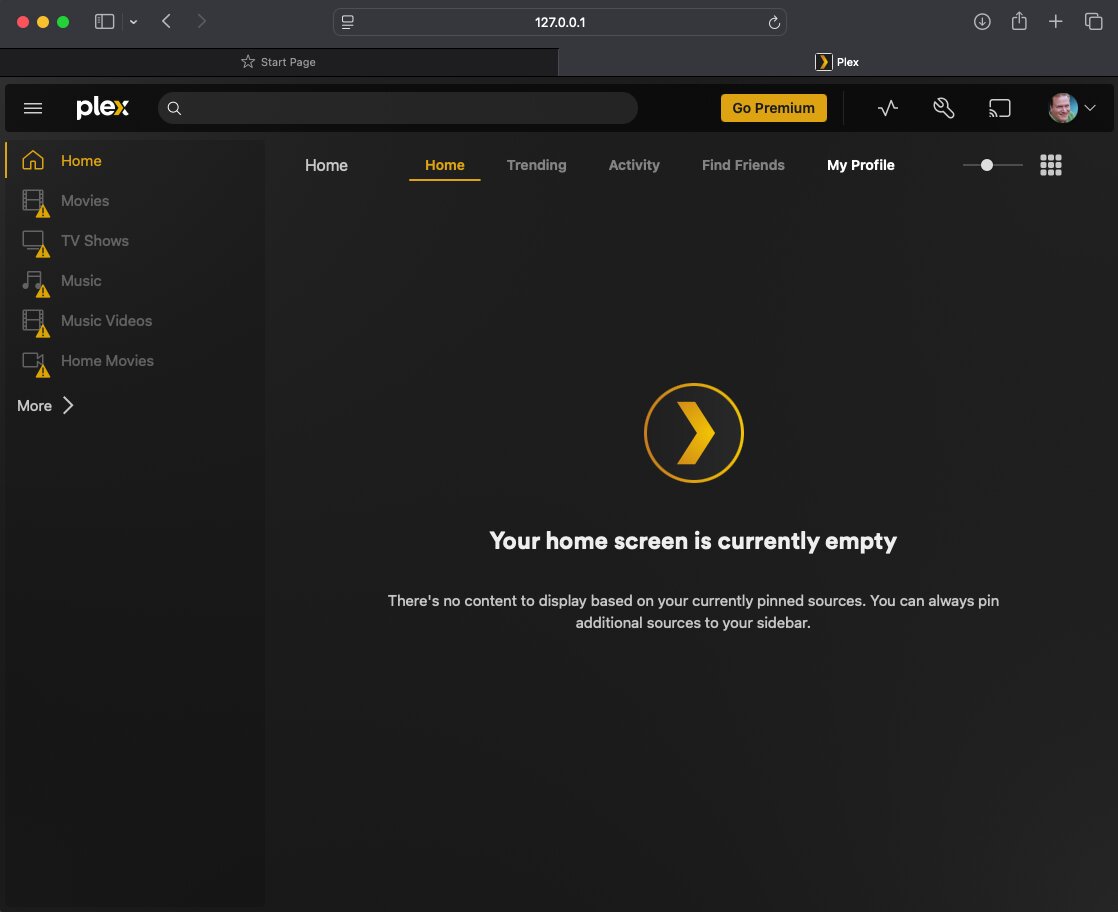
Did another complete uninstall and restart. This time installed and ran PMS, getting to the login screen. From there, replaced the App Support and Prefs files above. Now PMS doesn’t recognize any of my libraries, even after logging out/in and restarting. The files are on hard drives connected to the Mini and clearly accessible in the Finder. Deleted the PMS folder in Application Support and replaced with the backup. Launching PMS gets the same launchquit behavior.
This leads me to believe something is messed up within the Application Support backup (the 3GB folder). Doing another complete uninstall and fresh install (with issue regarding Libraries not being recognized). Assuming a fresh install and I had to manually replace folders inside the App Support folder to reinstate my local preferred media files and collections, which would those folders be? Guessing Media, Metadata and Thumbnails?
Finally, anyone else had a similar issue? I really don’t want to spend another three days manually reselecting my posters, backgrounds, title cards and collections. Surely this stuff remains in the backup somewhere, even though some of it seems to be corrupted?
Thanks for the long read and in advance for your advice.