Old computer died and trying to run Plex from new computer.
OS 12.1
Server Version#: 1.25.8
Player Version#:
Old computer died and trying to run Plex from new computer.
OS 12.1
Server Version#: 1.25.8
Player Version#:
Any additional details about your setup?
Usually your server logs should show if there’s an issue during startup. If the Plex Media Server won’t start and doesn’t even get to the stage where it’ll be writing to the server logs, you can attempt the following procedure to see if there’s any error messages on the OS level:
/Applications
Show Content from the context menu of the Plex Media Server.app itemContents/MacOS
Terminal appPlex Media Server executable from the Finder window (#3) into the Terminal Window and press Return to execute itThis is no different from running the app, so it won’t succeed – but you should get a more specific error message about what’s causing it to fail starting.
Got this response from Terminal
Server.app
zsh: permission denied: /Applications/Plex Media Server.app
imac24@Christophers-iMac ~ %
You may have skipped a step. It sounds like you dragged Plex Media Server.app into the Terminal window. In @tom80H’s instructions, steps #2 and #3 are necessary as well.
Try entering this in Terminal.app:
/Applications/Plex\ Media\ Server.app/Contents/MacOS/Plex\ Media\ Server
(If it happens to succeed, there won’t be any output, and you will see Plex in the menu bar.)
Error: Unable to set up server: sqlite3_statement_backend::loadOne: database disk image is malformed (N4soci10soci_errorE)
imac24@Christophers-iMac ~ %
Why do I need to go so deep to install Plex Server? It installed on my former Mac very simply.
You could try and see if this works.
Plex server hasn’t been installed. How can there be a database?
Is there really no Plex support?
This all worked so well on my now deceased computer.
If the Plex Media Server cannot find a database (e.g. on a new install), it’ll initiate its database. There’s the occasional off situation where that database initiation gets interrupted/corrupted. An attempt to repair it could fix it. Alternatively you could simply try do delete the server data directory and give it another try.
Great.
Where do I find the Plex database?
Or server data directory?
Thanks
Easiest way is to Uninstall and start again, attached is the correct way to uninstall.
Not trying to be rude at all but put in a little effort and google it. Or scroll the FAQs or the other manuals on the site and find your answer. I do find google to be faster though. first result on google gets you
Repair a Corrupted Database | Plex Support as an answer to your first question.
I appreciate it.
I googled “plex media server won’t launch mac” before finding forum.
Lots of hits for Windows.
Thanks
i would try the repair first and if that fails then try the article se56 posted. Hopefully its an easy fix.
There are no Plex files in system. There are no app support libraries.
I’ve tried downloading new installer a half dozen times.
Something tells me there is something simple I have not seen or tried. Usually when I spend hours with a computer problem it’s either something I can’t fix or a simple step that has been missed.
I hope that’s the case because I’ve spent a considerable amount of time setting up media library specifically for Plex.
thanks
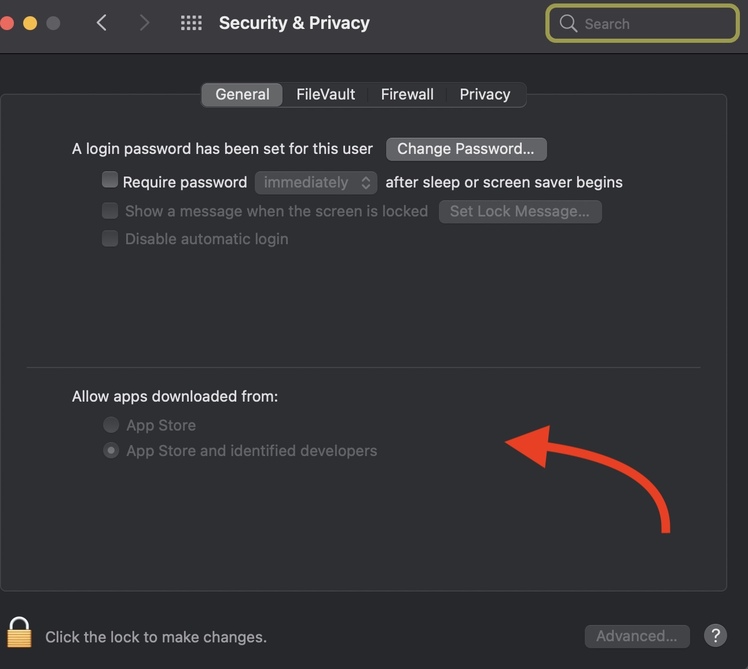
Security & Privacy seem to be correct. Can’t find Gatekeeper though.
Does Plex Media Server even run on M1 and OS 12.3?
It does but depends on Rosetta 2 to be installed/activated on your Mac.
… which happens automatically. When any app is opened that needs Rosetta 2, macOS will prompt and install it if it’s required.
You can also do this from the command-line, but it’s basically never necessary. softwareupdate --install-rosetta
Interesting.
“Installing Rosetta 2 on this system is not supported.” says Terminal.